
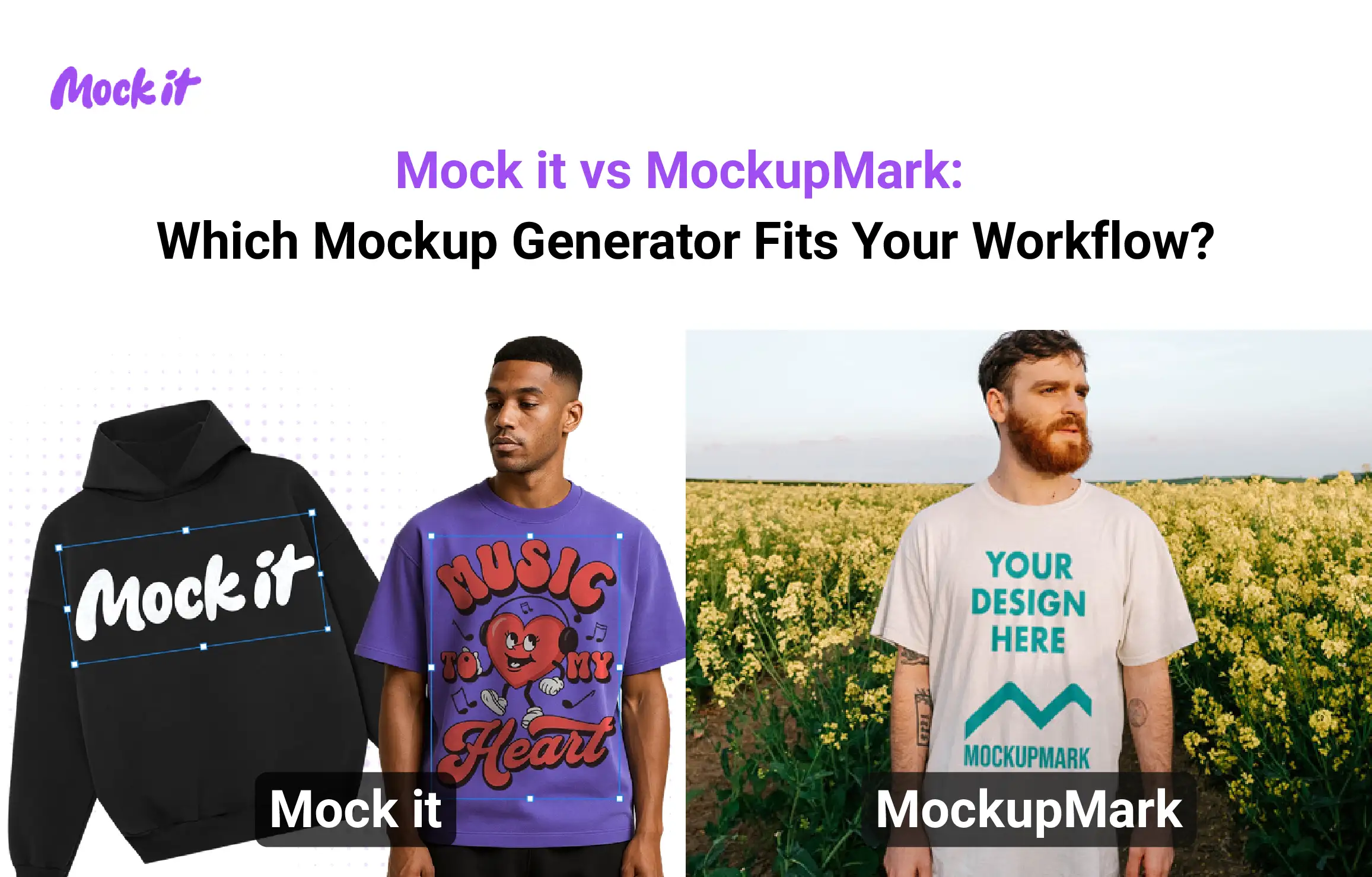
Choosing the right mockup tool can be the difference between a product that sells and one that sits in the warehouse. While both Mock-it.co and MockupMark support designers and ecommerce brands, they differ in their workflows, template structures, and pricing approaches. Mock-it.co focuses on structured, product-accurate mockups, whereas MockupMark focuses on speed and creative presentation.
Mock-it.co focuses on technical precision and brand accuracy. It offers over 5,000 templates covering 45+ real clothing brands like Gildan and Bella+Canvas. Its structured 5-step workflow utilizes comprehensive color and fabric libraries to ensure digital previews exactly match physical inventory. Pro features, including AI background removal and Text-to-Image generation, further enhance professional product listings.
MockupMark prioritizes operational speed and creative variety. Its 3-step system excels at generating “in-the-wild” lifestyle visuals for rapid social media marketing. It also provides a lifetime payment option for users seeking to avoid recurring subscriptions. Choosing the right tool depends on your specific workflow. Evaluate both based on image quality, processing speed, and licensing to determine which aligns with your brand. Review our testing methodology and comparison data to find the generator that fits your current production pipeline.
At a Glance: Mock-it co vs MockupMark
Mock-it.co focuses on brand-accurate apparel visualization using real clothing blanks and structured editing, while MockupMark prioritizes speed and creative lifestyle presentation through simplified templates and quick generation.
| Feature | Mock-it.co | MockupMark |
| Type | Structured apparel mockup generator | Simple lifestyle mockup generator |
| AI Capability | AI tools (Text-to-Image, background removal) in Pro | No AI; template-based |
| Template Library | 5,000+ apparel-focused templates | Large, frequently updated library |
| Real Clothing Brands | 45+ brands (Bella+Canvas, Gildan, Champion) | No real brand focus |
| Ease of Use | Guided 5-step workflow | Simple 3-step process |
| Customization | High (color, fabric, product variants) | Basic template-level edits |
| Output Style | Studio-grade, technical product shots | Lifestyle and creative scenes |
| Speed | Moderate (detailed workflow) | Fast |
| Editing Tools | Advanced controls + AI tools | Basic drag-and-drop tools |
| Pricing Model | Subscription (Pro features, unlimited use) | Subscription + lifetime option |
| Free Option | Selection of free templates available (7-day free trial) | Free templates available |
| Commercial Use | Allowed for e-commerce use | Allowed (plan-dependent) |
| Best For | Apparel brands, online stores, eCommerce stores, fashion designers | Beginners, quick mockups, POD sellers, |
Who should use Mock-it co vs MockupMark?
Mock-it.co supports structured, production-ready outputs, while MockupMark supports quick and simple visual creation. Your choice depends on how you create mockups and what your workflow demands.
Choose Mock-it.co if you:
- Operate a professional e-commerce store that requires exact digital matches for your physical inventory, such as Bella+Canvas, Gildan, or Champion.
- Need comprehensive product listings that include consistent front, back, and side views for every item.
- Require precise color and fabric libraries to ensure that your digital previews match the final printed product.
- Value high-volume production and want the freedom to create unlimited mockups for large catalogs.
- Want cutting-edge AI features, such as Text-to-Image generation, to create unique backgrounds and assets via the Pro plan.
- Prefer a structured, professional workflow backed by a risk-free money-back guarantee.
Choose MockupMark if you:
- Prioritize speed and want to see your designs on creative templates in just a few clicks.
- Focus on social media marketing and need lifestyle photos featuring models in realistic, “in-the-wild” scenes.
- Want a straightforward experience without the need to write AI prompts or manage complex generation tools.
- Are a complete beginner looking for the simplest possible path to a finished image.
- Prefer predictable, pre-made layouts that allow for quick listings without deep customization.
- Want to avoid monthly subscriptions by opting for a one-time lifetime payment.
- Like to test the waters with a selection of free templates before making a financial commitment.
How did we test Mock-it co and MockupMark?
We evaluated both platforms by executing real-world design workflows to measure their efficiency, accuracy, and output quality. Our team tested these tools against a set of standardized criteria, including image realism, customization depth, and speed, using identical high-resolution graphics to ensure a fair comparison.
Mock-it.co utilizes a structured 5-step visual editor designed for maximum control. During testing, we followed a guided process to select specific garment templates, upload artwork, and fine-tune colors and fabric textures. This method ensures consistent, professional results across entire product lines. In contrast, MockupMark employs a 3-step simplified placement system that prioritizes rapid output by allowing users to drop designs into preset lifestyle scenes.
While neither platform uses AI prompt-based generation as its core engine, we analyzed how Mock-it.co integrates AI Text-to-Image features in its Pro plan to support, rather than replace, the manual design process.
Head-to-Head Comparison: Mock-it co vs MockupMark
Image Quality and Output Realism
Mock-it.co focuses on production-accurate apparel visuals using real garment blanks, while MockupMark focuses on creative lifestyle scenes with styled compositions. Their output realism differs based on whether the goal is product accuracy or visual storytelling.
Mock-it.co:
- Excels at realistic garment representation, accurate fabric texture, and print placement on real clothing brands
- Maintains strong consistency across outputs due to structured templates and controlled editing
- Best for ecommerce listings, apparel brands, and product pages that require production alignment
- Supports high-resolution exports suitable for online stores and marketplaces
- Weakness: limited lifestyle depth compared to scene-based mockups with models
MockupMark:
- Excels at lifestyle visuals with models, backgrounds, and creative presentation styles
- Provides moderate consistency since templates vary in style and composition
- Best for social media visuals, ads, and marketing creatives
- Offers good resolution for digital use, but varies across templates
- Weakness: lacks true-to-product accuracy and does not reflect real garment specifications
Style Range and Flexibility
Mock-it.co organizes its style range around real apparel products and controlled variations, while MockupMark expands style diversity through creative scenes and lifestyle-driven templates. The difference lies in structured accuracy versus visual variety.
Mock-it.co:
- Style options focus on apparel types such as t-shirts, hoodies, and sweatshirts across real brand blanks
- Offers high flexibility within product constraints through color libraries, fabric options, and angle variations
- Provides detailed customization at the product level, including front, back, and multiple color previews
- Best suited for ecommerce catalogs, product listings, and brand consistency across collections
- Structured flexibility and product-focused styling
MockupMark:
- Style options include lifestyle scenes, model-based visuals, and creative environments
- Offers moderate flexibility, as users select from predefined templates with limited structural changes
- Supports basic customization, such as design placement and minor adjustments within the scene
- Best suited for social media content, promotional visuals, and quick creative outputs
- Variety in visual styles and creative presentation
Ease of Use and Interface
Mock-it.co provides a guided interface with structured steps that support controlled mockup creation, while MockupMark simplifies the process with a minimal interface designed for speed and ease. The difference appears in how much guidance or simplicity the user needs.
Mock-it.co:
- Accesses through a web-based platform with a structured visual editor
- Onboarding follows a guided 5-step workflow that walks users through template selection, design upload, and customization
- Time to first mockup typically takes a few minutes due to the step-by-step setup
- Designed with a low to medium learning curve, especially for users managing detailed product mockups
MockupMark:
- Runs entirely in the browser with instant access and no setup complexity
- Onboarding is minimal, as users select a template and place their design directly
- Time to first mockup is very fast, often under a minute for basic outputs
- Built with a very low learning curve, making it suitable for beginners with no prior experience
Speed and Performance
Mock-it.co prioritizes controlled rendering with detailed customization steps, while MockupMark prioritizes fast output through simplified template placement. This distinction centers on how each platform balances speed with output control.
Mock-it.co:
- Image/Mockup Generation Time is moderate, as each step (template, color, fabric, preview) adds processing time (1-2 min)
- AI processing applies only to optional features like background removal or Text-to-Image, not core generation
- Handles load consistently with stable performance during multi-step editing
- Supports batch-like workflows through unlimited mockup creation, though not true bulk automation
- Maintains consistent output time due to its structured workflow
MockupMark:
- Image/Mockup Generation Time is fast, with near-instant output after design placement
- Does not rely on AI processing, which reduces rendering complexity
- Handles load efficiently for single mockups due to lightweight processing
- Does not support true batch generation, but allows quick repeated creation
- Output time remains highly consistent due to minimal processing steps
Editing and Customization
Mock-it.co offers detailed product-level editing with control over garments and visual accuracy, while MockupMark provides simple editing tools focused on quick adjustments within predefined scenes. The difference lies in the depth of control and the speed of editing.
Mock-it.co:
- Design placement allows precise positioning on apparel with alignment suited to real print areas
- Color customization includes full garment color libraries and fabric variations for accurate previews
- Background/scene control is limited but supports clean product-focused outputs
- Template switching is structured, allowing users to apply the same design across multiple product variants
- AI tools include background removal and Text-to-Image in Pro plans
- Export formats support high-resolution downloads suitable for e-commerce use
- Real clothing brand integration with front-and-back mockup generation
MockupMark:
- Design placement supports drag-and-drop positioning within fixed template areas
- Color customization is limited to predefined template options
- Background/scene control is strong, with lifestyle environments and model-based visuals
- Template switching is fast, enabling quick changes between creative scenes
- AI tools are not included; editing remains template-based
- Export formats support standard image downloads for digital use
- Wide range of lifestyle templates for quick visual content creation
Pricing and Value for Money
Mock-it.co uses a subscription model designed for continuous mockup production, while MockupMark offers both subscriptions and a one-time payment option. The pricing structure reflects whether the user needs long-term scalability or a fixed-cost solution.
Mock-it.co Pricing:
- Entry level paid plan: $11.99/month (Standard) with access to 5,000+ mockups
- Pro high volume plan: $21.99/month with advanced features and higher usage capacity
- Annual discount: Available (Standard at $8.99/month, Pro at $15.99/month)
- Lifetime option: Not available
MockupMark Pricing:
- Free plan availability: Free templates available for testing
- Entry-level paid plan: $14.99/month (Premium)
- Pro high volume plan: Not available as a separate tier
- Annual discount: Available (save up to 33%)
- Lifetime option: Available as a one-time payment
Licensing and Commercial Rights
Mock-it.co provides structured commercial usage aligned with e-commerce and brand workflows, while MockupMark supports commercial use mainly for product presentation and marketing visuals. The difference appears in how each platform handles usage scope and template restrictions.
Mock-it.co:
- Commercial use is allowed for e-commerce listings, product pages, ads, and client projects
- Attribution is not required for using generated mockups
- Suited for apparel brands, print-on-demand sellers, and agencies managing client work
- Resale of templates is not allowed, but generated mockups can be used commercially without restriction
MockupMark:
- Commercial use is allowed, primarily for product promotion and online listings
- Attribution is generally not required for paid usage
- Suited for small businesses, marketers, and users creating social media or marketplace visuals
- Resale or redistribution of original templates is not permitted
Ethical Safeguards and Content Control
Mock-it.co applies controlled safeguards around its AI-assisted features and structured editing system, while MockupMark maintains content control through its fully template-based environment. Both platforms aim to ensure safe and compliant mockup creation.
Mock-it.co:
- AI risk exists due to optional features like Text-to-Image, though it does not affect the core mockup workflow
- Content filtering applies to AI tools to prevent misuse, such as inappropriate or restricted visuals
- Brand safety remains strong due to structured templates and controlled editing environments
- Data compliance follows standard platform practices, with users responsible for the rights to uploaded designs
MockupMark:
- AI risk is minimal, as the platform does not rely on generative AI systems
- Content filtering follows standard platform rules within a closed template system
- Brand safety is high due to predefined scenes and no user-generated environments
- Data compliance is straightforward, with limited risk since no AI processing is involved
Support and Resources
Mock-it.co provides structured support with guided resources tailored to product-focused workflows, while MockupMark offers basic support materials for quick onboarding and simple use. The difference lies in the depth of assistance and simplicity.
Mock-it.co:
- Support channels include email support with structured assistance for users
- Documentation includes step-by-step guides aligned with its 5-step workflow
- Community presence is growing, with resources focused on e-commerce and apparel users
- Guided workflow support that helps users maintain consistency across mockups
MockupMark:
- Support channels are primarily email-based for general queries
- Documentation includes help guides and FAQs for quick reference
- Community presence is limited, with minimal interactive support
- Simple onboarding materials that allow users to start without prior experience
Which tool should you choose: Mock-it co or MockupMark?
If you need structured, production-accurate mockups that match real apparel products with full control over colors, fabrics, and product views, choose Mock-it.co. If you prefer fast, ready-made visuals for marketing or quick listings with minimal setup, choose MockupMark. The right choice depends on whether your priority is accuracy and scale or speed and simplicity.
| Use Case | Recommended Tool | Reason |
| Apparel Brand | Mock-it.co | Matches real clothing brands like Bella+Canvas and Gildan for accurate product representation |
| Print-on-Demand (POD) | MockupMark | Structured mockup sets provide 3 front and 3 back views for every style. |
| Front and Back Product Views | Mock-it.co | Generates complete product sets for ecommerce listings |
| Social Media Creatives | MockupMark | Provides lifestyle scenes with models and creative backgrounds |
| Complete Color and Fabric Accuracy | Mock-it.co | Includes detailed color libraries and fabric-based variations |
| Quick Catalog Images | MockupMark | Allows fast mockup generation with minimal steps |
| Brand Campaign Visuals | Mock-It.co pro | AI-powered text-to-image and scene creation tools deliver unique, brand-aligned visuals |
| Payment to Avoid Subscription | MockupMark | Includes a one-time lifetime payment option |
| Risk-Free Trial | Mock-it.co | Offers a 7-day trial with money-back guarantee |
| Beginner with Zero Design Experience | MockupMark | Simple interface with minimal learning required |
| High Volume Production | Mock-it.co | Unlimited mockup creation supports large-scale workflows |
How can you start using Mock-it co?
Getting started with Mock-it.co is straightforward and follows a guided workflow that helps you create production-ready mockups step by step. You can generate your first mockup within minutes by following the built-in editor process.
Here are the 8 steps to start using Mock-it.co:
- Step 1: Visit the platform
Go to Mock-it.co and access the mockup generator directly from your browser.
- Step 2: Sign up and choose your trial
Create your account using your email and activate the 7-day trial to access the platform features.
- Step 3: Add your design
Upload your design file in PNG or JPG format and place it on the selected apparel template.
- Step 4: Change the colors
Select garment colors and fabric options to match your product requirements.
- Step 5: Change the mockups
Switch between different templates, angles, or product types to create multiple variations.
- Step 6: Preview your mockup
Review the mockup to check placement, alignment, and overall appearance.
- Step 7: Download your mockup
Export the final image in high resolution for use in your store or marketing materials.
- Step 8: Explore editing tools
Use additional tools, such as background adjustments or AI features (Pro plan), to further refine your mockups.
Can Mock-it co and MockupMark be used together
Yes, Mock-it.co and MockupMark can be used together to build a robust visual brand by blending technical precision with realistic environmental context. Use Mock-it.co for high-accuracy, multi-angle product listings and MockupMark for “in-the-wild” social media content. Syncing HEX codes and 300 DPI graphics ensures a professional, 360-degree shopping experience across all channels.
Is Mock-it co better for realistic mockups than MockupMark?
While Mock-it.co provides the best studio-style clarity for your store, MockupMark creates the most authentic visuals for marketing. Mock-it.co focuses on garment accuracy, making it superior for technical product listings where customers need to see specific fabric textures and exact manufacturer fits. However, MockupMark often wins on environmental realism by placing designs on human models in natural settings.
Do both platforms allow commercial use of mockups?
Yes, both grant commercial licenses for online stores and marketing. Mock-it.co provides a perpetual license for product pages and deliverables, while MockupMark offers royalty-free usage. However, both strictly prohibit reselling or redistributing raw mockup files as standalone assets.
Which tool is better for beginners: Mock-it.co or MockupMark?
Mock-it.co offers a distinct advantage for beginners by prioritizing brand-specific accuracy over the generic templates found on MockupMark. While MockupMark provides a faster way to instantly see designs in various lifestyle scenes, Mock-it focuses on the technical precision required for professional storefronts. By offering exact matches for popular garment blanks, Mock-it.co ensures your digital previews mirror the physical products customers receive.


 Trusted By Thousands Of Designers
  Cancel Your Subscription Anytime
  30 Day Money Back Guarantee