
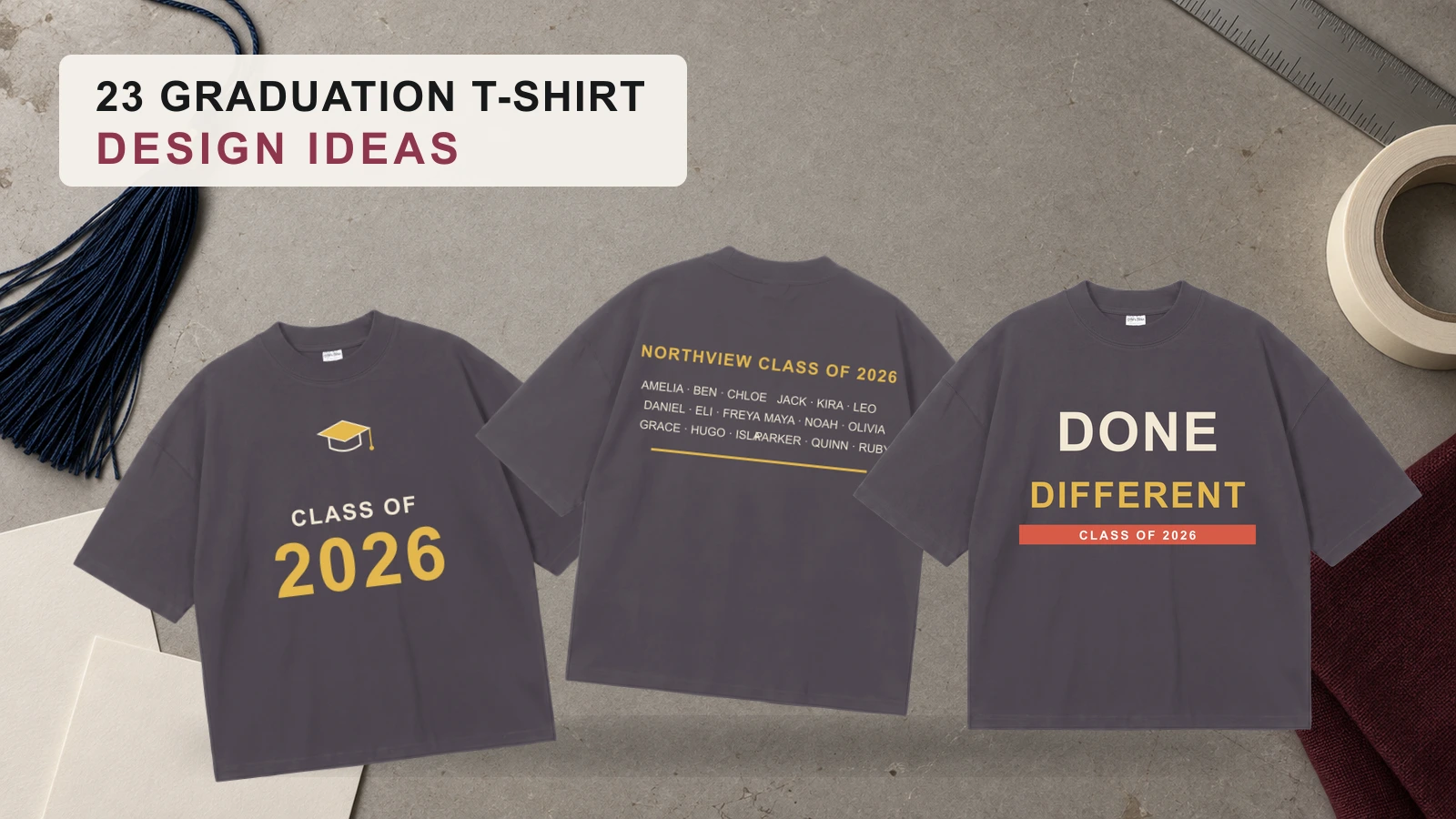
Graduation T-shirt design ideas include Class of 2026 typography, senior-year highlights, class rosters, signatures, graduate photo collages, senior portraits, and personalized names. Other graduation T-shirt ideas feature school mascots, family shirts, funny quotes, major-specific graphics, honors themes, minimalist layouts, retro artwork, floral designs, and streetwear graphics. These 23 graduation T-shirt ideas combine photos, class years, school colors, typography, academic details, graphics, and personalization for graduates, families, classmates, schools, Grad Squads, kindergarten classes, preschool groups, Pre-K students, and Project Graduation events.
Choosing a graduation T-shirt design involves matching the concept to the wearer, shirt style, fit, artwork, colors, graphic size, placement, and print method. Crewneck, V-neck, flowy, heavyweight cotton, and cotton-blend T-shirts provide different design surfaces, while front, chest, back, collar, and sleeve placements support different artwork types. Consider fabric properties, color contrast, typography, image quality, seams, personalization, and print requirements. Preview the finished graduation T-shirt on a realistic mockup to check artwork scale, placement, readability, colors, spacing, and overall visual balance before production.
23 Graduation T-Shirt Design Ideas are:
- Class of 2026 Typography Design
- Senior Year Highlights Design
- Class Name and Roster Design
- Signature and Sign-Out Design
- Graduate Photo Collage Design
- Senior Portrait Design
- Personalized Name and Graduation Year Design
- School Spirit and Mascot Design
- School Colors and Logo Design
- Proud Family Graduation Design
- Grad Squad and Matching Group Design
- Funny Graduation Quote Design
- Inspirational Graduation Message Design
- Major-Specific Graduation Design
- Honors and Achievement Design
- Minimalist Graduation Design
- Retro and Vintage Graduation Design
- Watercolor and Floral Graduation Design
- Streetwear Graduation Graphic Design
- Kindergarten Graduation Design
- Preschool Graduation Design
- Pre-K Graduation Design
- Project Graduation Shirt Design
Class of 2026 Typography Design

A Class of 2026 typography design makes the graduation year the main visual element and uses lettering to mark the graduating class. Large numbers can sit at the center of the shirt while the school name, graduate name, or short class phrase supports the year. Bold, centered typography works well because the graduation year remains readable from a distance.
Key Features: Class of 2026 text, large numbers, graduate name, school name, centered typography, and personalized class-year wording.
Best For: Senior graduation shirts, graduating classes, school groups, family shirts, class merchandise, and personalized graduation T-shirts.
Popular directions:
- Large 2026 numbers: Place oversized numbers at the center of the shirt.
- Class of 2026 arch: Curve the class wording above the graduation year.
- Name and year: Pair the graduate name with a large 2026 graphic.
- School and year: Combine the school name with the class year.
- Cap and typography: Feature a graduation cap above the numbers.
- Layered text: Arrange the class phrase, school name, and year in separate text levels.
Senior Year Highlights Design
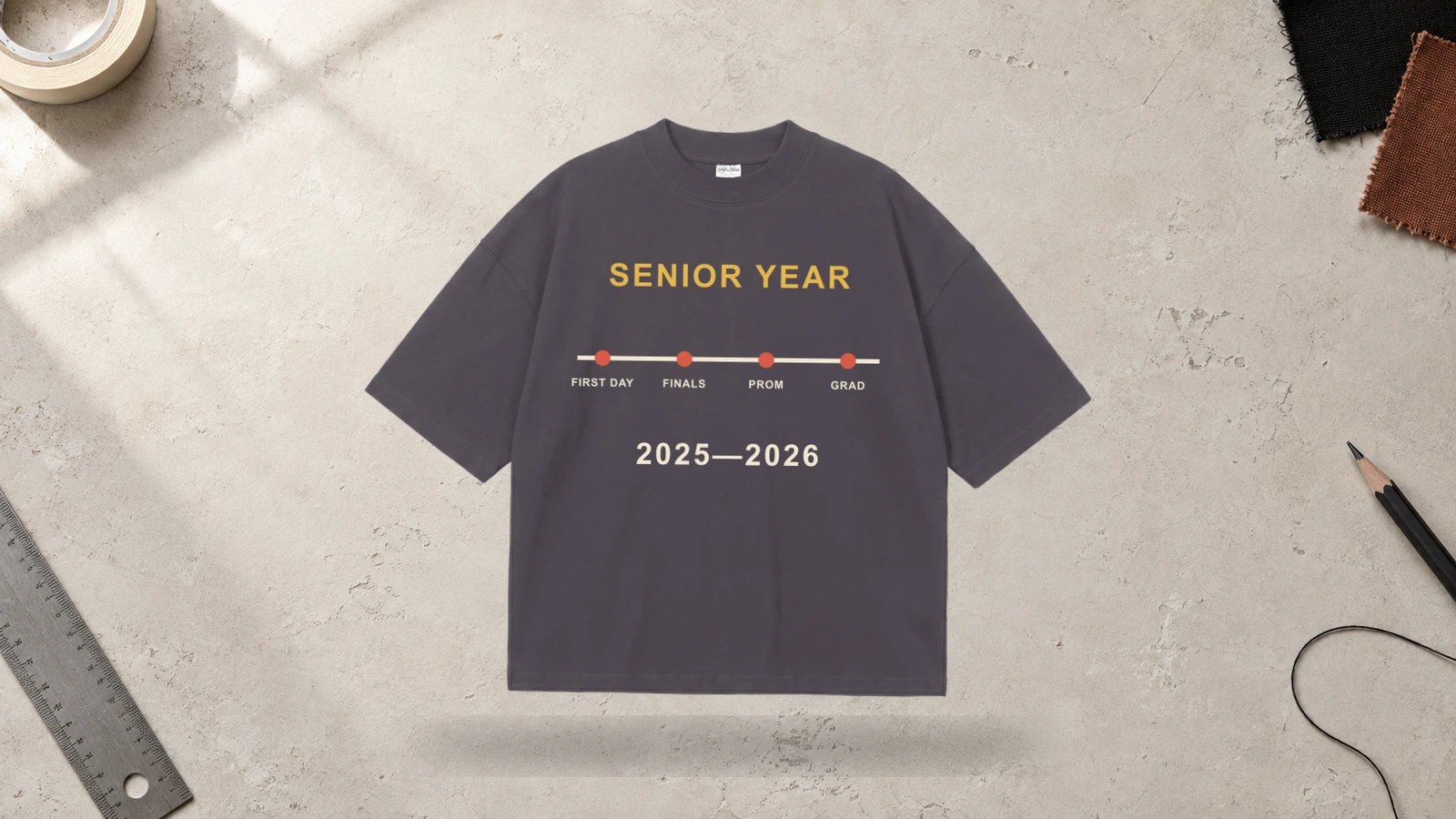
A senior year highlights design combines memorable parts of the graduate’s final school year into one graduation shirt. The layout can feature senior-year dates, class activities, school events, clubs, achievements, or short references that represent the student’s final year. These details can surround the graduation year or graduate name to create a personalized senior-year record.
Key Features: Senior year, graduation year, events, activities, achievements, class references, and personalized text.
Best For: High school seniors, senior classes, school groups, graduation parties, keepsake shirts, and personalized graduation apparel.
Popular directions:
- Senior timeline: Arrange important senior-year moments in date order.
- Activity list: Feature clubs, teams, or class activities around the year.
- Memory layout: Combine short event names with the graduate’s name.
- Achievement highlights: List selected awards or milestones from senior year.
- School-year references: Add class events or recognizable school traditions.
- Year-centered composition: Place the graduation year in the middle with highlights surrounding it.
Class Name and Roster Design
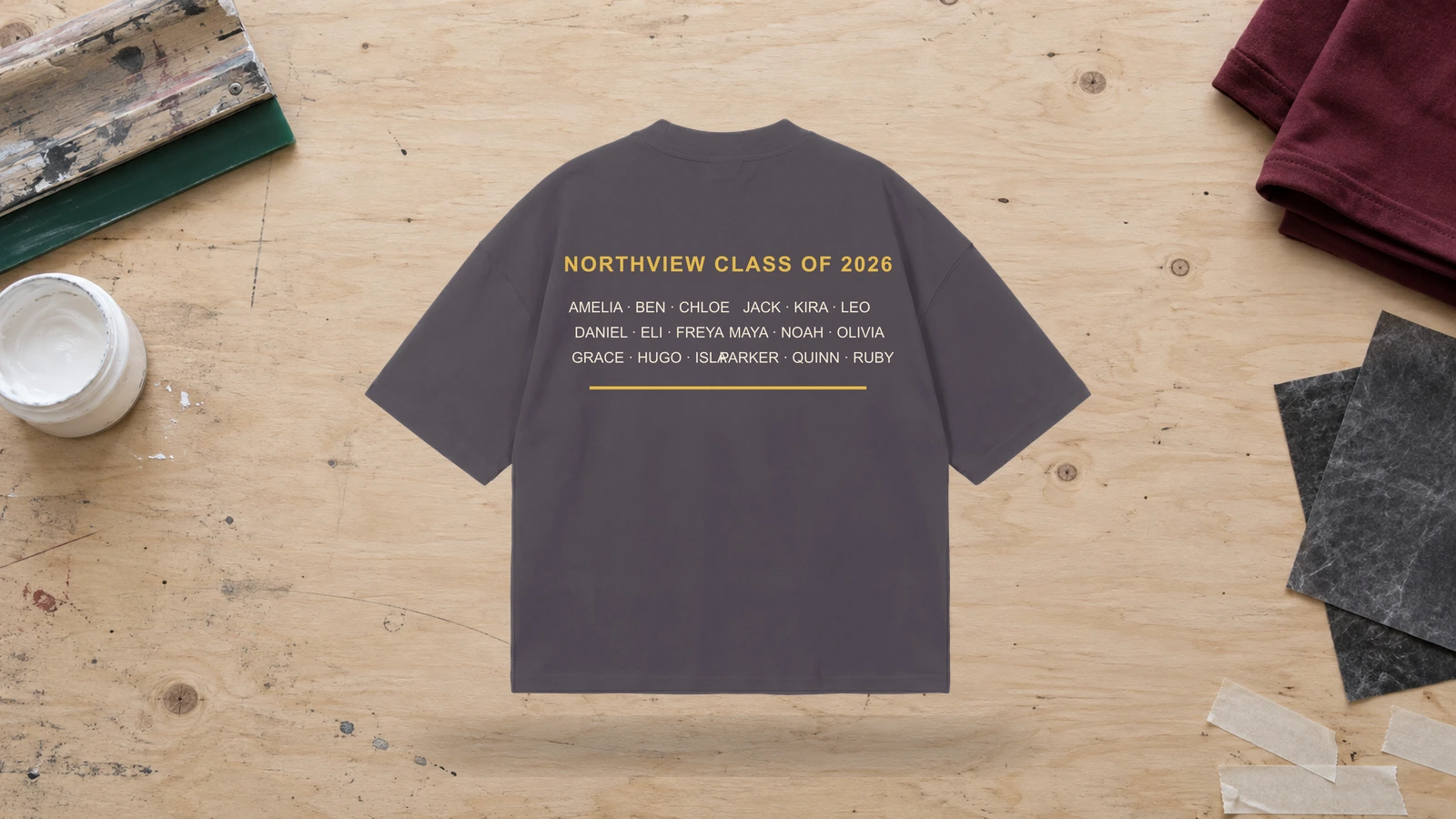
For graduating groups, a class roster layout turns a graduation T-shirt into a shared class keepsake. This graduation shirt idea places student names in organized rows, columns, or grouped sections around the school name, graduating class, or class year. The design works especially well on the back of a T-shirt because the larger print area gives the roster more room without making the names difficult to read.
Key Features: Class names, student roster, classmates, graduating class, organized columns, school name, and class year.
Best For: Graduating classes, school groups, senior events, class reunions, keepsake shirts, and project graduation apparel.
Popular directions:
- Name columns: Arrange student names in two or more balanced columns.
- Year and roster: Place a large class year above the student list.
- School-name header: Use the school name as the top line of the roster.
- Grouped names: Organize names by class, group, or program.
- Back roster: Keep the front simple and place the full class list on the back.
- Centered class title: Frame the roster with the graduating class name.
Signature and Sign-Out Design
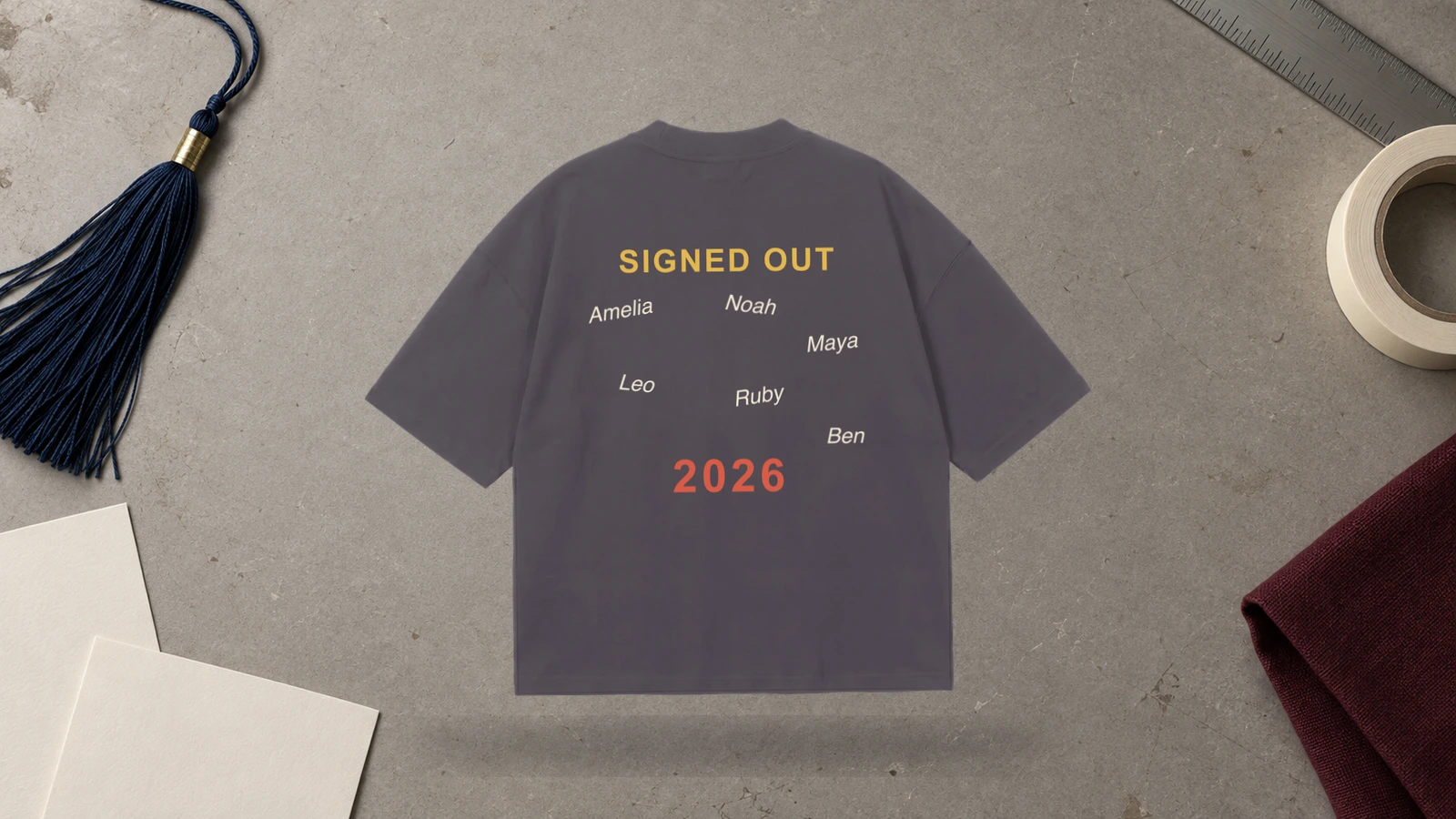
Graduation T-shirts with signatures create a more collaborative class design by using handwritten names, messages, and autograph-style lettering from classmates. This T-shirt idea can place signatures around a graduation year, school mascot, class name, or central graduate graphic. The result works as both graduation apparel and a visual record of the graduating group.
Key Features: Class signatures, handwritten names, autograph lettering, classmates, graduation year, and collaborative placement.
Best For: Senior class T-shirts, school friends, graduation events, class keepsakes, Project Graduation apparel, and personalized group shirts.
Popular directions:
- Signature circle: Arrange class signatures around the graduation year.
- Autograph back: Use the back of the T-shirt for handwritten names.
- Central graduate name: Surround one graduate name with signatures.
- Mascot and signatures: Frame a school mascot with class autographs.
- Sign-out messages: Add short farewell notes beside names.
- Grouped autograph layout: Organize signatures into controlled sections rather than scattering them randomly.
Graduate Photo Collage Design
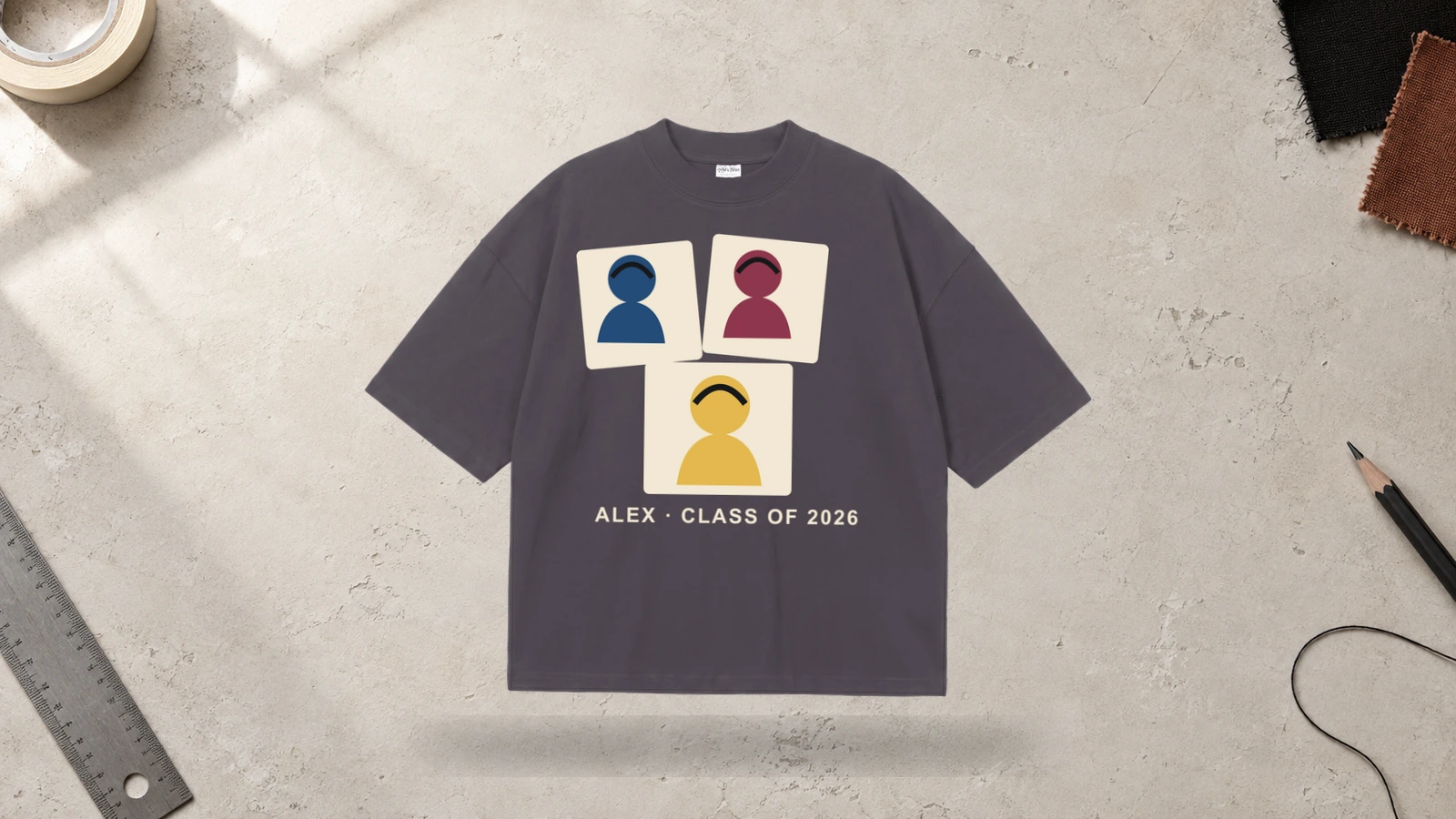
Photo collage graduation T-shirt ideas work well when several images need to represent the graduate’s school years, milestones, or personality. A graduation T-shirt can combine childhood photos, school photos, senior portraits, and graduation images with the graduate’s name and year. The collage should keep each photo visible enough to recognize while still forming one connected T-shirt design.
Key Features: Graduate photos, senior images, photo collage, graduate name, graduation year, and multi-photo composition.
Best For: Personalized graduation T-shirts, family shirts, graduation party apparel, senior celebrations, and custom graduation shirts with pictures.
Popular directions:
- Multi-photo grid: Arrange several graduate photos in a structured layout.
- Then-and-now collage: Pair an early childhood image with a senior portrait.
- Year-framed collage: Place photos around large graduation-year numbers.
- Name-centered collage: Position the graduate’s name between several images.
- Family celebration shirt: Use the same collage across matching graduation T-shirts.
- Milestone collage: Feature photos from different stages of school.
Senior Portrait Design
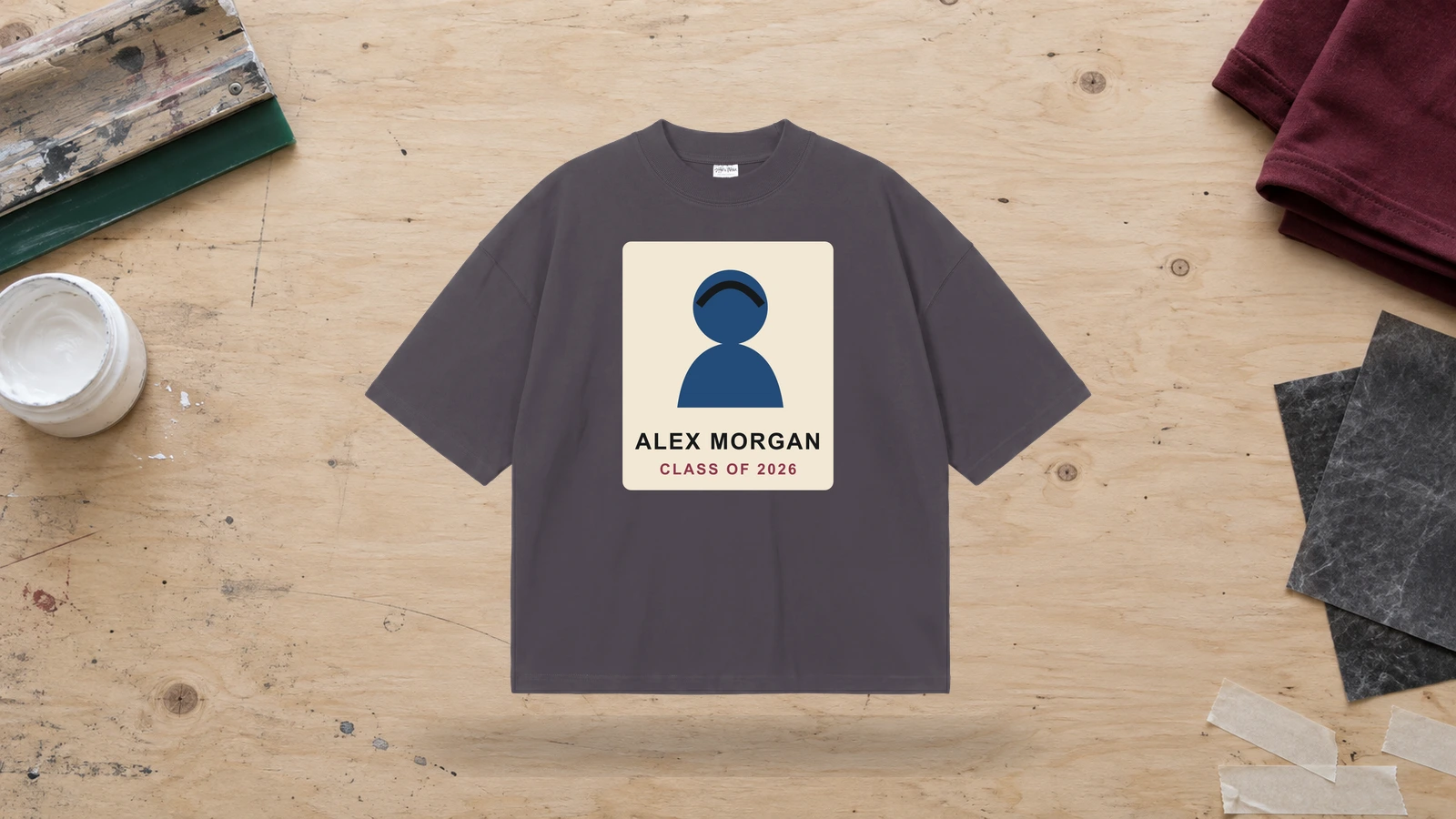
A senior portrait is one of the strongest personalized graduation T-shirt ideas because it keeps the graduate as the clear focal point. The portrait can appear above the graduate name, graduation year, school name, or short academic reference. Keeping the image large and centered creates a graduation T-shirt that works especially well for family celebrations and individual graduate apparel.
Key Features: Senior portrait, graduate photo, centered image, graduate name, graduation year, and personalized framing.
Best For: Personalized graduation shirts, family graduation T-shirts, senior celebrations, party shirts, and photo-based graduation apparel.
Popular directions:
- Centered portrait: Make one senior photo the main T-shirt graphic.
- Name below photo: Add the graduate’s name directly beneath the portrait.
- Photo and year: Pair the image with large class-year typography.
- Framed portrait: Surround the graduate photo with a border or graphic frame.
- Portrait and school: Add the school name beneath the image.
- Family portrait shirts: Use the same senior portrait across matching family T-shirts.
Personalized Name and Graduation Year Design
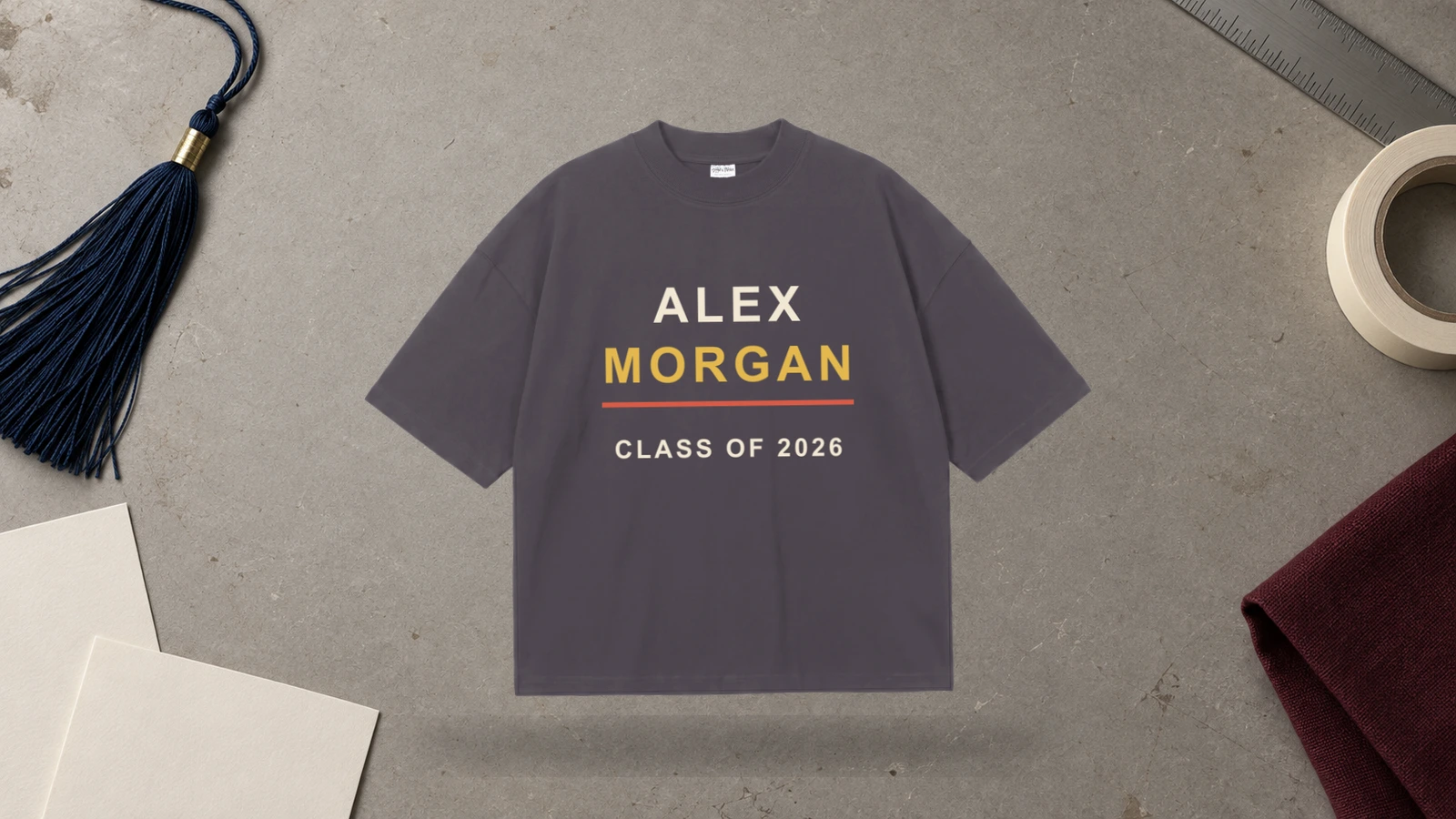
Personalized graduation T-shirt ideas often work best when they focus on just two core details: the graduate name and class year. The T-shirt can place the name above, below, or across large graduation-year numbers, with a small cap or academic graphic supporting the text. This format adapts easily to senior shirts, family graduation T-shirts, and individual graduate designs.
Key Features: Graduate name, graduation year, personalized text, class-year numbers, graduation cap, and centered composition.
Best For: Custom graduation T-shirts, individual graduates, family apparel, senior shirts, personalized gifts, and graduation parties.
Popular directions:
- Name over year: Place the graduate’s name above large class-year numbers.
- Year behind name: Use the graduation year as a background element.
- Cap and name: Add a graduation cap above the personalized text.
- Scripted name: Combine a handwritten name with bold year numbers.
- Initial and year: Use one graduate initial with the class year.
- School reference: Add the school name as smaller supporting text.
School Spirit and Mascot Design
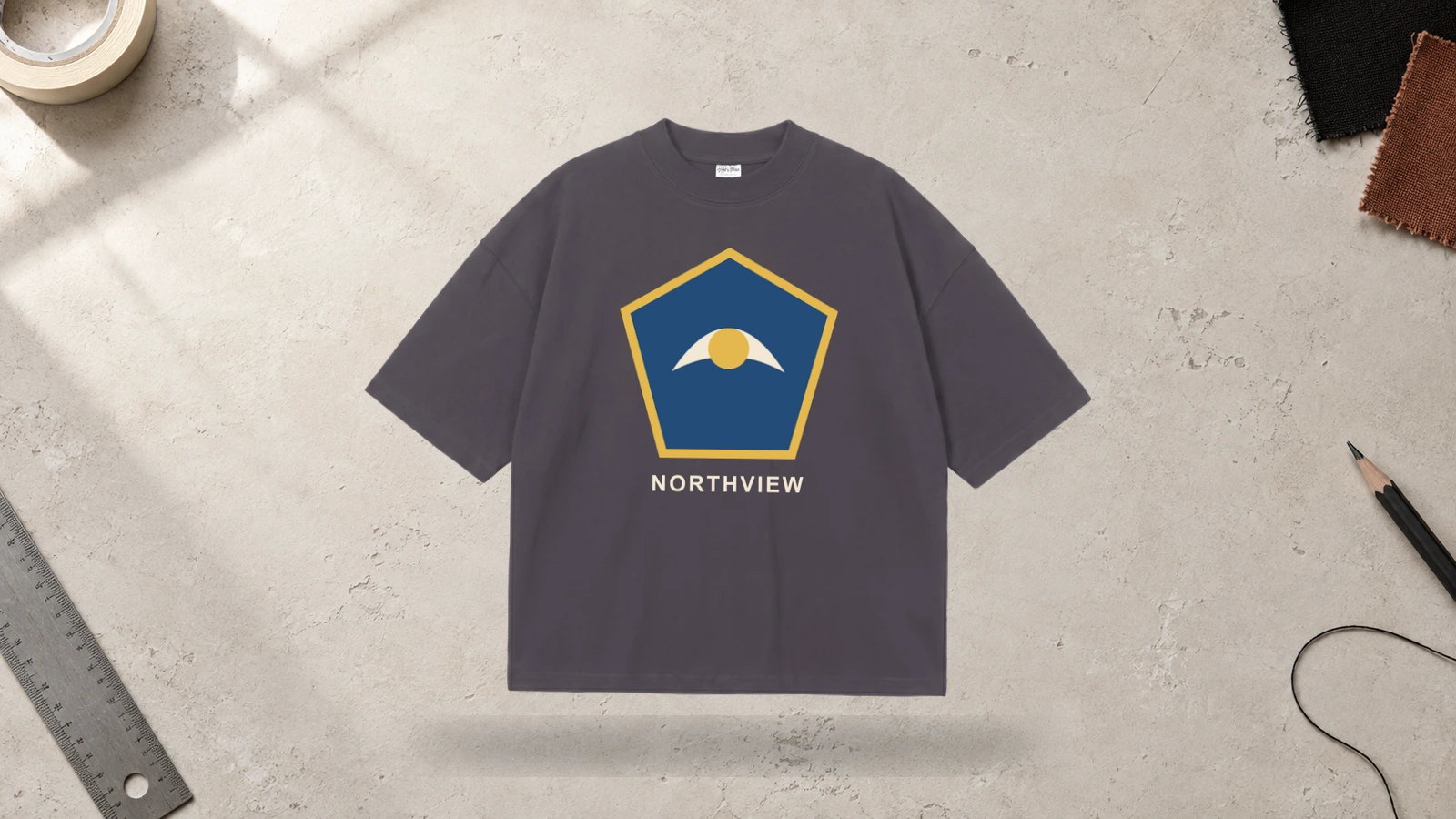
School-themed graduation T-shirt ideas can use the mascot as the main graphic, with the school name and class year identifying the graduating group. This type of graduation shirt works well for students who want the T-shirt to represent both graduation and school identity. A mascot, class phrase, or team reference can create the central visual while graduation wording keeps the academic milestone clear.
Key Features: School mascot, school name, graduation year, graduating class, team identity, and school-themed graphics.
Best For: School graduation T-shirts, senior classes, student clubs, sports teams, school groups, and class merchandise.
Popular directions:
- Mascot and year: Pair the school mascot with the graduating year.
- School-name arch: Curve the school name above the mascot.
- Class banner: Add class wording below the mascot graphic.
- Mascot badge: Frame the mascot with the graduation year.
- Team graduation shirt: Combine team identity with senior-year text.
- Personalized school shirt: Add the graduate’s name below the mascot.
School Colors and Logo Design
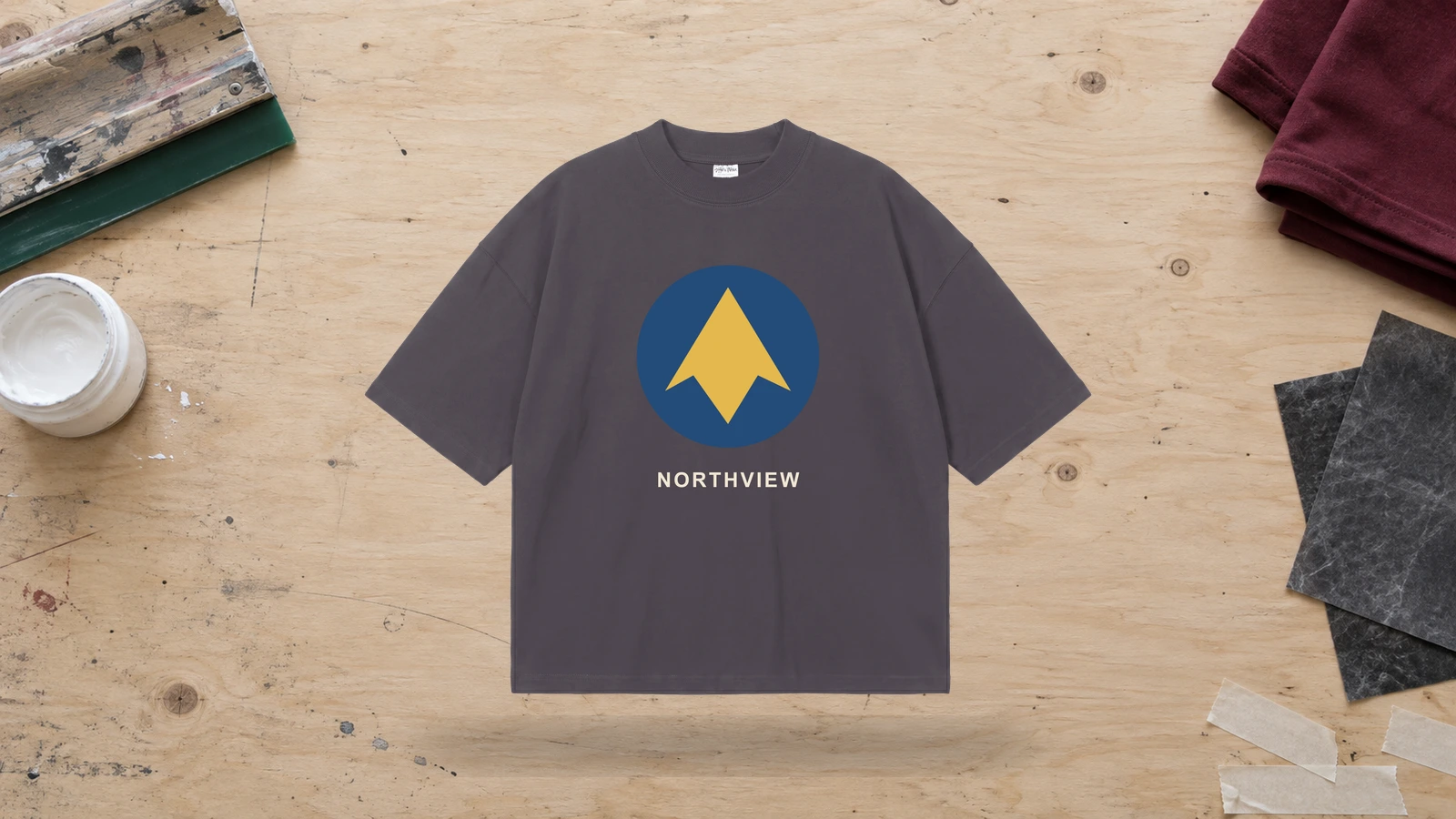
Graduation T-shirts based on school colors and logos create a clear connection between the graduate and the institution. The shirt can combine the school logo, initials, class year, and school name while using coordinated colors across typography and supporting graphics. This graduation T-shirt idea works especially well for class apparel because the same design system can be used across many shirts.
Key Features: School colors, school logo, school initials, graduation year, school name, and coordinated graphics.
Best For: Class graduation T-shirts, school groups, clubs, teams, senior events, and graduation merchandise.
Popular directions:
- Logo and year: Pair the school logo with the graduating year.
- School initials: Use large initials with smaller graduation wording.
- Color-led typography: Apply school colors to class-year text.
- Logo badge: Frame the school logo with graduation information.
- Name and logo: Add a graduate name beneath the school mark.
- Class identity shirt: Combine the school name, logo, and graduating class.
Proud Family Graduation Design
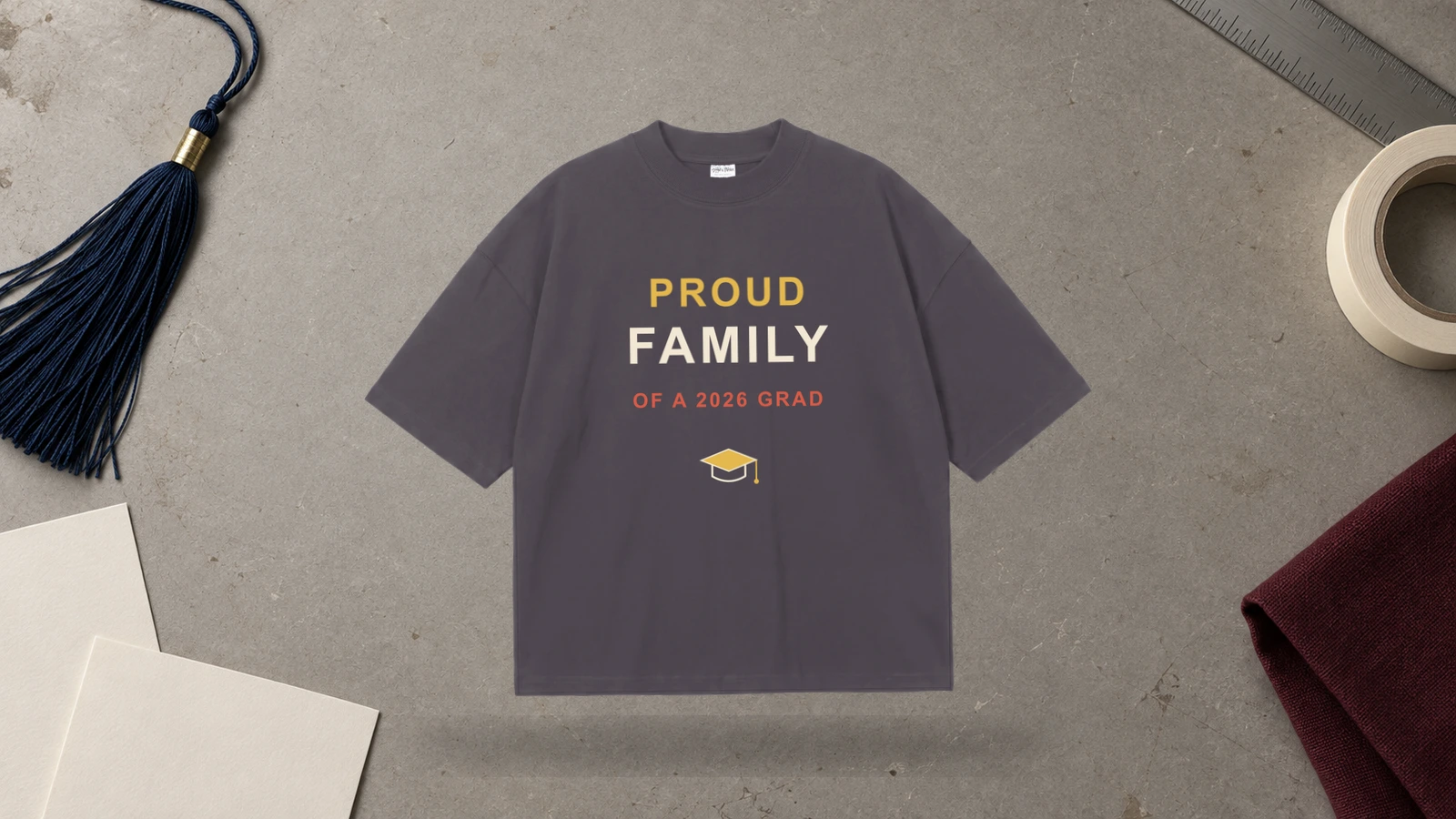
Family graduation T-shirt ideas can turn one graduate design into a coordinated set for parents, siblings, grandparents, and other supporters. Keep the same graduate name, portrait, class year, or main graphic consistent while changing the wording from Proud Mom to Proud Dad, Proud Sister, Proud Brother, or another family role.
Key Features: Proud family wording, graduate name, family relationship, graduation year, matching layout, and personalized text.
Best For: Family graduation T-shirts, parents, siblings, grandparents, extended family, and graduation parties.
Popular directions:
- Proud Mom T-shirt: Pair the graduate name with mom-specific wording.
- Proud Dad T-shirt: Adapt the same graduation design for Dad.
- Sibling shirt: Personalize the layout for a brother or sister.
- Grandparent graduation shirt: Feature the graduate name or portrait with grandparent wording.
- Matching family shirts: Keep the artwork consistent across all family roles.
- Photo-based family T-shirts: Use the graduate portrait as the shared visual.
Grad Squad and Matching Group Design
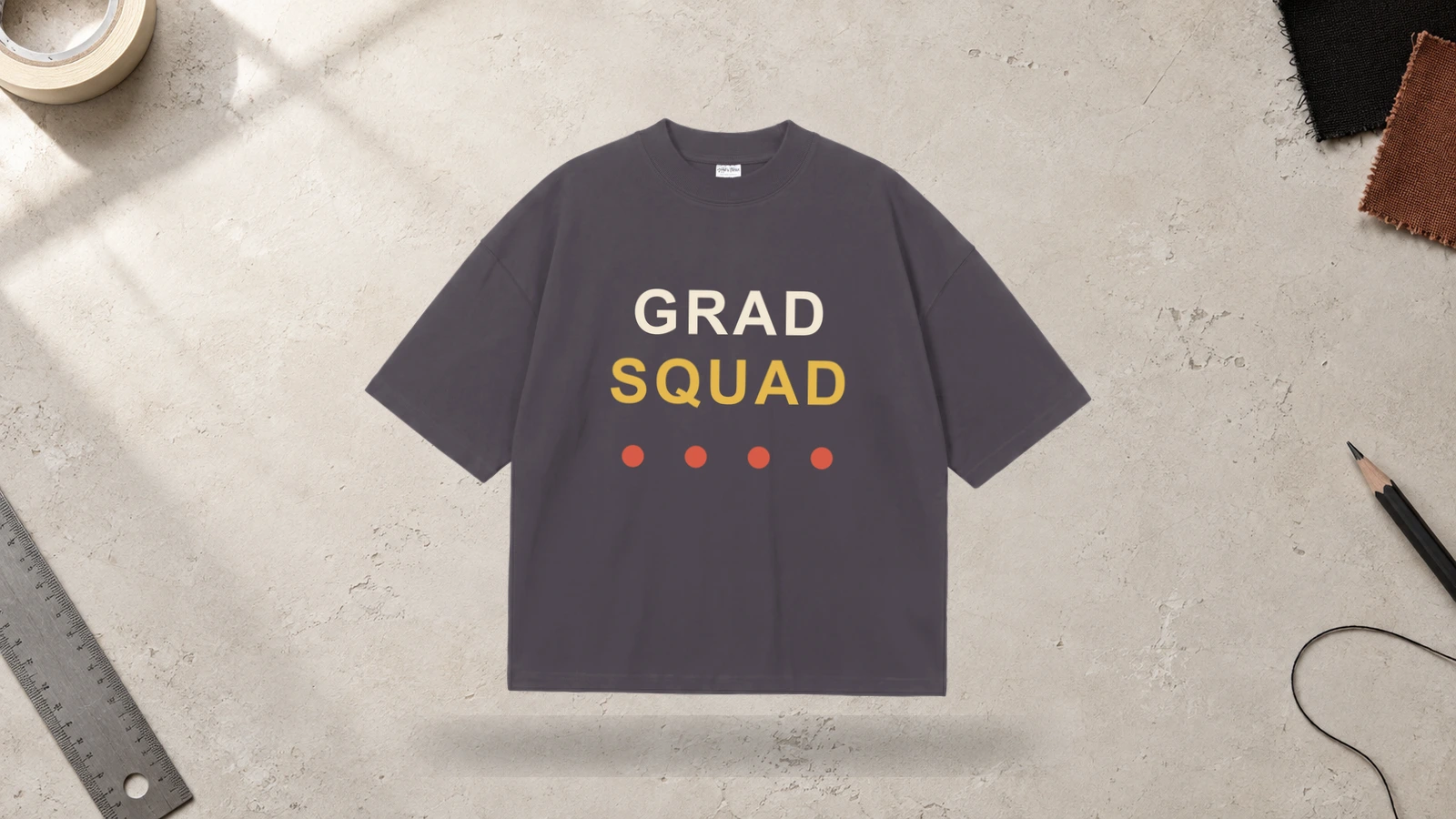
Matching graduation T-shirt ideas work well for friend groups, classmates, families, and celebration crews that want a shared visual identity. A Grad Squad shirt can repeat the same class year, slogan, color system, or graphic while adding individual names or roles to each T-shirt. This keeps the group connected without making every shirt completely identical.
Key Features: Grad Squad wording, matching T-shirts, group identity, graduation year, personalized names, and coordinated layouts.
Best For: Friend groups, classmates, families, graduation parties, senior trips, and matching graduation apparel.
Popular directions:
- Grad Squad text: Make the group phrase the main T-shirt graphic.
- Shared class year: Use the same graduation year across all shirts.
- Individual names: Personalize each T-shirt with one name.
- Group roles: Add graduate, friend, sibling, or family wording.
- Shared academic graphic: Repeat one cap, diploma, or school symbol.
- Group photo shirt: Pair a shared photo with the class year.
Funny Graduation Quote Design
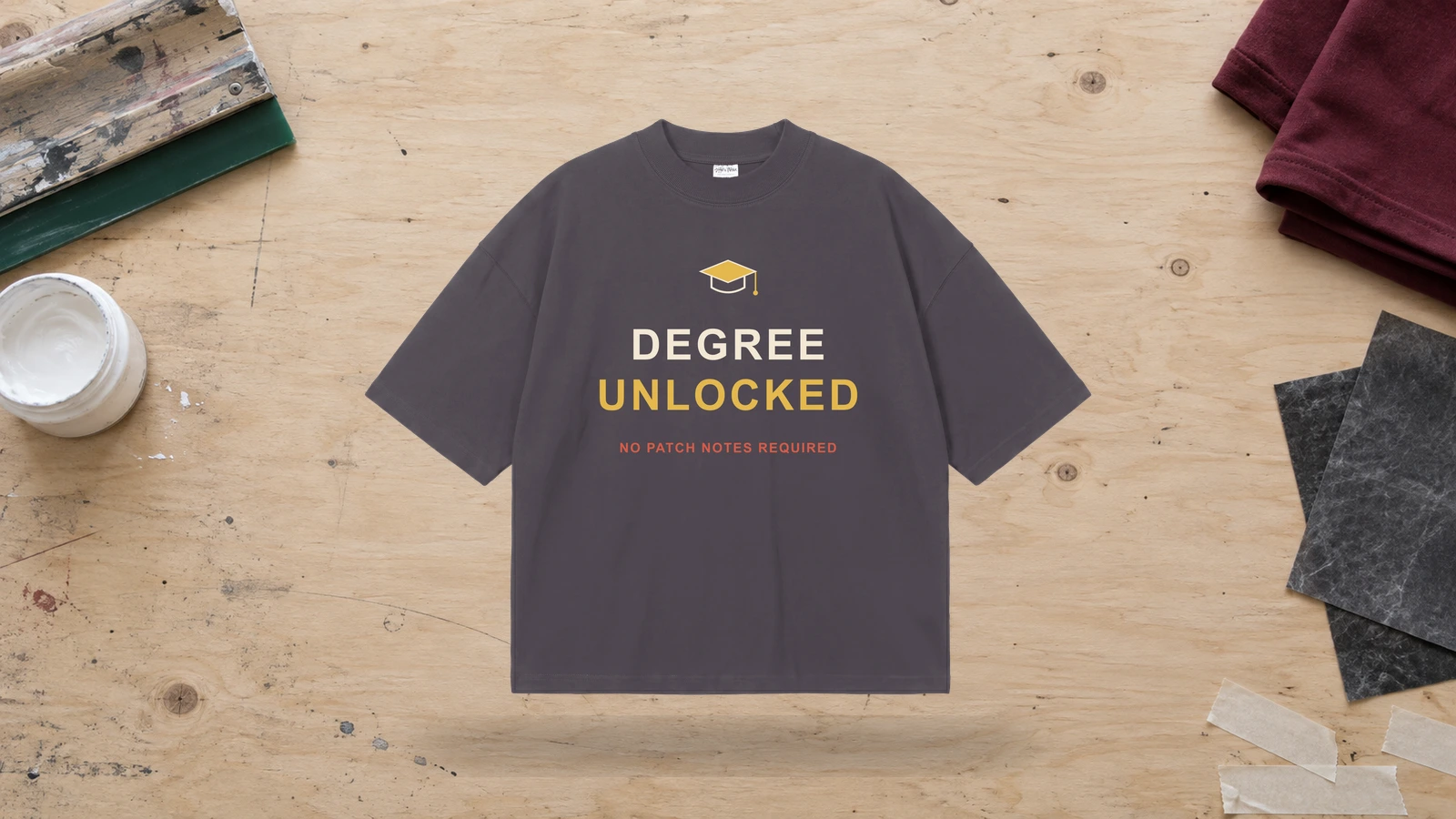
Funny graduation T-shirt ideas use jokes, degree references, class-year phrases, or short punchlines as the primary graphic. These shirts can reference school, exams, the graduate’s major, graduation itself, or a familiar class experience. Keeping the wording short keeps the joke readable and makes typography the dominant part of the T-shirt.
Key Features: Funny graduation quote, joke, slogan, degree reference, graduation year, and bold lettering.
Best For: Funny graduation T-shirts, senior groups, individual graduates, friend groups, graduation parties, and casual family shirts.
Popular directions:
- Degree joke: Build the T-shirt phrase around the graduate’s degree.
- Class-year humor: Reference the graduating year in the punchline.
- School joke: Use a short phrase connected to school life.
- Personalized joke: Add the graduate’s name to the wording.
- Exam reference: Use a short academic or testing joke.
- Statement T-shirt: Let one punchline fill most of the design area.
Inspirational Graduation Message Design

Graduation T-shirt ideas based on an inspirational message use a short phrase about achievement, progress, or the graduate’s next stage. The message can sit beside the graduate name, class year, graduation cap, or diploma graphic. A short text-led layout works better than a long statement because the wording needs to remain readable on the T-shirt.
Key Features: Graduation message, graduate name, class year, achievement wording, typography, and academic graphics.
Best For: Graduate T-shirts, family apparel, school groups, graduation gifts, academic celebrations, and message-led shirts.
Popular directions:
- Achievement phrase: Pair a short message with the graduation year.
- Future-focused wording: Reference the graduate’s next stage.
- Name and message: Place the graduate’s name above the main text.
- Cap and quote: Use a graduation cap as supporting artwork.
- Diploma message: Pair a short phrase with a diploma graphic.
- Class message shirt: Use one shared phrase across class T-shirts.
Major-Specific Graduation Design
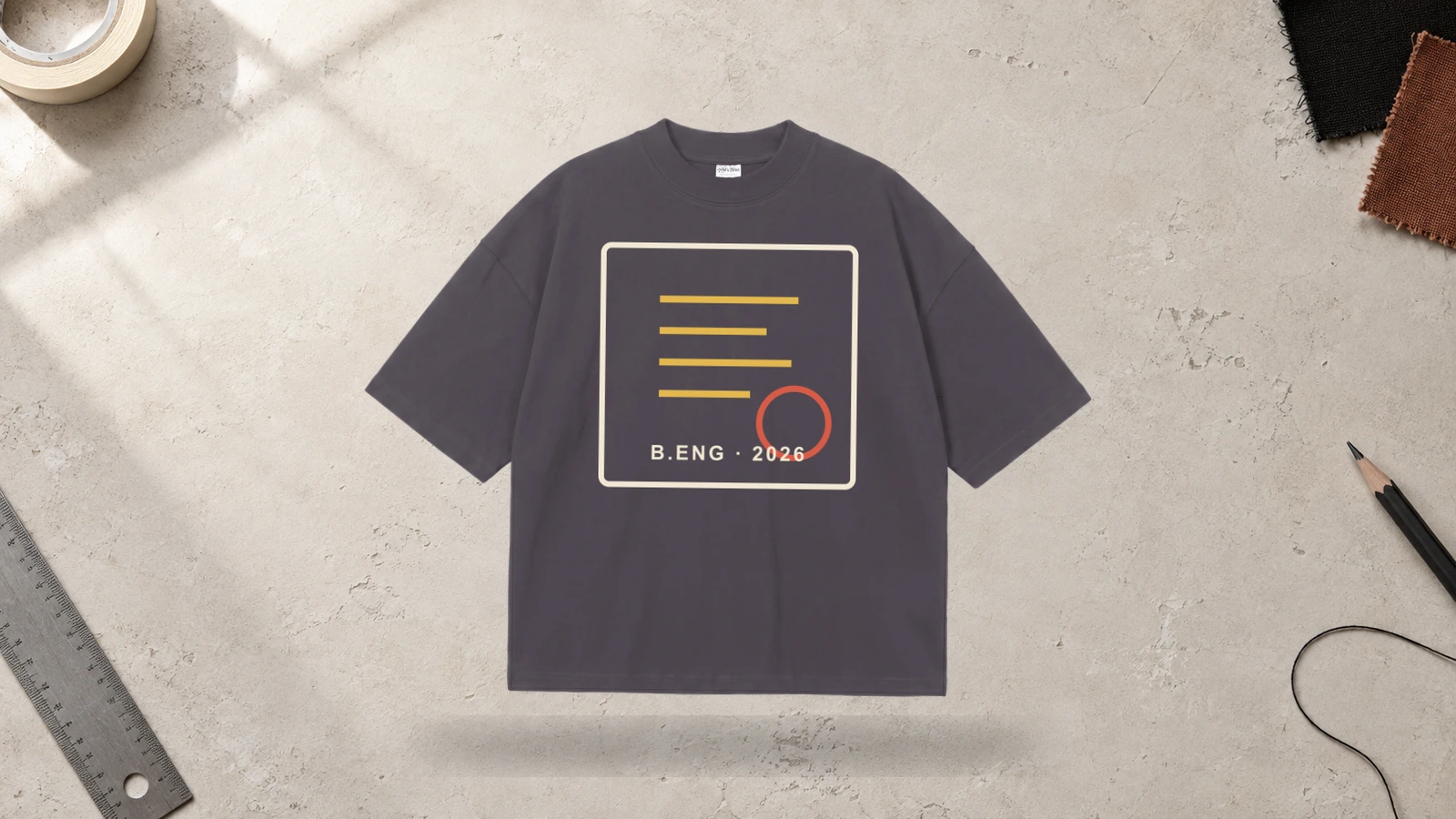
Major-specific graduation T-shirt ideas connect the shirt directly to the graduate’s degree, academic subject, or future profession. The design can combine the major name with an icon, class year, degree title, or graduate name. This creates a more specific graduation T-shirt than a general cap-and-year design.
Key Features: Academic major, degree, profession, subject, graduate name, related icon, and graduation year.
Best For: College graduation T-shirts, university graduates, professional programs, department groups, and personalized academic apparel.
Popular directions:
- Major and year: Combine the academic subject with the graduating year.
- Profession icon: Add a graphic connected with the graduate’s profession.
- Degree title: Feature the qualification beside the graduate’s name.
- Subject symbol: Use an icon connected with the academic field.
- Academic badge: Place the major and year inside one framed graphic.
- Name and profession: Connect the graduate’s name with the future profession.
Honors and Achievement Design
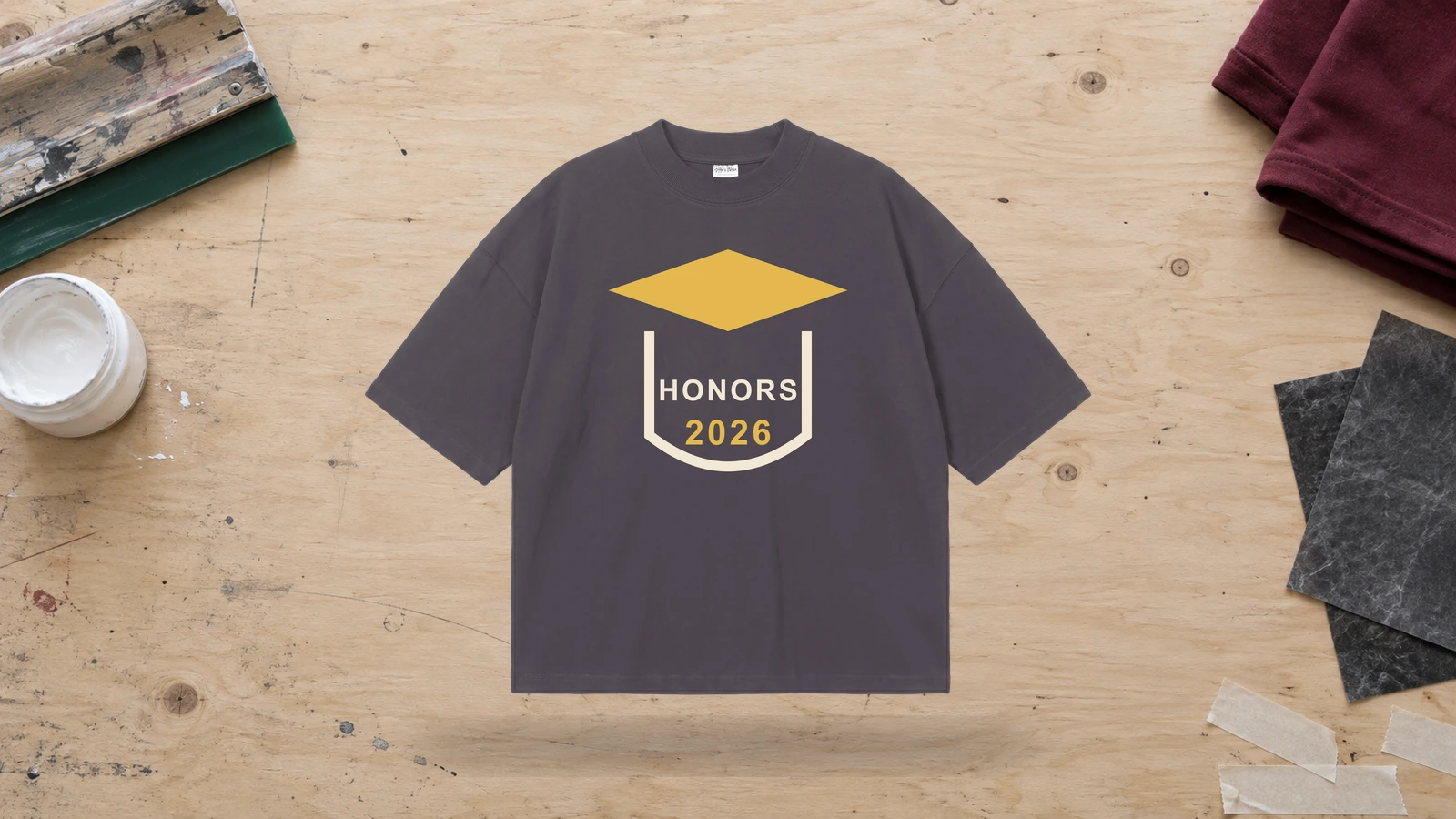
Achievement-focused graduation T-shirt ideas recognize academic honors, awards, diplomas, medals, or other milestones connected to the graduate. The recognition can become the main wording while the graduate name and class year provide personal context. This type of T-shirt is especially useful when the accomplishment itself is central to the celebration.
Key Features: Honors, academic achievement, diploma, medal, award, graduate name, and graduation year.
Best For: Honors graduation T-shirts, award recipients, academic groups, family shirts, and recognition apparel.
Popular directions:
- Honors title: Place the academic recognition beside the graduate name.
- Diploma graphic: Pair a diploma with the class year.
- Award T-shirt: Make the named achievement the primary wording.
- Medal graphic: Use a medal as the supporting visual.
- Name and honor: Combine the graduate’s name with the recognition.
- Year and achievement: Place the graduation year above the award wording.
Minimalist Graduation Design
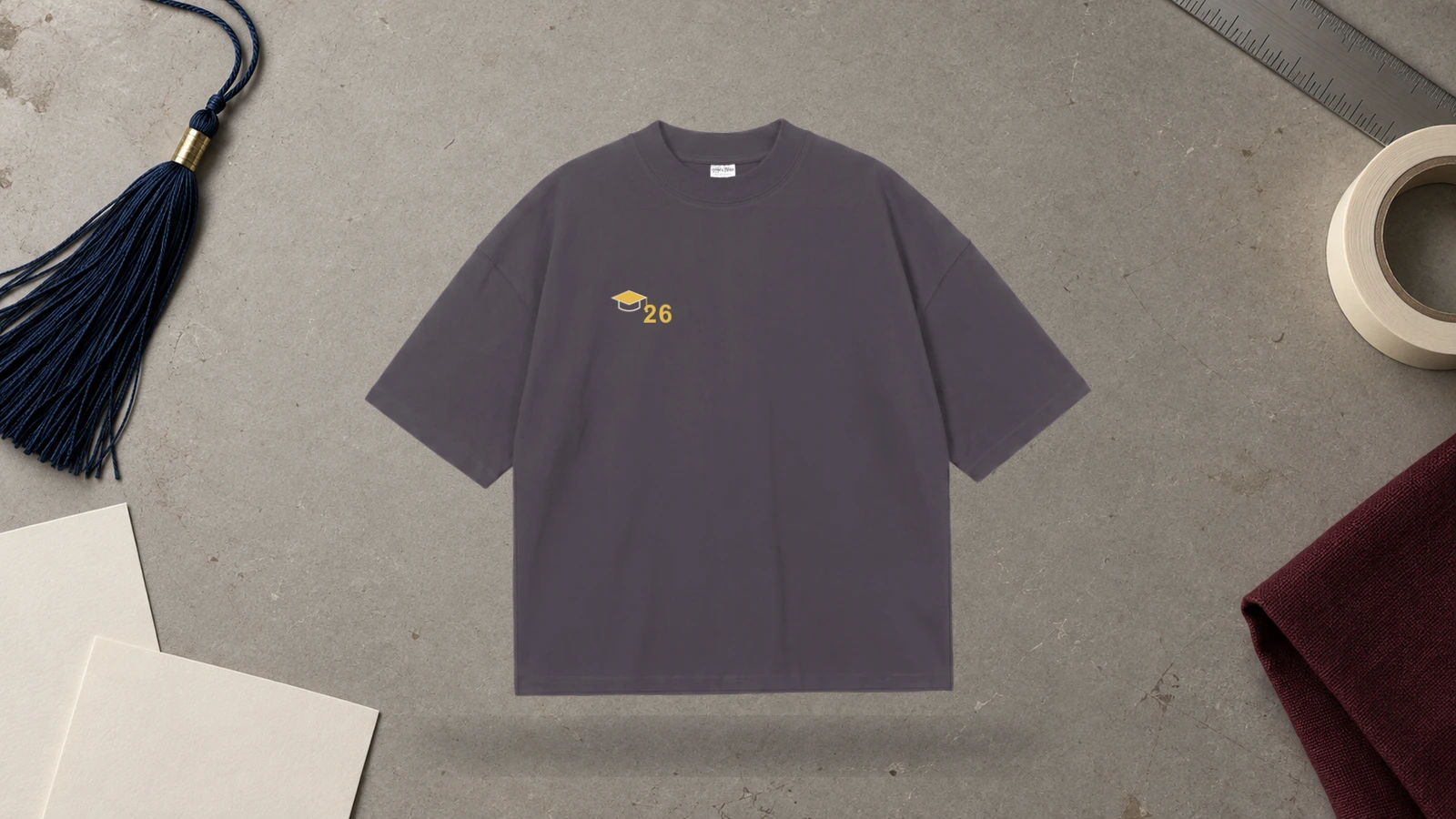
Minimalist graduation T-shirt ideas rely on clean typography, controlled spacing, and only a few visual elements. A simple graduate name and year can form the full design, while a small graduation cap, diploma, or line graphic can add context without crowding the T-shirt.
Key Features: Minimalist typography, clean layout, line art, graduate name, graduation year, and centered spacing.
Best For: Minimalist graduation T-shirts, personalized senior shirts, family apparel, modern class designs, and text-focused graduation shirts.
Popular directions:
- Name and year: Use only the graduate name and graduation year.
- Small cap icon: Add one graduation symbol above the text.
- Monochrome T-shirt: Keep the artwork within one visual color family.
- Line-art design: Pair simple illustration with graduation text.
- Centered typography: Align each element around one center.
- Minimal family shirt: Combine the graduate name with one family role.
Retro and Vintage Graduation Design
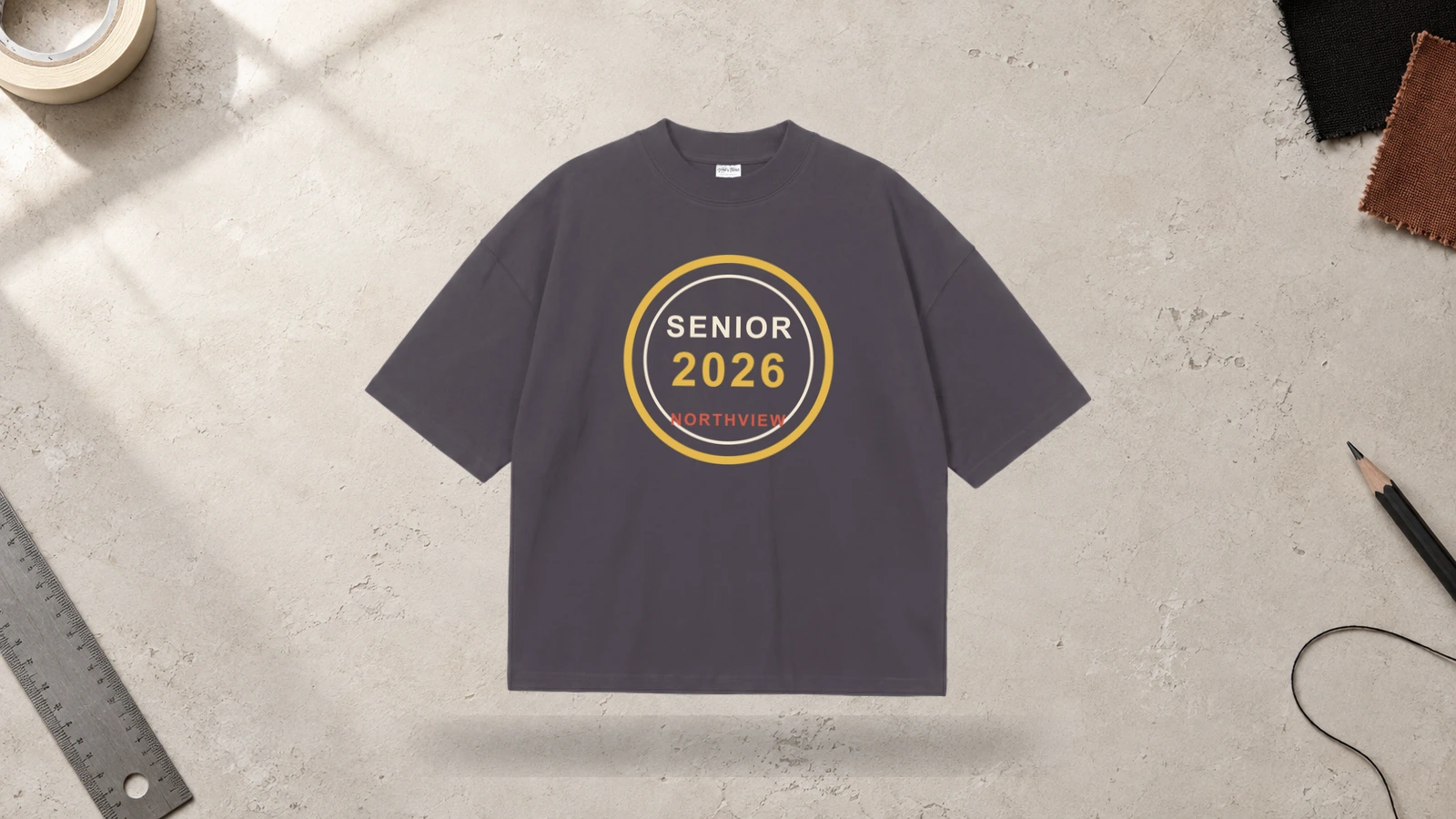
Retro graduation T-shirt ideas use vintage typography, badge layouts, large class-year numbers, and distressed graphics to create a nostalgic shirt style. The design can combine the school name, graduating year, and class identity inside one emblem while vintage lettering keeps the T-shirt connected to the retro visual direction.
Key Features: Retro typography, vintage type, class year, badge graphic, distressed treatment, and framed layout.
Best For: Vintage graduation T-shirts, senior shirts, class apparel, school groups, retro merchandise, and personalized grad shirts.
Popular directions:
- Vintage badge: Frame the class year with school wording.
- Retro numbers: Style the graduation year with vintage lettering.
- Distressed class text: Use worn graphic treatment on the main wording.
- School emblem: Combine school initials with a retro badge.
- Layered typography: Stack school name, year, and class reference.
- Vintage senior shirt: Make one emblem the main T-shirt graphic.
Watercolor and Floral Graduation Design
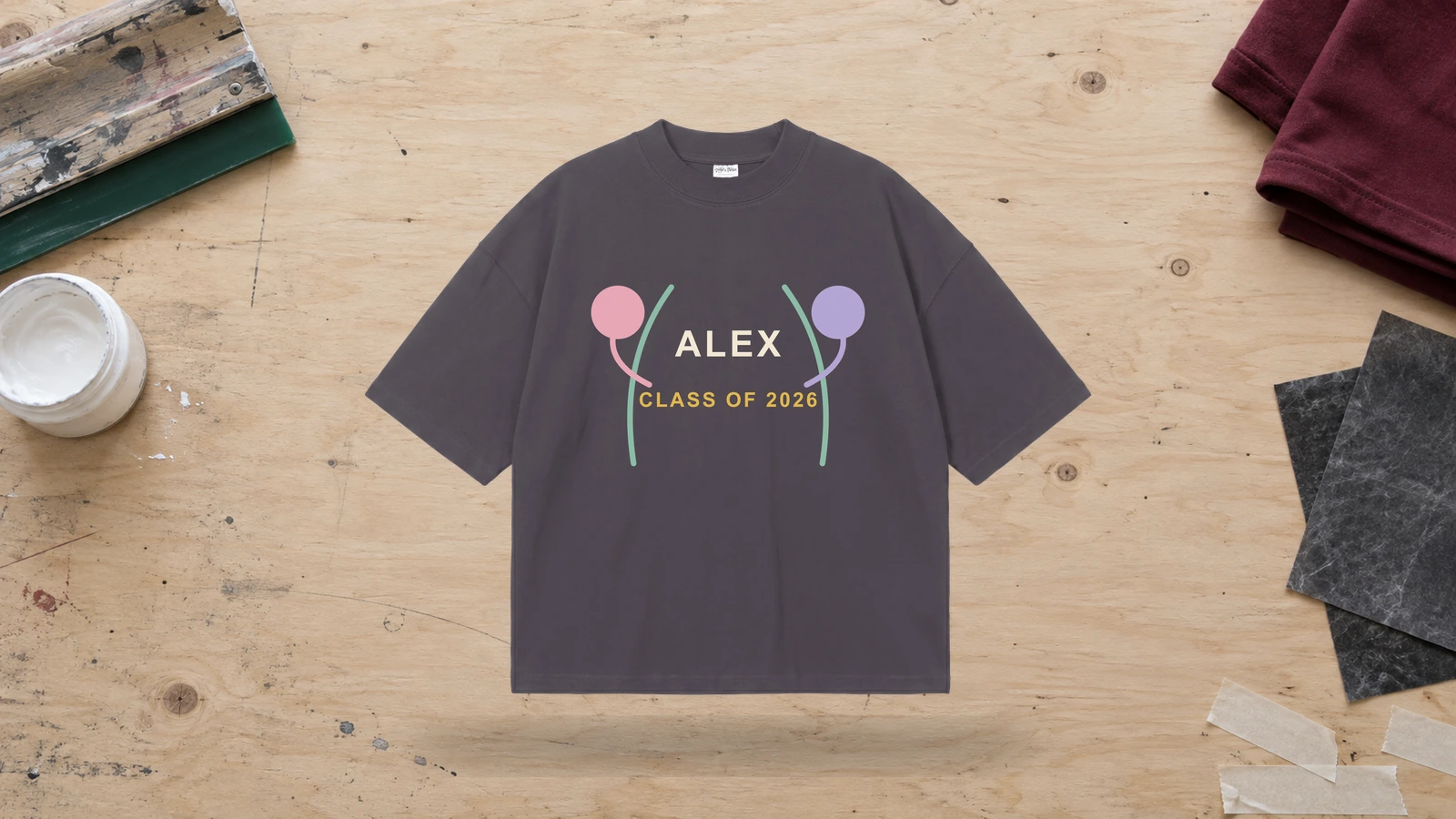
Watercolor graduation T-shirt ideas combine flowers, floral wreaths, graduate names, portraits, and decorative lettering to create a softer visual direction. The floral artwork can frame the senior portrait or surround the graduate name and graduation year while keeping the main graduation information readable.
Key Features: Watercolor artwork, floral wreath, flowers, graduate name, senior portrait, graduation year, and decorative lettering.
Best For: Floral graduation T-shirts, personalized shirts, family graduation apparel, photo T-shirts, gifts, and decorative graduate shirts.
Popular directions:
- Floral name frame: Surround the graduate name with flowers.
- Watercolor year: Pair the class year with watercolor artwork.
- Portrait wreath: Frame a senior portrait with floral graphics.
- Cap and flowers: Combine a graduation cap with decorative flowers.
- Scripted name: Pair handwritten lettering with watercolor elements.
- Family floral shirts: Repeat one floral system across matching T-shirts.
Streetwear Graduation Graphic Design
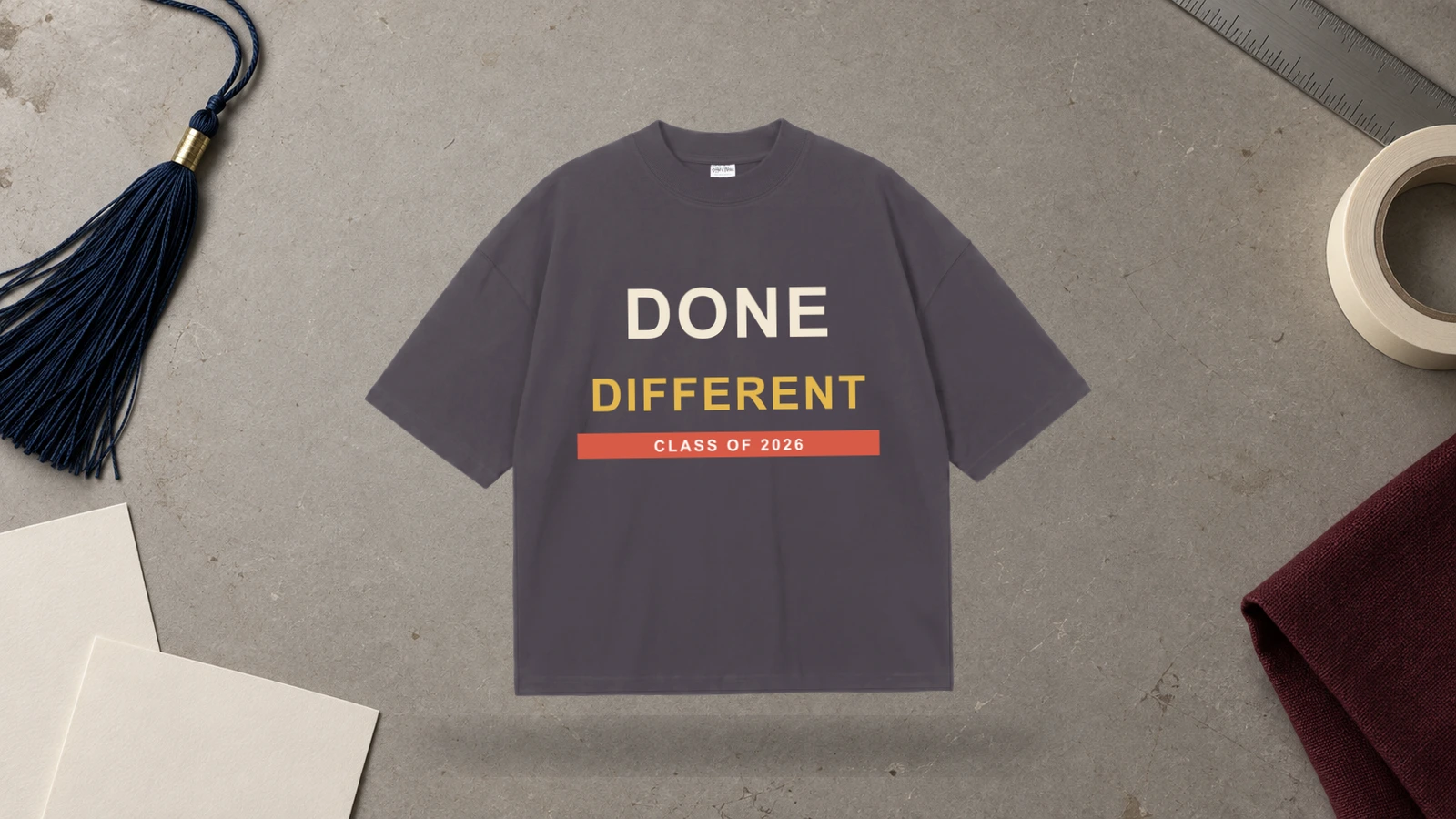
Streetwear graduation T-shirt ideas use oversized lettering, large class-year graphics, layered illustrations, and strong front or back compositions. A graduation T-shirt in this style can keep the front restrained and put a larger senior-year or academic graphic on the back, or make the class year the main visual statement.
Key Features: Oversized typography, graduation-year graphics, large illustration, layered artwork, graduate text, and school references.
Best For: Streetwear graduation T-shirts, senior classes, graphic apparel, school groups, youth collections, and modern graduation merchandise.
Popular directions:
- Oversized year: Make the class year dominate the T-shirt.
- Large back graphic: Use the back for the main graduation artwork.
- Front-and-back design: Pair smaller front text with a larger rear graphic.
- Layered typography: Combine different text sizes around the graduation year.
- School streetwear graphic: Add a mascot or other school references.
- Academic illustration: Mix diploma, cap, or subject graphics with large lettering.
Kindergarten Graduation Design
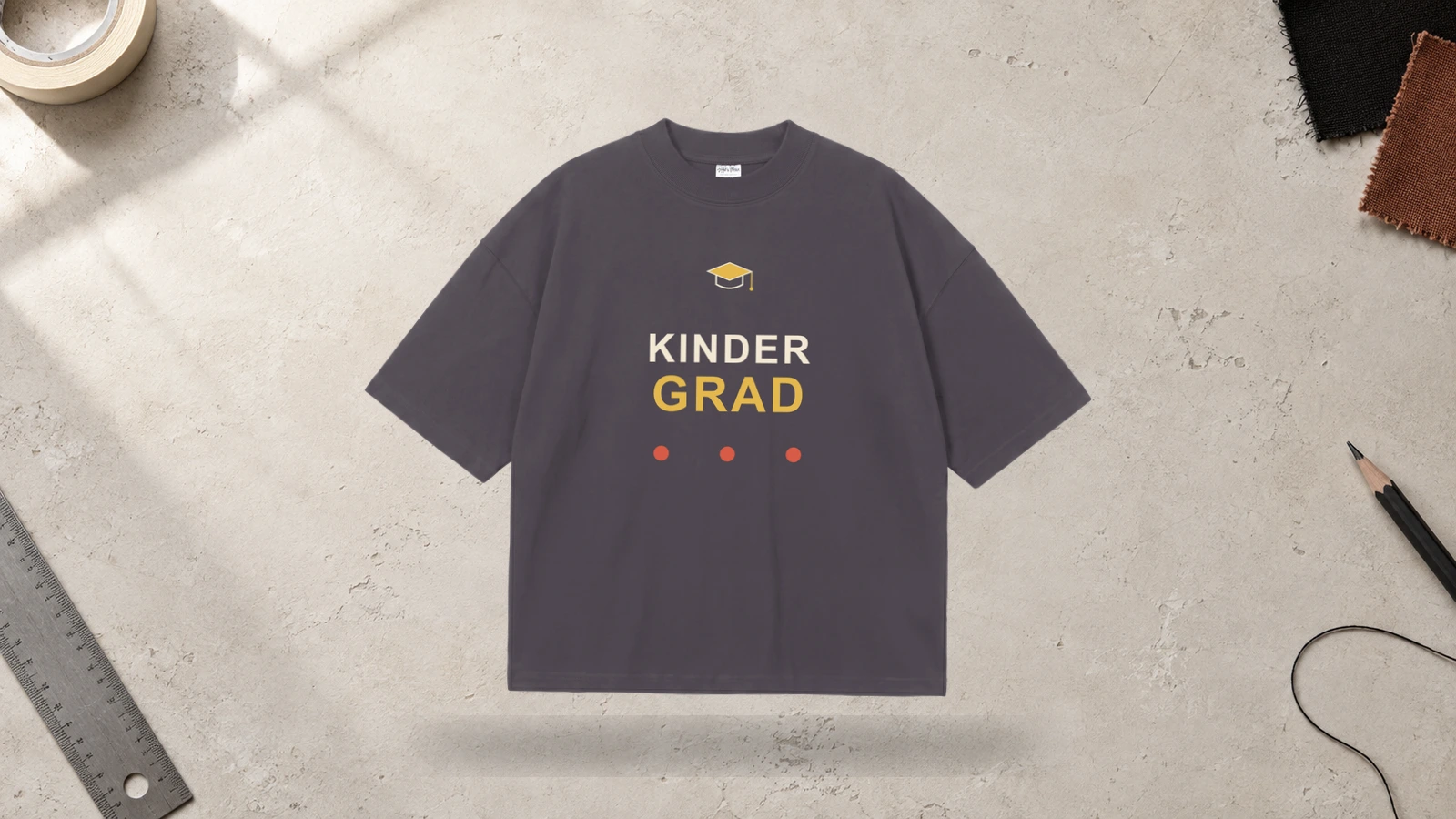
Kindergarten graduation T-shirt ideas can celebrate a child’s school milestone with a name, class year, school name, and simple graduation graphic. The shirt can use clear lettering and a cap or school symbol so the child’s name and kindergarten milestone remain easy to identify.
Key Features: Kindergarten graduation, child’s name, class year, school name, graduation cap, and simple graphics.
Best For: Kindergarten graduation T-shirts, students, parents, teachers, classrooms, school celebrations, and family shirts.
Popular directions:
- Name and year: Pair the child’s name with the graduation year.
- Kindergarten graduate: Make the school stage the main T-shirt phrase.
- Cap graphic: Add a graduation cap above the child’s name.
- Class T-shirt: Use one shared design for the kindergarten class.
- Teacher matching shirt: Create a coordinated teacher version.
- Family support shirt: Adapt the same design for parents or family.
Preschool Graduation Design
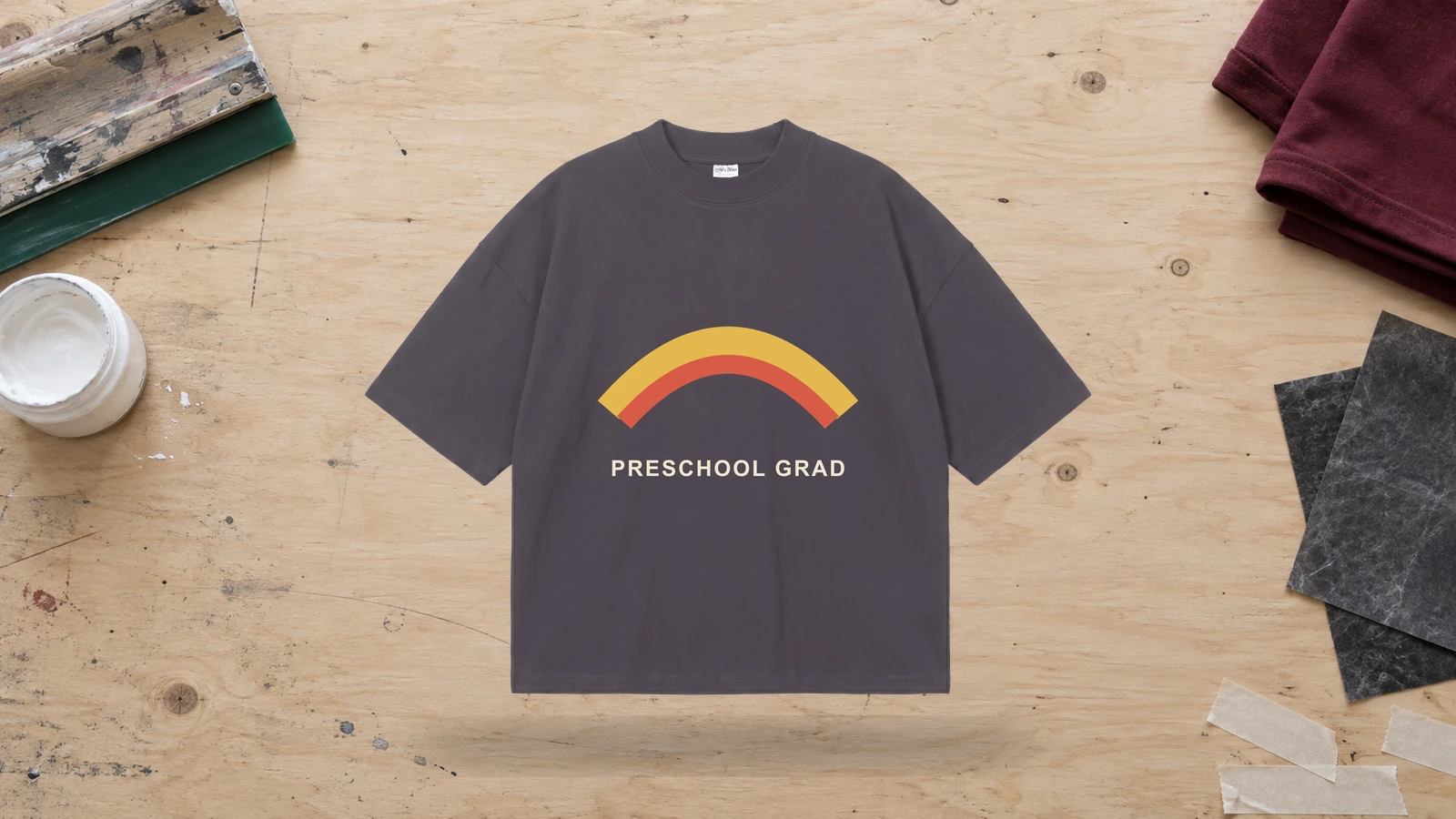
Preschool graduation T-shirt ideas mark the transition from preschool with the child’s name, graduation year, class reference, or school name. A simple shirt layout can place the school stage at the center while the child’s name and year personalize the design for the celebration.
Key Features: Preschool graduation, child’s name, graduation year, school reference, graduation graphic, and personalized text.
Best For: Preschool graduation T-shirts, students, parents, teachers, family groups, and class celebrations.
Popular directions:
- Preschool graduate: Use the school stage as the main wording.
- Name and cap: Pair the child’s name with a graduation cap.
- Class-year T-shirt: Add the year beneath the preschool text.
- Group shirt: Use the same layout across the full class.
- Teacher shirt: Create a matching staff version.
- Family version: Add family wording around the child’s name.
Pre-K Graduation Design
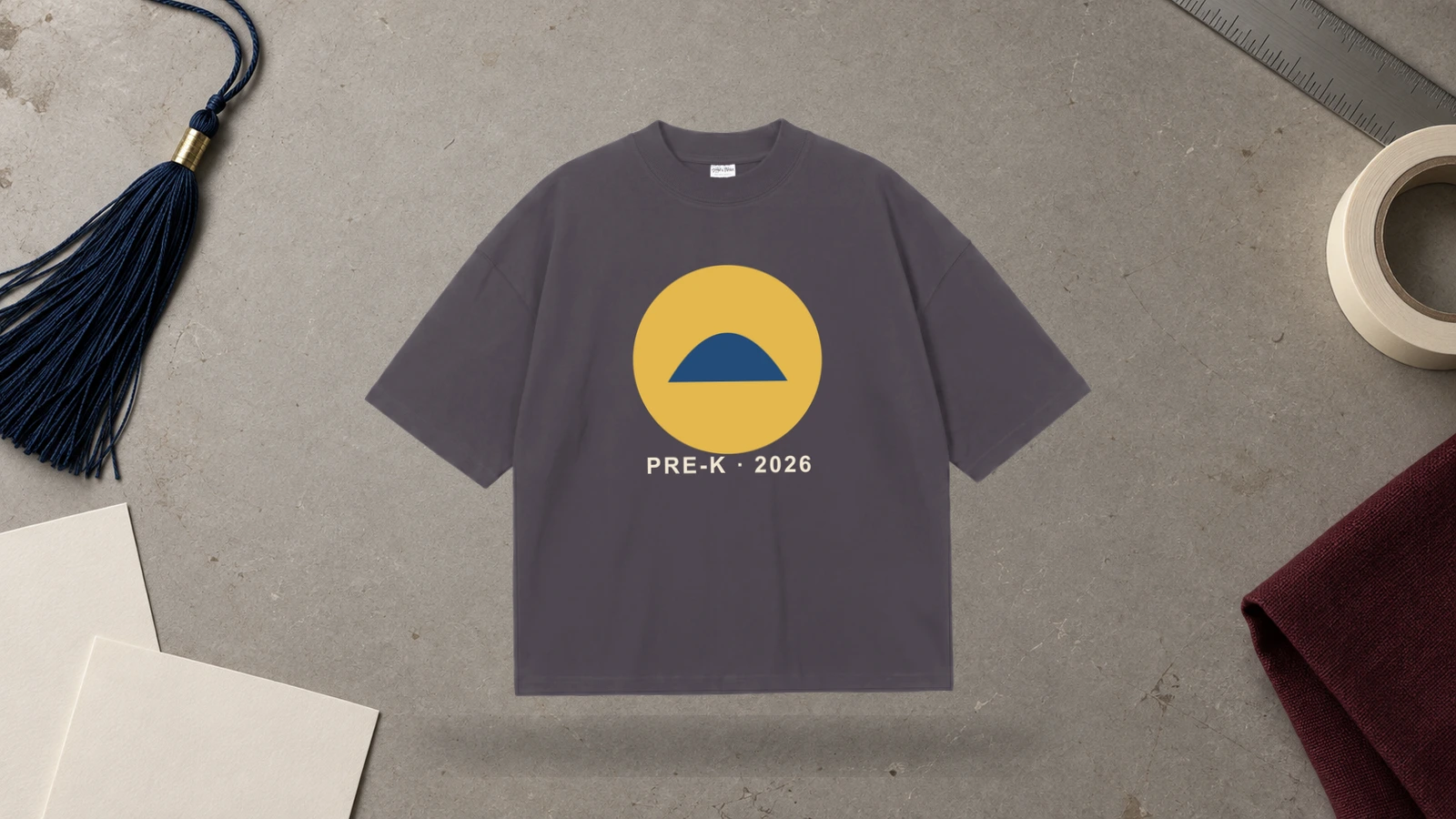
Pre-K graduation T-shirt ideas can recognize a child’s move into the next school stage through personalized text, the graduation year, a school name, or a simple cap graphic. You can also adapt the same T-shirt design for classmates, teachers, and family members while keeping the Pre-K graduation theme consistent.
Key Features: Pre-K graduation, child’s name, graduation year, school name, class wording, and graduation graphics.
Best For: Pre-K graduation T-shirts, students, parents, teachers, classroom groups, and matching family shirts.
Popular directions:
- Pre-K graduate: Make the school stage the main phrase.
- Name and year: Pair the child’s name with the class year.
- Cap and class: Add a graduation cap above the wording.
- Matching class T-shirts: Repeat one design across student shirts.
- Teacher variation: Adapt the same concept for classroom staff.
- Family T-shirt: Personalize the design around the graduate’s name.
Project Graduation Shirt Design
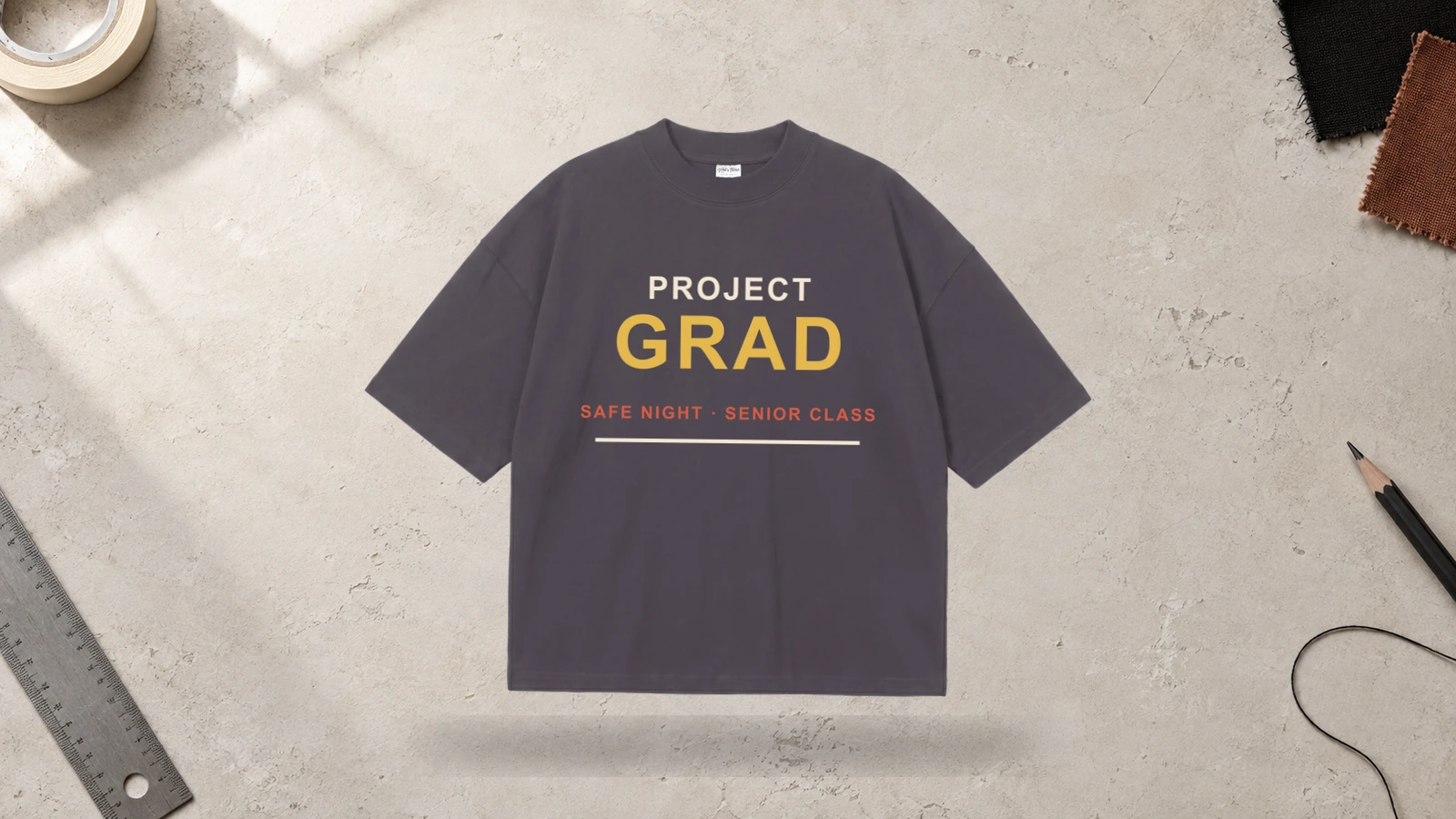
Project Graduation T-shirt ideas focus on the graduating class and the school-organized event connected with graduation night. The shirt can feature the Project Graduation name, class year, school identity, mascot, event wording, or participant role. Different versions can also identify graduates, volunteers, staff, and supporting groups while keeping the event design consistent.
Key Features: Project Graduation wording, graduation year, school name, event identity, participant group, and class graphics.
Best For: Project Graduation T-shirts, senior classes, school volunteers, event staff, graduates, and graduation-night groups.
Popular directions:
- Event name and year: Pair Project Graduation with the graduating year.
- School identity: Add the school name or mascot to the T-shirt.
- Graduate version: Create a dedicated shirt for graduating students.
- Volunteer shirt: Adapt the same design for event volunteers.
- Shared event graphic: Repeat one symbol across all participant shirts.
- Front and back design: Keep event identification on the front and class details on the back.
Which T-Shirt Styles Work Best for Graduation Designs?
Classic crewneck T-shirts suit most graduation T-shirt ideas, V-necks work well with lighter personalized graphics, slouchy styles fit relaxed photo and floral designs, heavyweight cotton shirts support bold typography and larger prints, and cotton-blend T-shirts suit everyday group apparel. Each T-shirt style changes the available print area, fabric feel, graphic scale, and overall fit. Match the graduation design with the shirt structure, artwork size, placement, and intended wearer.
The following styles show which T-shirt style works best for different graduation designs:
- Classic Crewneck T-Shirt
With a broad chest area, balanced neckline, and uninterrupted front and back panels, classic crewneck T-shirts work well for Class of 2026 typography, graduate photos, school mascots, and personalized graduation graphics. The open print areas provide enough room for both compact chest artwork and larger back designs. Class rosters can go on the back, while names and years can stay centered on the front. Large graphics should maintain suitable clearance from the neckline, sleeves, and side seams.
- Soft-Style V-Neck T-Shirt
The lower neckline, soft fabric, and relaxed structure of a V-neck T-shirt favor personalized names, graduate photos, floral graphics, and compact graduation typography. Since the neckline extends farther into the upper chest, artwork generally needs a slightly lower position than on a crewneck T-shirt. Medium-scale graduation designs can follow the available torso space without crowding the neck opening. Wide graphics also need suitable spacing from the sleeve seams and outer shirt edges.
- Slouchy / Flowy T-Shirt
Because a relaxed drape creates a softer and less rigid print surface, slouchy or flowy T-shirts suit watercolor florals, calligraphy, senior portraits, family graduation graphics, and personalized name designs. Medium-scale artwork sits naturally within the flexible silhouette without relying on precise geometric alignment. Photo layouts and typography should account for fabric folds that may change how the design appears when worn. Dense compositions need enough spacing to remain visually clear across the draped surface.
- Heavyweight Cotton T-Shirt
With firmer fabric, a structured silhouette, and a substantial print surface, heavyweight cotton T-shirts support bold Class of 2026 typography, streetwear graduation graphics, school mascots, retro badges, and large back artwork. The stable surface gives oversized designs enough space to remain visually defined without following the body as closely as lighter fabrics. Large class-year numbers can dominate the front or back, while smaller graduate names, school references, or academic details can support the primary graphic.
- Cotton-Blend T-Shirt
Combining a familiar cotton surface with added flexibility and a lighter feel, cotton-blend T-shirts suit Grad Squad graphics, family graduation shirts, class-year designs, school logos, quotes, and other matching T-shirt ideas. The adaptable fabric works well when you need to repeat one graduation design across several wearers or personalize it with different names and roles. Print scale should account for fabric stretch and garment size, while fine text needs enough clarity to remain readable across the finished shirts.
What Graduation T-Shirt Design Placements Work Best?
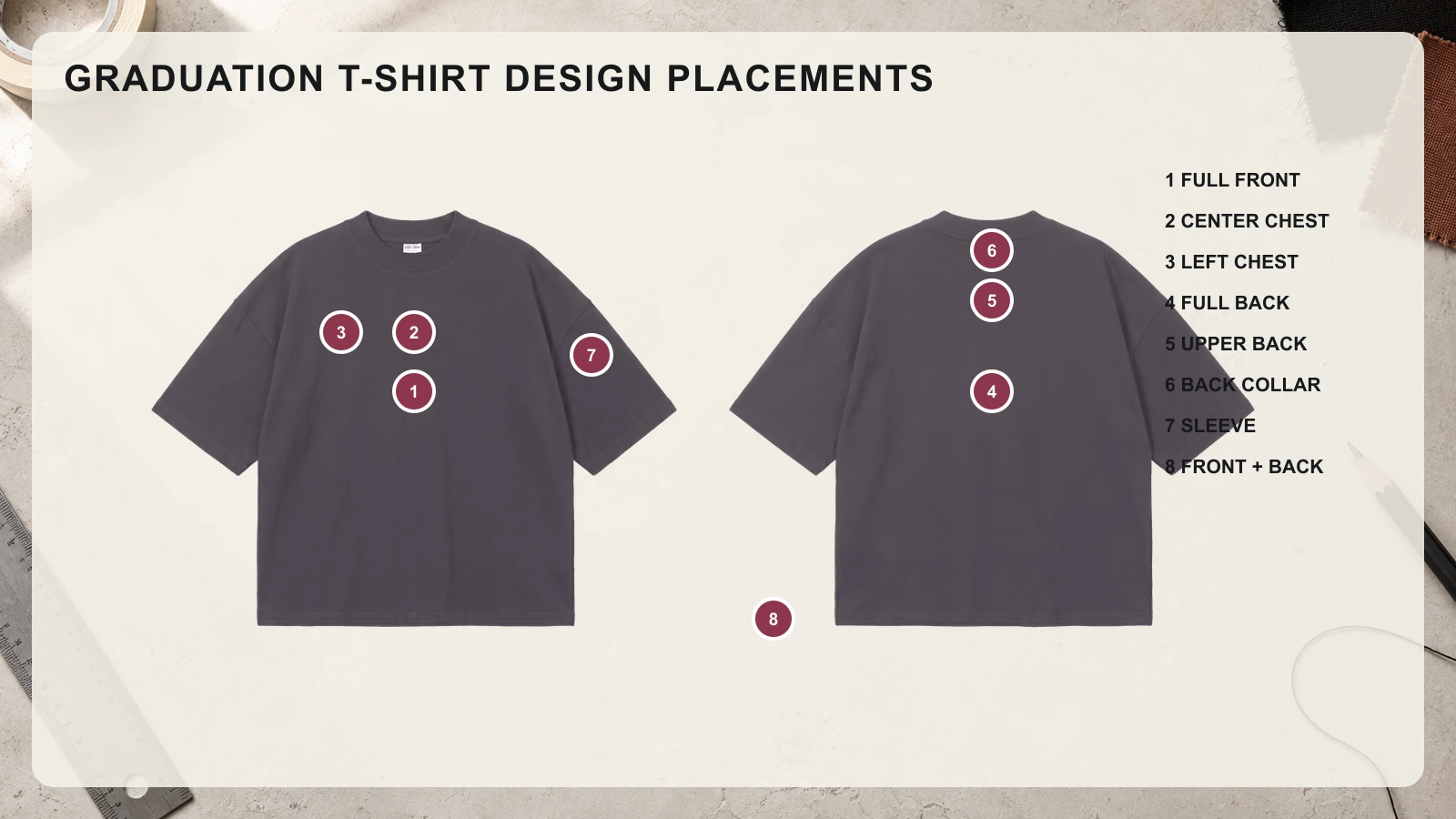
Full front placement works well for large graduation graphics and photo collages, the center chest suits class-year typography, and the left chest fits compact names, logos, and school symbols. The full back provides space for class rosters and oversized artwork, while the upper back, collar, and sleeve areas support smaller details. Front-and-back combinations suit graduation T-shirt ideas that need both a primary graphic and supporting information across separate print areas.
Use the following placement options to match graduation designs with suitable T-shirt areas:
- Full Front Placement
With a broad print area extending across the main torso, the full front works well for graduate photo collages, oversized Class of 2026 typography, school mascots, streetwear graphics, and personalized graduation T-shirt designs. Large artwork can establish a clear focal point while supporting elements such as the graduate name, school, or class year remain part of the same composition. Keep important text and faces clear of the neckline, side seams, and lower hem.
- Center Chest Placement
Positioned beneath the neckline with balanced space on both sides, the center chest works well for graduation years, graduate names, short quotes, school logos, and medium-sized academic graphics. This area creates a natural focal point without requiring artwork to cover most of the T-shirt front. Class of 2026 typography can remain prominent at a moderate scale, while smaller graduation caps, diplomas, mascots, or degree references can support the central text without crowding the composition.
- Left Chest Placement
Using a compact area on the wearer’s upper-left side, this placement works well for graduate initials, small school logos, graduation caps, monograms, class years, and minimal graduation graphics. Its limited space favors simple artwork rather than photo collages or long graduation messages. A small Class of 2026 mark can also complement larger artwork printed elsewhere on the T-shirt. Keep enough distance from the neckline and sleeve seam so the design stays visually separated from the garment boundaries.
- Full Back Placement
Offering one of the largest uninterrupted design areas on a T-shirt, the full back suits class rosters, graduate photo collages, oversized school mascots, signature layouts, large typography, and detailed graduation graphics. Names can appear in organized columns, while a class year or school identity provides a central reference point. This area also works for streetwear graduation T-shirt ideas that use large illustrations. Place key information below the collar, keeping it clear of the side seams and hem.
- Upper Back Placement
Across the area below the neckline and between the shoulders, upper-back placement works well for school names, Class of 2026 text, short graduation messages, graduate names, and compact group identifiers. The horizontal space favors wide typography and short phrases rather than tall illustrations or dense photo arrangements. It can also support a larger front design by carrying secondary graduation information on the back. Keep the artwork below the collar so lettering remains clearly separated from the neckline.
- Back Collar Placement
Within the narrow space directly below the rear neckline, small graduation details can function as subtle supporting elements without competing with the main T-shirt graphic. Graduate initials, a short class year, small school symbols, compact logos, or brief text fit this area more naturally than detailed artwork. Back-collar graphics work especially well when the graduation T-shirt already carries a larger front or back design. Keep lettering concise, and leave enough space from the collar seam for clear reproduction.
- Sleeve Placement
Along the upper arm or outer sleeve, graduation T-shirt designs can feature graduate names, class years, school initials, small mascots, academic symbols, or short group identifiers. The narrow print area favors compact graphics and short text over wide graduation phrases. Sleeve artwork can support a larger front or back design while adding another personalized detail. Keep important lettering away from sleeve seams and heavily folded areas so names, numbers, and symbols stay recognizable when worn.
- Front and Back Combination
Using two separate print areas lets a graduation T-shirt split primary artwork from supporting information without overcrowding either side. A graduate name, school logo, or Class of 2026 graphic can appear on the front, while the back can carry a photo collage, class roster, signatures, a large mascot, or a graduation message. This arrangement works especially well for class T-shirts, Project Graduation shirts, school apparel, and personalized graduation T-shirt ideas that contain several related design elements.
How Do You Choose the Right Graduation T-Shirt Design?
Choose a graduation T-shirt design by matching the wearer, graduation theme, shirt style, artwork placement, colors, typography, personalization, and print method. Each choice should support the intended graduation T-shirt idea, whether it uses a graduate photo, Class of 2026 typography, a school mascot, a family message, or a class roster. Before production, check names, dates, graphic scale, contrast, placement, and overall appearance to confirm that every design element works together on the selected T-shirt.
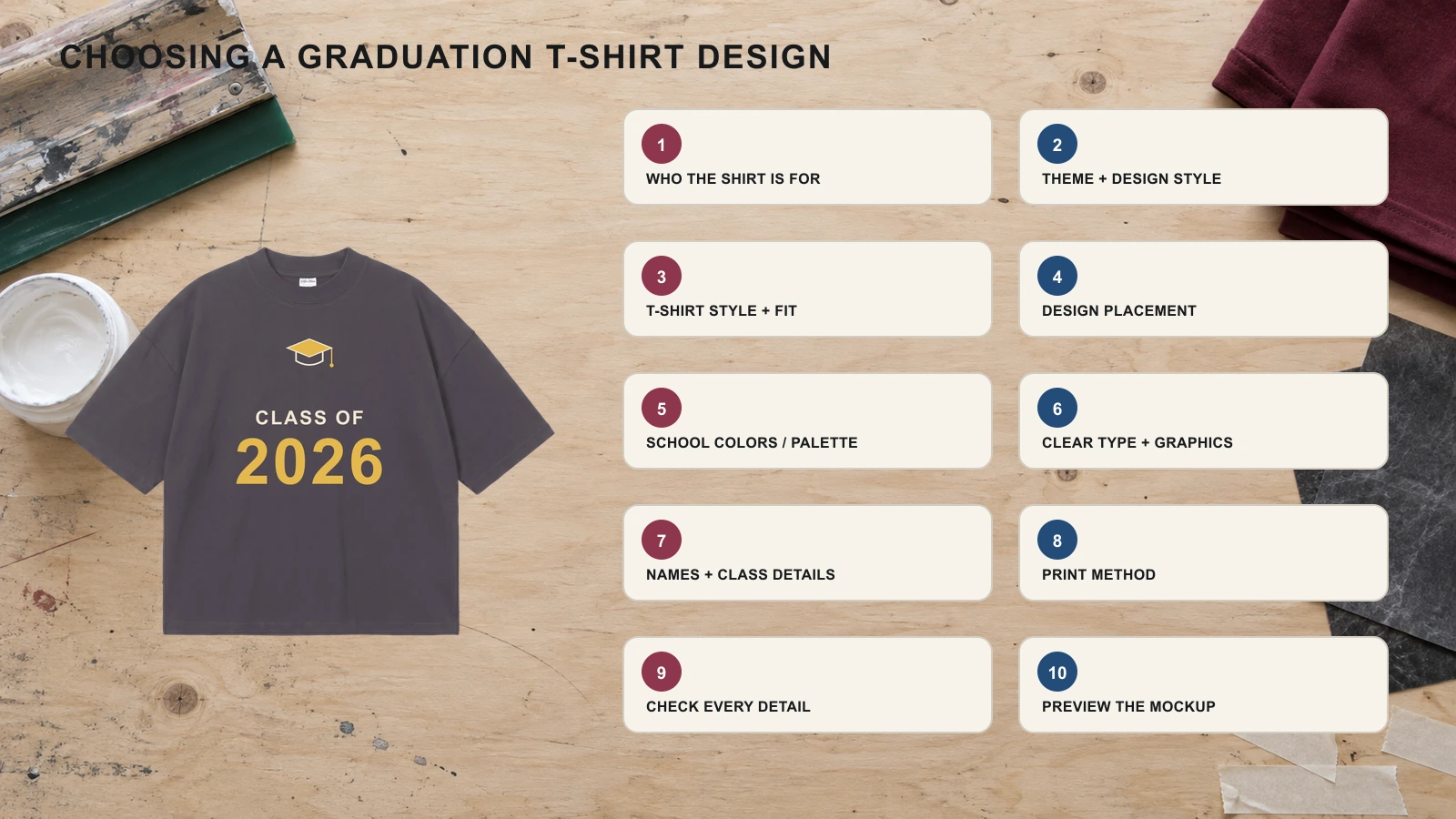
Use these ten steps to choose a graduation T-shirt design that fits the wearer, artwork, and occasion:
- Step 1: Choose Who the Shirt Is For
Start by identifying whether the graduation T-shirt is for the graduate, family members, classmates, teachers, friends, or an event group. Individual graduate shirts can focus on a name, portrait, degree, or achievement, while family T-shirts may use matching Proud Mom, Proud Dad, or sibling wording. Class and Grad Squad designs need shared visual elements that remain consistent across multiple shirts while allowing role or name variations.
- Step 2: Choose the Graduation Theme and Design Style
Define the main graduation idea before selecting individual graphics or decorative elements. Use a class-year theme for Class of 2026 T-shirts, a photo concept for personalized graduate shirts, or a school-spirit theme for mascot-based designs. Then match the theme with a visual style such as minimalist, retro, floral, typographic, or streetwear. Stick to one primary direction so unrelated graphics, lettering, and decorative details don’t compete for attention.
- Step 3: Choose the T-Shirt Style and Fit
Match the garment shape to the space and structure your graduation design needs. Classic crewneck T-shirts provide broad areas for photos, typography, mascots, and class graphics, while V-necks favor controlled chest artwork. Flowy shirts suit lighter decorative designs, and heavyweight cotton supports larger graphics and streetwear concepts. Consider the wearer, garment size, neckline, fabric drape, and available print area before finalizing artwork dimensions.
- Step 4: Choose the Design Placement
Map each graduation graphic to a T-shirt area that supports its scale and purpose. Use the full front for large Class of 2026 graphics or photo designs, the center chest for names and typography, and the left chest for compact logos or symbols. Full-back placement provides more room for class rosters, signatures, or oversized artwork. Sleeves and the upper back can carry supporting school, year, or group details.
- Step 5: Choose School Colors or a Matching Color Palette
Build a color palette that keeps the graduation artwork visible against the selected T-shirt color. School colors can connect mascot, logo, class-year, and school-spirit designs with the graduating institution, while coordinated palettes can support family, floral, retro, or minimalist concepts. Check contrast between the shirt and every important element, especially graduate names, dates, small lettering, and facial details within photos. Keep repeated group shirts within the same color system.
- Step 6: Choose Clear Typography and Graphics
Select lettering and graphics that remain recognizable at the intended print size. Bold type works well for graduation years, school names, and short quotes, while script or calligraphy can highlight graduate names and decorative messages. Avoid placing several complex font styles within one graduation T-shirt design. Keep photographs, mascots, diplomas, caps, and other graphics visually separated from important text so each element stays readable without crowding the design.
- Step 7: Add Names, Graduation Year, School, or Class Details
Personalize the graduation T-shirt with details that identify the graduate, class, school, or event. Add information such as the graduate’s name, Class of 2026, school name, academic major, honors title, class roster, or family relationship when it supports the selected concept. Establish a clear hierarchy so the most important detail remains prominent. Keep secondary information smaller and avoid adding details that do not contribute to the main graduation theme.
- Step 8: Choose a Print Method That Fits the Artwork
Match the decoration method to the graduation artwork’s colors, detail, quantity, scale, and T-shirt fabric. Screen printing can suit bold class-year graphics and larger group orders, while digital printing can reproduce detailed photos, gradients, and multi-color illustrations. Embroidery can work for compact names, school marks, or small academic symbols. Confirm the chosen method can reproduce fine lettering, photo details, and intended colors before preparing the final production artwork.
- Step 9: Check Spelling, Dates, Colors, and Personalization
Review every variable detail before approving the graduation T-shirt design. Verify graduate names, Class of 2026 dates, school names, academic majors, honors, family roles, class rosters, and event wording against the original information. Check school colors and confirm that personalized versions contain the correct names or relationships. Inspect small text at realistic print size as well, since spelling errors or incorrect details become harder to correct after production begins.
- Step 10: Preview the Final Design on a T-Shirt Mockup
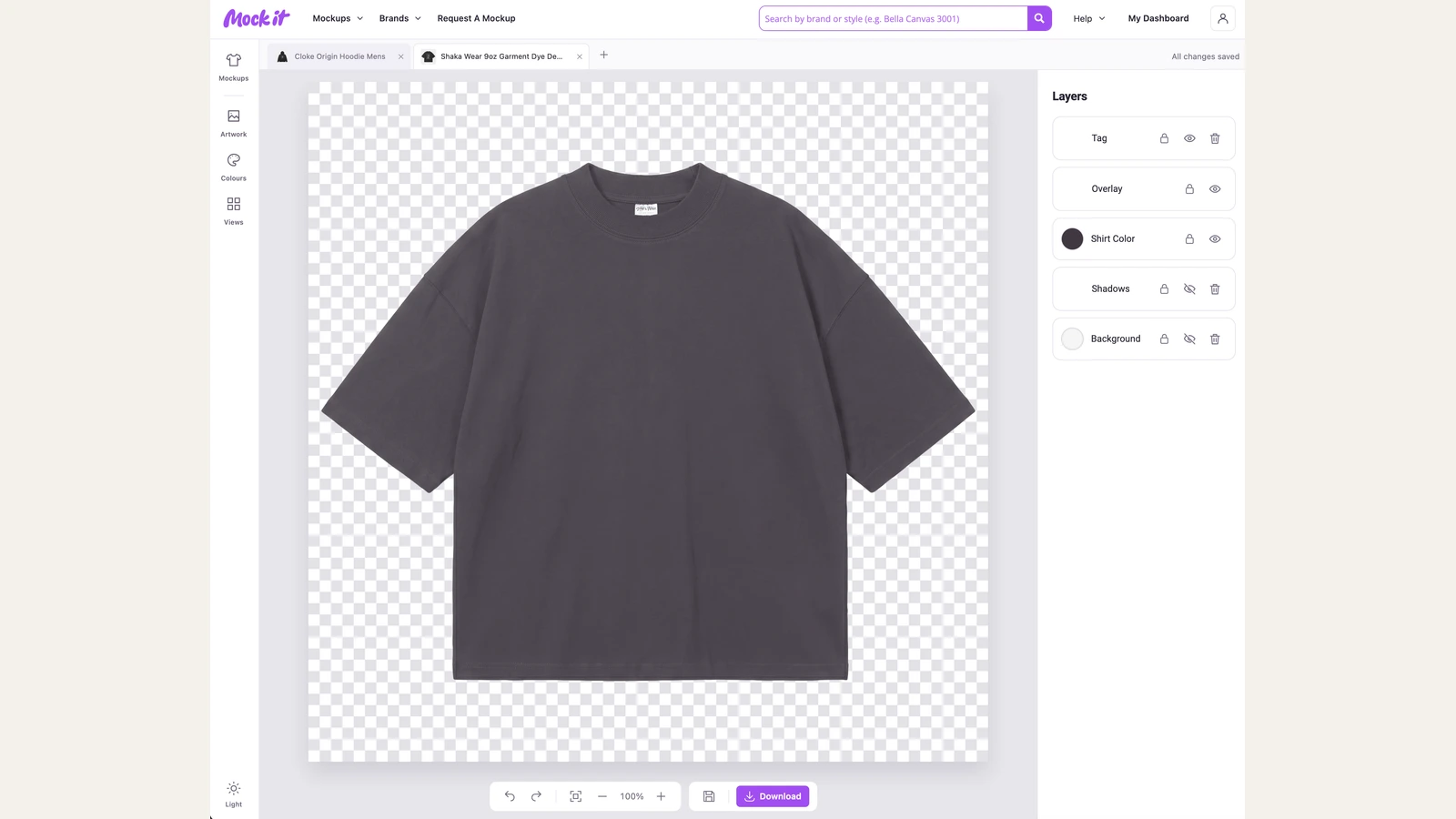
Place the completed artwork on a realistic T-shirt before approving the final design for production or presentation. Review graphic scale, neckline clearance, print position, photo visibility, typography, color contrast, and the relationship between front, back, or sleeve elements. Using T-shirt mockups at this stage lets you inspect how the graduation artwork appears on the garment rather than judging the flat design alone. Always correct misplaced, oversized, crowded, or visually unbalanced elements before export.
What Common Mistakes Should You Avoid in a Graduation T-Shirt Design?
Avoid using too many or hard-to-read fonts, low-resolution artwork, poor color contrast, crowded layouts, undersized text, incorrect placements, and unsuitable print methods in graduation T-shirt designs. These mistakes can reduce readability, blur graduate photos, hide personalized details, distort graphics, or create printing problems. Before finalizing any graduation T-shirt idea, check typography, image quality, artwork dimensions, placement, fabric compatibility, names, dates, school information, and the complete garment preview.
Check these common mistakes before finalizing your graduation T-shirt design:
- Using Too Many Fonts
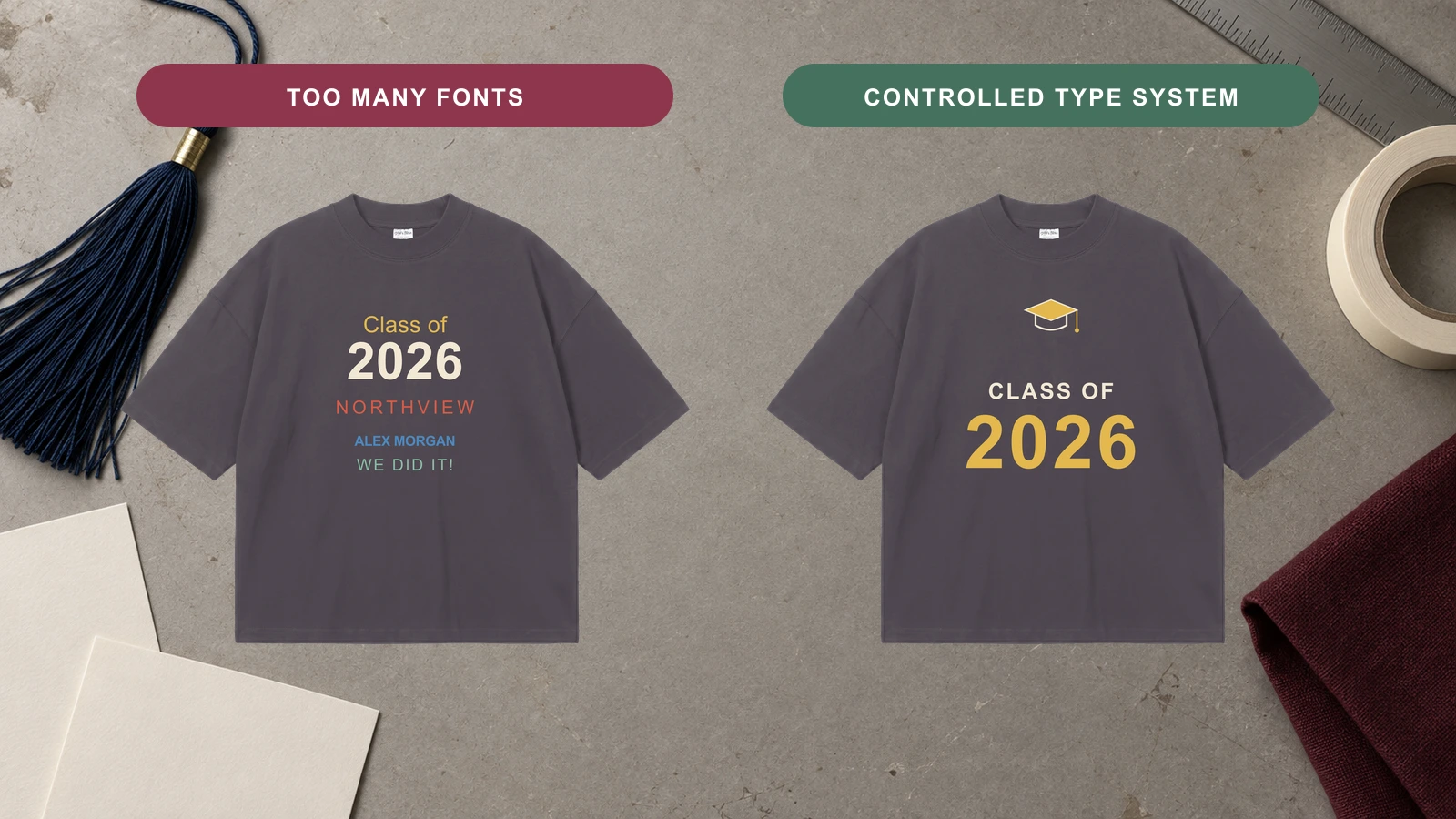
Avoid combining several unrelated typefaces within one graduation T-shirt design because each additional font competes for attention and weakens the visual hierarchy. Class-year numbers, graduate names, school information, and supporting messages do not all need separate lettering styles. Use a controlled font combination and assign clear roles to each typeface. For example, pair bold typography for Class of 2026 with one complementary style for the graduate name or secondary details.
- Choosing Hard-to-Read Fonts
Thin scripts, highly decorative lettering, and tightly spaced characters can make graduation T-shirt text difficult to read once printed on fabric. Complex letterforms especially affect small graduate names, school details, class years, and inspirational messages. Choose typography with clear character shapes and suitable spacing for the intended print size. Review script and calligraphy designs carefully so decorative styling doesn’t reduce the visibility of important graduation information.
- Using Low-Resolution Artwork
Avoid enlarging low-resolution graduate photos, school graphics, illustrations, or other raster artwork because scaling can reveal pixelation, blurred edges, and unclear details. Photo collage graduation T-shirts especially depend on image quality because several photographs may already appear reduced. Prepare artwork at the intended production dimensions and resolution. Use vector files for typography, logos, and suitable graphics, and inspect photographs at their expected print size before production.
- Choosing Poor Color Contrast
Do not select graduation artwork colors without comparing them against the T-shirt fabric color. Insufficient contrast can make Class of 2026 numbers, graduate names, school logos, quotes, and smaller details difficult to distinguish. School colors should also remain recognizable when placed on light or dark garments. Check every important graphic against the selected shirt color, and adjust shades as needed so text, photographs, outlines, and supporting elements remain clearly visible.
- Overcrowding the Design
Too many photos, quotes, names, icons, school graphics, and decorative elements can make a graduation T-shirt difficult to scan. Establish one primary focal point, such as the graduate portrait, class year, mascot, or graduation message, then use secondary details to support it. Leave enough open space between individual elements so each part remains distinguishable. For photo collages or class rosters, use a structured arrangement rather than filling every available area of the shirt.
- Making Important Text Too Small
Keep graduate names, graduation years, school names, class details, and important messages large enough to remain readable at normal viewing distance. Text that looks clear on a computer screen may become difficult to recognize after it is reduced and printed on a T-shirt. Establish a size hierarchy before production, with primary information receiving more visual emphasis. Check smaller supporting text at realistic print dimensions, not just in an enlarged artwork file.
- Using the Wrong Design Placement
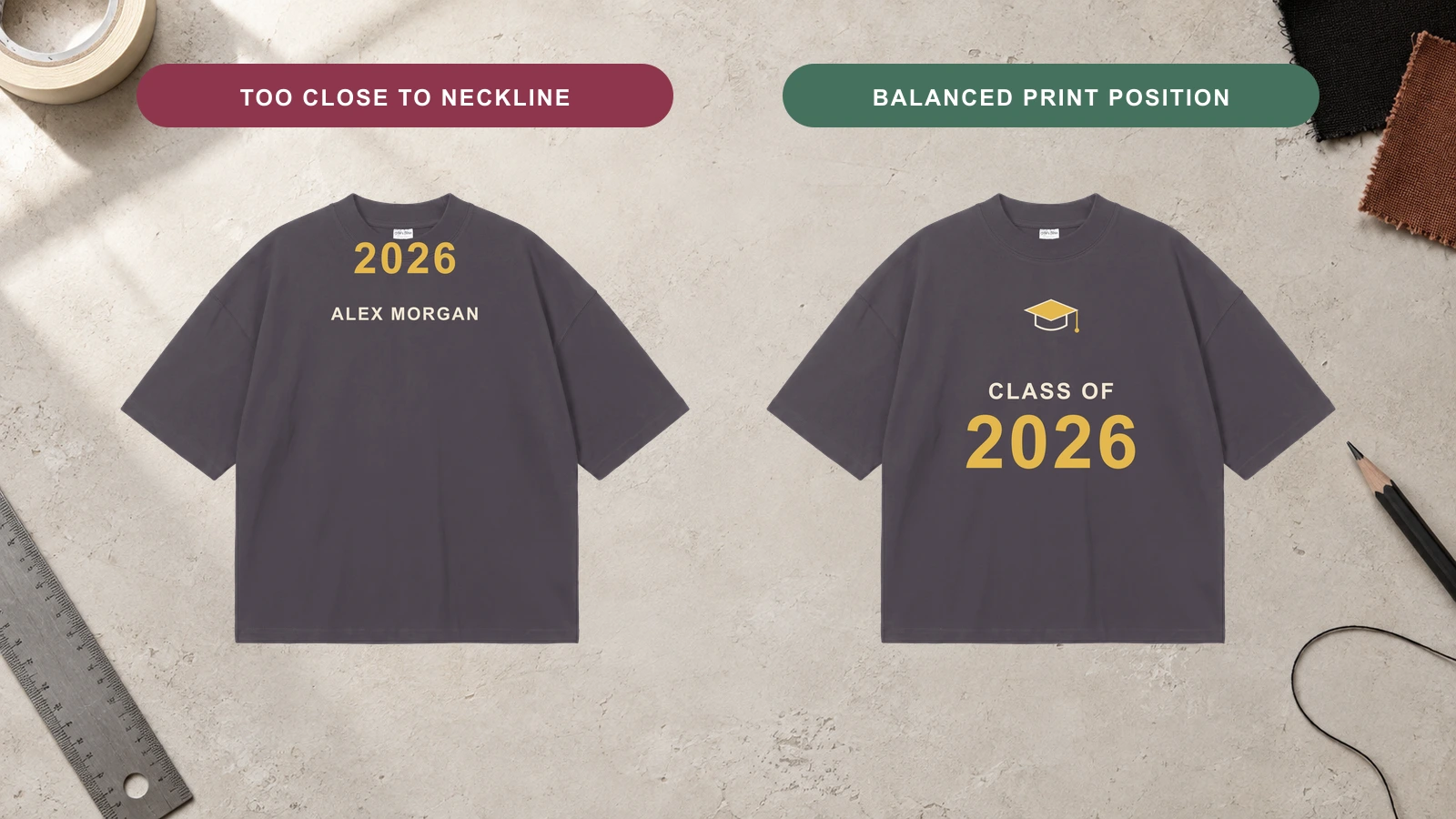
Avoid selecting a T-shirt placement without considering the artwork’s proportions, level of detail, and intended focal point. Large graduate photo collages or class rosters need more space than a left-chest area can provide, while small logos may feel disconnected when enlarged across the full front. Match compact graphics with chest or sleeve areas and reserve broader front or back spaces for detailed graduation designs. Check neckline, hem, and sleeve boundaries before positioning artwork.
- Placing Artwork Across Seams
Keep important graduation T-shirt details away from shoulder, side, sleeve, and other garment seams that can interrupt the print surface. Graduate faces, names, class years, and fine lettering may become distorted or difficult to reproduce when artwork crosses uneven fabric construction. Position focal graphics within flatter print areas whenever possible. If supporting artwork approaches a seam, check production requirements and leave enough clearance to prevent important information from being split, folded, or inconsistently printed.
- Choosing the Wrong Print Method for the Fabric
Match the decoration method to the T-shirt fabric and the type of graduation artwork being produced. Detailed graduate photos and multi-color illustrations have different production requirements from bold class-year graphics or small embroidered school marks. Fabric composition, texture, stretch, and weight can also affect the finished result. Confirm that the chosen printing or embroidery method can reproduce the required colors, fine details, gradients, lettering, and graphic scale on the selected T-shirt material.
- Using the Wrong Artwork Size
Do not resize the same graduation artwork without considering the T-shirt dimensions and the selected print area. A graphic that works on an adult large shirt may appear oversized on a youth garment or too small on a larger size. Set artwork dimensions according to the intended placement and garment range. For matching family or class T-shirts, review how graduate photos, typography, mascots, and other elements scale across different shirt sizes.
- Entering the Wrong Name, Year, or School Details
Incorrect personalization can make an otherwise finished graduation T-shirt unusable for its intended wearer or event. Verify the spelling of graduate names, Class of 2026 dates, school names, academic majors, honors, family roles, and class roster entries against the supplied information. Check every personalized shirt separately when producing matching sets. Do not assume repeated details are identical across all versions, especially when names, relationships, degrees, or participant roles change between garments.
- Skipping a Mockup Preview or Test Print
Do not approve a graduation T-shirt design solely from a flat artwork file because it does not show how the graphic relates to the actual garment. A mockup can reveal incorrect scale, poor placement, weak contrast, crowded typography, or artwork positioned too close to the neckline and seams. Review the design on a realistic shirt from the necessary views, and use a test print when appropriate to verify colors, details, and production quality before completing a larger order.




 Trusted By Thousands Of Designers
  Cancel Your Subscription Anytime
  30 Day Money Back Guarantee