Lifestyle mockups are a powerful way to showcase your apparel by placing it in everyday settings that resonate with your audience. Unlike plain product shots, these visuals help shoppers imagine how they’d use your products, building trust and boosting sales. Here’s how you can use lifestyle mockups effectively:
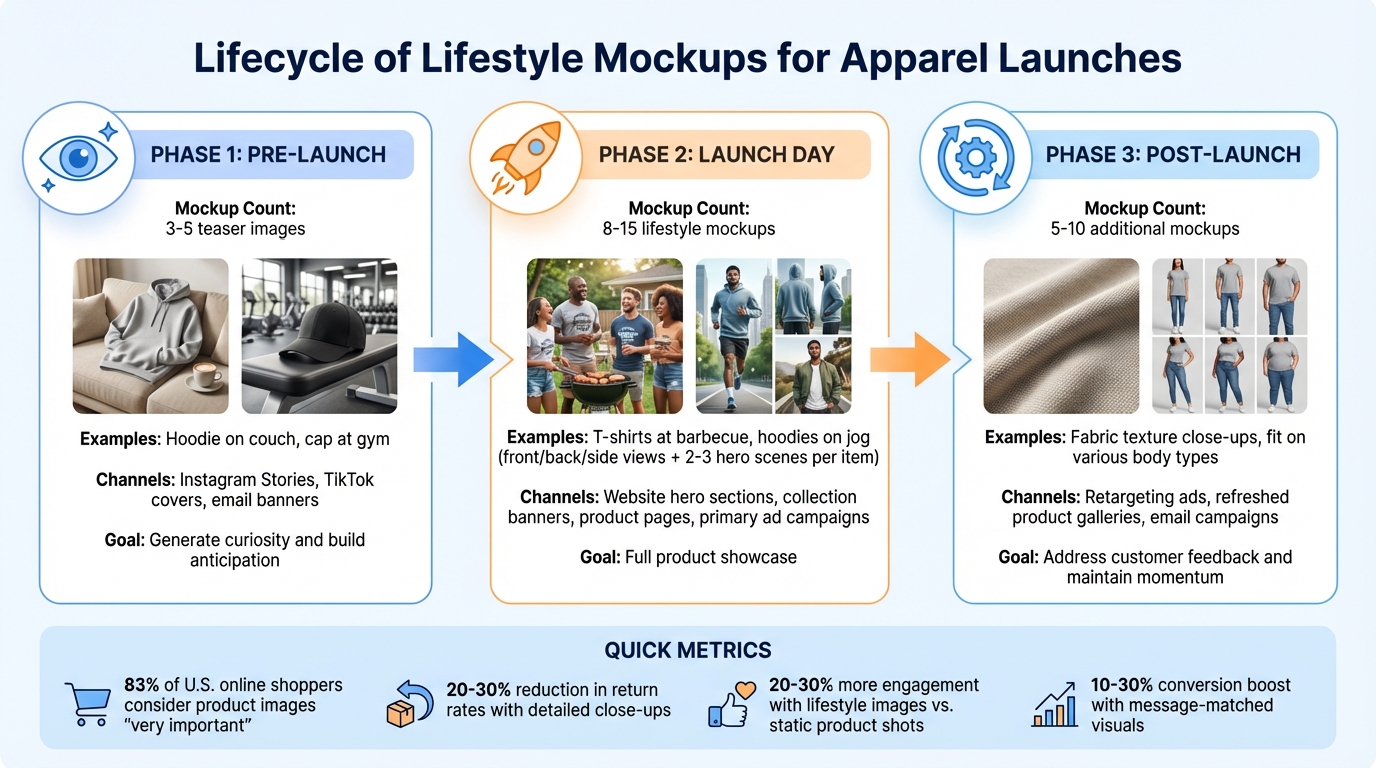
- Pre-launch: Create teaser images (3–5 mockups) to generate curiosity, like a hoodie on a couch or a cap at the gym.
- Launch day: Use 8–15 mockups showing full views and hero scenes, such as t-shirts at a barbecue or hoodies on a jog.
- Post-launch: Add 5–10 mockups based on customer feedback, focusing on details like fabric texture or fit.
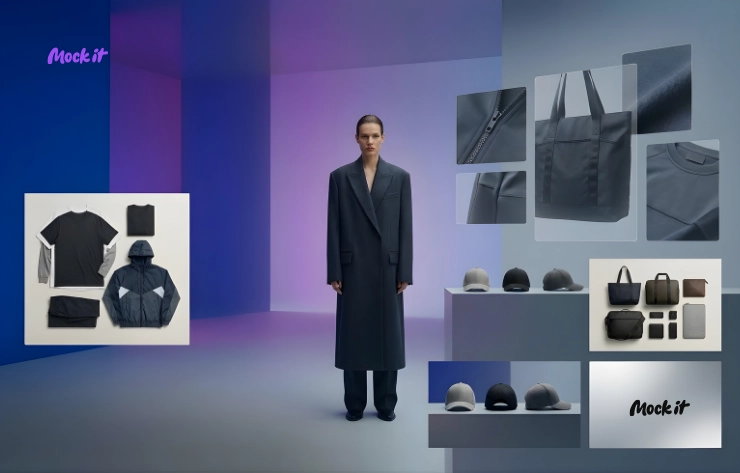
Tools like Mock It simplify this process with 5,000+ apparel templates, AI tools for creating backgrounds, and a Scene Creator to design polished visuals. These mockups can be tailored for platforms like Shopify, Etsy, Instagram, and email campaigns, ensuring your launch visuals are professional and aligned with your goals.
Quick Tip:
Test your mockups with small-budget ads or social media polls before launch to see what resonates. After launch, monitor performance metrics like click-through rates and refine your visuals accordingly.
Start creating lifestyle mockups today to make your next apparel launch more engaging and effective.
Lifestyle Mockup Strategy for Apparel Launch Phases
Planning Your Lifestyle Mockups for Launch
Matching Mockups to Launch Phases
To make the most of your lifestyle images, align your mockups with the different stages of your product launch. For the pre-launch phase, focus on creating 3–5 teaser mockups that hint at what’s coming. Think of close-up shots like a hoodie hanging in a cozy Brooklyn apartment or a cap casually placed on a gym bench. These are perfect for Instagram Stories, TikTok covers, or early email banners designed to spark curiosity and build anticipation.
When it’s launch day, you’ll need a more robust set of 8–15 lifestyle mockups that fully showcase your product. Include front, back, and side views on models, along with 2–3 hero scenes for each key item. For example, you could show friends enjoying a weekend barbecue in your t-shirts or runners hitting the city park in your performance hoodies. These images are essential for your website’s hero sections, collection banners, product pages, and primary ad campaigns.
For post-launch and retargeting, create 5–10 additional mockups based on feedback from early customers. If people are curious about fabric softness, include close-ups of textures. If they ask about fit, feature the same design on a variety of body types. Use these updated visuals in retargeting ads, refreshed product galleries, and email campaigns to address concerns and keep your launch momentum going.
By tailoring your mockups to each phase, you’ll ensure your visuals meet specific goals at every step.
Setting Visual Goals and Themes
Before diving into production, establish 3–5 visual goals to guide your creative process. For example, you might want to emphasize comfort, highlight versatility, or showcase inclusive sizing. Each goal should translate into specific imagery. To highlight comfort, opt for close-ups of soft fabrics and relaxed poses. For versatility, feature scenes that span casual daytime looks, workouts, and evening outings.
Your settings should resonate with your target audience. For instance, streetwear aimed at 18–30-year-olds in New York or Los Angeles works best in urban settings like subways, coffee shops, or graffiti-covered walls. Athleisure for suburban parents fits better in outdoor or suburban environments like parks, playgrounds, or school pick-up zones. Younger buyers, such as students, connect with dorm rooms, skateparks, or music festivals, while professionals might respond to visuals set in co-working spaces or during city commutes.
Plan your mockups around key U.S. events and holidays, mapping them out 4–8 weeks in advance. For the Super Bowl in February, Memorial Day, Independence Day, back-to-school season, Halloween, and Black Friday through New Year’s, create scenes that subtly reference these occasions. For example, show July 4th barbecues with friends wearing patriotic colors, Halloween-themed hoodies at a pumpkin patch, or cozy sweatshirts in holiday-decorated living rooms. For sports-themed campaigns, use scenes like watch parties or tailgates, sticking to unbranded colors that echo local teams to avoid licensing issues.
Organize all these elements into a clear production plan to ensure your visuals stay on track.
Building Your Mockup Production Plan
A solid production checklist will help you manage mockup types, technical specs, and channel-specific needs. For Shopify, aim for 6–8 images per product: 1–2 hero shots, 2–3 studio images, and 1–2 detailed close-ups. Use images sized at 2,000–3,000 pixels on the longest side, with at least 1,500 pixels on the shortest side. Save them as JPG or WEBP at 72–96 ppi to balance image quality with fast loading speeds.
For Etsy, prioritize vertical or square lifestyle images at 2,000 pixels wide or larger, with 5–10 images per product. Cover lifestyle shots, detailed close-ups, and product variants, but keep individual file sizes under 300–400 KB to ensure quick loading on mobile devices. For social media, create multiple crops from the same scene: 1:1 and 4:5 for Instagram feeds, 9:16 for Stories, Reels, and TikTok. For email campaigns, reuse 1–2 hero lifestyle images from your website and design simpler scenes with negative space for text and calls-to-action.
Consistency is key. Stick to 2–3 scene types – like light indoor settings, gritty urban backdrops, or clean studio shots – and standardize your color grading and product positioning. Mock It can help streamline this process with templates that offer uniform lighting and angles. Document your specs in a table with columns for Channel, Placement, Aspect Ratio, Minimum Size (px), Format, and Maximum File Size (KB). This ensures designers can export files efficiently without needing to redo work.
Creating Lifestyle Mockups with Mock It

Customizing Apparel with Mock It’s Tools
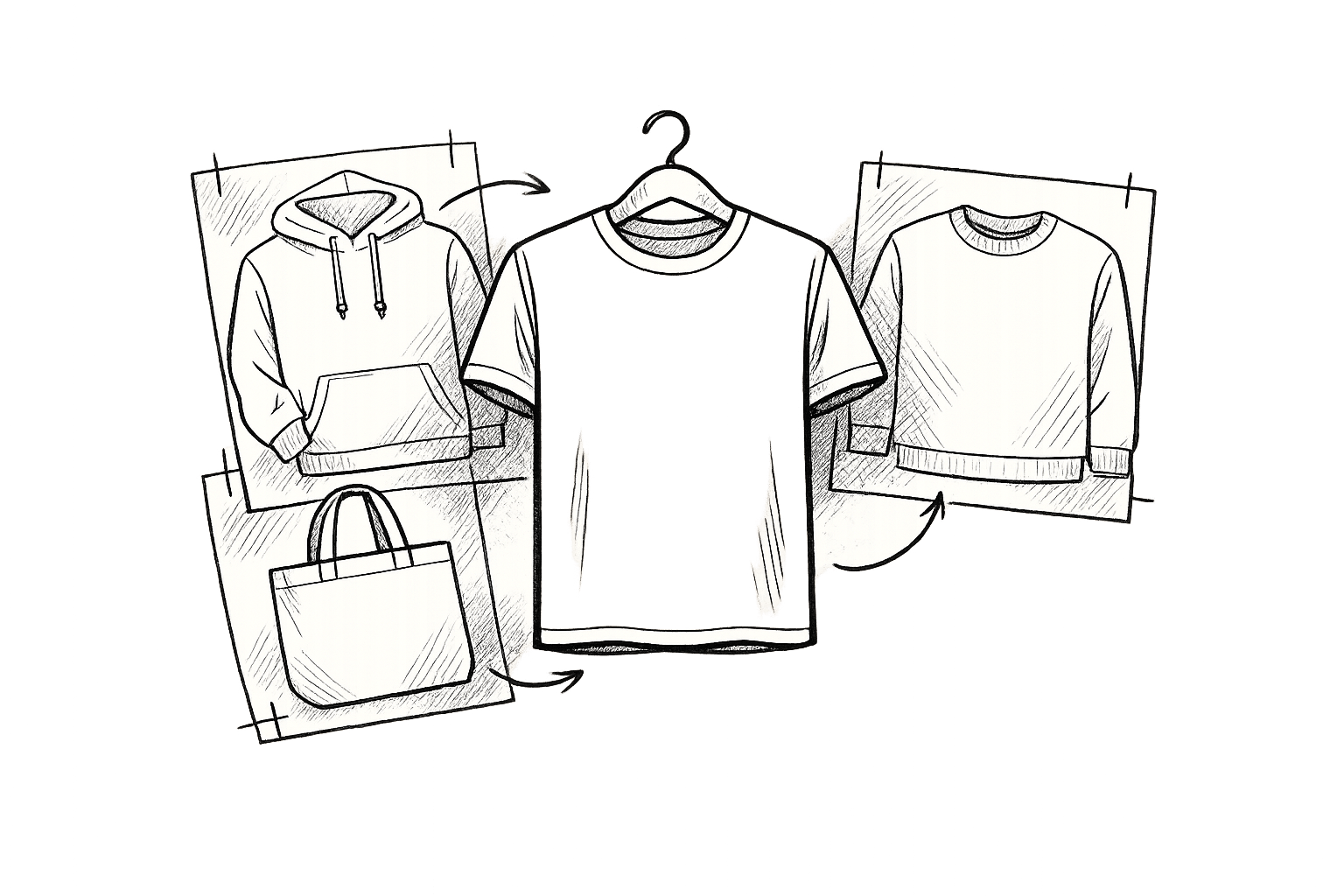
Mock It offers an extensive library of over 5,000 templates from 45+ brands, including Bella + Canvas, Gildan, and Champion. You can easily filter by apparel type to find the perfect match for your product lineup. Each template includes three front and three back views, giving you a complete showcase of your designs – no photoshoots required.
Using Mock It’s drag-and-drop editor, uploading your design is a breeze. Once added, your design is automatically applied to both the front and back views, saving you the hassle of manual adjustments in Photoshop. Plus, the platform’s full color libraries include thousands of Pantone-matched shades, letting you tweak fabric colors instantly. For example, if you’re testing a summer collection, you can switch a hoodie from navy to sunset orange in seconds to see which color resonates with your audience. This is especially useful for A/B testing different colorways in ad campaigns without having to create separate files for each variation.
When it’s time to export, Mock It delivers high-resolution images ready for multi-channel use. Its bulk creation feature allows you to generate dozens of design variations – across colors, views, and styles – from a single upload. This makes it an ideal tool for launches involving multiple SKUs.
Building Realistic Scenes with the Scene Creator
Once your apparel designs are ready, take them to the next level with Mock It’s Scene Creator. This tool lets you craft immersive lifestyle images by placing your customized apparel in realistic settings. Start by selecting a base lifestyle template – options range from urban backdrops like graffiti walls and subway stations to outdoor locations like hiking trails or beach boardwalks. Simply drag your design onto a model, then add props to enhance the scene. You can even adjust lighting and shadows to create a sense of depth and realism.
Unlike basic templates, Mock It’s advanced layering system allows for more detailed, dynamic scenes. It offers greater apparel-specific customization options compared to tools like Dynamic Mockups’ free library. You can create seasonal looks or styled scenes that reflect how your products might be used in real life.
For instance, imagine showcasing a sweatshirt on a model hiking a mountain trail or a group of friends wearing your custom shorts in an urban nightlife setting. These lifestyle scenes help customers visualize how your products fit into their daily lives, creating an emotional connection that goes beyond flat product shots and increases purchase intent.
Using AI and Background Removal Features
Mock It also integrates AI tools to simplify and speed up your creative process. With the AI text-to-image generator (available on the Pro plan), you can create custom scene elements without the need for photoshoots. Just type a prompt like “model wearing a graphic t-shirt on a sunny California beach” or “urban street style with a hoodie in Brooklyn,” and the AI generates tailored visuals instantly. You can then refine the output to align with your brand’s look and incorporate it into your mockups for location-specific campaigns.
The background remover tool is another game-changer. It uses AI to isolate your apparel designs or product photos in seconds. Upload your image, let the tool remove the background, and then drop your isolated design into any Scene Creator template – whether it’s a park, gym, coffee shop, or festival setting. You can fine-tune the edges for a seamless fit, ensuring your visuals look polished and professional.
This combination of AI tools and advanced customization options allows you to produce versatile, high-quality visuals that work across various marketing channels, from paid ads to landing pages. And the best part? You can achieve all this without the need for multiple photoshoots or time-consuming manual edits in other software.
How To Create LIFESTYLE MOCKUPS Using PHOTOSHOP (Full Tutorial)
sbb-itb-1e8f9ab
Using Lifestyle Mockups Across Marketing Channels
Leverage your Mock It lifestyle mockups across all marketing channels to create a cohesive brand presence. Each platform has its own requirements for visuals, but staying consistent with your branding is key. According to research, 83% of U.S. online shoppers consider product images "very important", even more so than descriptions or reviews. This makes it essential to fine-tune your mockups for each channel while ensuring they contribute to a unified brand identity. Whether it’s for e-commerce, paid ads, or email campaigns, your visuals play a critical role in the success of your launch.
Creating Mockups for E-Commerce Listings
For platforms like Shopify, Etsy, or Amazon, start with a neutral main mockup and enhance it with lifestyle images and close-ups that highlight textures and details. Mock It’s six-view template sets – featuring three front and three back views – simplify this process, giving you a complete gallery without the hassle of scheduling photoshoots.
Close-ups are particularly valuable for reducing purchase hesitation. They showcase details like fabric texture, helping to address customer concerns and potentially lowering return rates by 20–30% on platforms like Shopify. While Amazon requires a white-background main image, platforms like Etsy and Shopify offer more flexibility, allowing lifestyle photos to take center stage. Regardless of the platform, maintain a consistent color palette, lighting, and background across all images to ensure accurate color representation and build customer trust.
Designing Mockups for Paid Ads and Social Media
Once your e-commerce visuals are ready, adapt them for paid ads and social media. These platforms demand attention-grabbing visuals that instantly convey your product’s benefits. Since many viewers scroll without reading text or enabling sound, lifestyle mockups featuring people, movement, and relatable settings – like a hoodie at a tailgate or a t-shirt at a summer barbecue – can significantly boost engagement. Studies show that ads with recognizable faces and lifestyle scenarios achieve higher click-through rates compared to static product-only images.
Export your visuals in the appropriate aspect ratios for each platform: vertical 9:16 for TikTok, Reels, and Stories; square or 4:5 for Instagram; and 16:9 for YouTube and Google ads. Mock It’s Scene Creator makes it easy to swap backgrounds and props to fit each platform’s vibe – like urban graffiti walls for TikTok, cozy coffee shops for Instagram, or outdoor trails for Facebook. To maximize impact, create 2–4 variations of the same concept by changing models, crops, or backgrounds. Mock It’s bulk creation feature allows you to quickly produce multiple ad-ready variations, enabling efficient A/B testing to identify what resonates most with your audience.
Adding Mockups to Email and Landing Pages
Your email campaigns and landing pages also benefit from well-matched visuals. Use a hero lifestyle mockup at the top of your emails and landing pages that mirrors the main creative from your ads. This "message match" minimizes confusion and can boost conversion rates by 10–30%. For instance, if your Meta ad features a model in a pumpkin patch wearing your fall hoodie, the hero image on your landing page should maintain that seasonal theme instead of switching to a generic studio shot.
Seasonal and holiday-themed visuals are especially effective for U.S. audiences. Customize your mockups with props that align with the time of year – like pumpkins and cozy sweaters for fall, red and green gift packaging for Christmas, or fireworks and patriotic colors for July 4. Mock It’s Pro plan includes tools like a background remover and an AI text-to-image generator, enabling you to update scenes quickly without reshoots. Simply replace the old background with a seasonal template, and export web-optimized files that load quickly on mobile devices – critical for email and landing page performance.
Consistency is key across all channels. Use the same color palette, lighting, and diverse models to create a unified look. When your Shopify listings, Instagram ads, email headers, and landing pages share the same visual identity, customers are more likely to recognize and trust your brand. Mock It’s bulk tools make it easy to generate platform-specific crops – like storefront banners, Instagram posts, and email headers – from a single base scene, saving time while keeping your launch visually cohesive.
Measuring and Improving Your Lifestyle Mockups
The difference between a successful launch and one that falls flat often comes down to how well you test and refine your visuals. Before committing to a full campaign, use low-risk methods like social media polls, small-scale test ads, or waitlist sign-ups to get feedback on your mockups. Once launched, track performance metrics – such as click-through rates, conversion rates, and engagement levels – to see what’s resonating and what needs tweaking. Think of your mockups as any other marketing asset: test, measure, and continuously refine. Early feedback can help you fine-tune your visuals before going all in.
Testing Mockups Before Launch
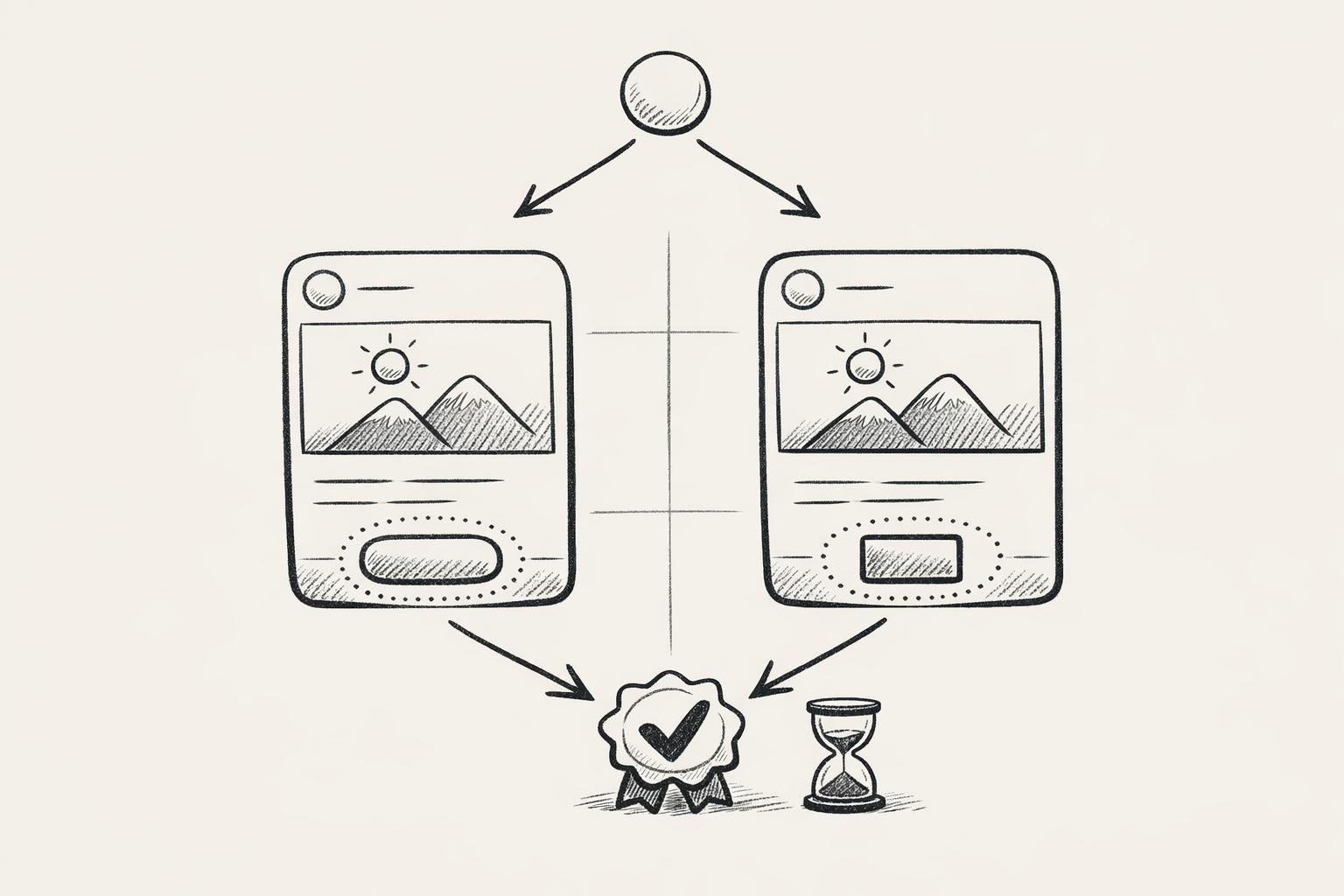
Pre-launch testing helps identify the most effective visuals while keeping risks low. One simple approach is using Instagram Stories polls. For example, post two mockup options – like a t-shirt modeled in an urban setting versus one on a beach – with a poll sticker asking, "Which setting makes you want to buy?" Fenty Beauty famously used this method during their Skin Collection launch, gathering direct input from their audience. Limiting polls to 24 hours can create urgency and encourage quick responses.
If you want more detailed insights, try small-budget test ads on platforms like Meta or TikTok. With as little as $50 to $100, you can run ads with identical copy and targeting but different mockup variations. Compare metrics like click-through rates and cost-per-click to find the top performers. You can also create teaser ads with partial mockups to build curiosity. For waitlist sign-ups, test different hero mockups and track which one drives more email sign-ups. Robinhood’s early access email strategy is a great example of how this can effectively build anticipation and a ready audience.
The insights you gather from these pre-launch tests will directly inform how you refine your visuals after launch.
Refining Mockups Based on Performance Data
Once your campaign is live, it’s time to analyze performance metrics to guide adjustments. Keep an eye on click-through rates for ads featuring your mockups, conversion rates on product pages with lifestyle images (aim for a 2–5% improvement over plain product shots), and engagement rates like likes and shares on social media. Lifestyle images often generate 20–30% more interaction compared to static product shots. For example, if urban-themed visuals underperform, try switching to seasonal themes like cozy fall settings or holiday vibes. Heatmap data can also be revealing – one brand saw a 25% sales increase after optimizing mockups based on where customers focused their attention.
To make targeted improvements, test one element at a time – whether it’s the background, model, crop, or color – so you can pinpoint what’s driving the change. Tools like Mock It make this process easier. With features like customizable color libraries, the Scene Creator for swapping backgrounds, and an AI text-to-image generator, you can create new lifestyle contexts without needing costly reshoots. For example, if feedback indicates your visuals lack diversity, you can add models with varying body types and skin tones – similar to how Fenty Beauty ensures their imagery appeals to a broad audience. Rotate underperforming mockups every 7–14 days while keeping one control version to measure the impact of your changes.
Mock It vs. Alternative Tools
When it comes to creating and refining lifestyle mockups, factors like setup time, cost, and apparel-specific features can make or break your workflow. Mock It stands out as a faster, more tailored solution for apparel brands compared to general design tools or platforms focused on print-on-demand (POD).
| Factor | Mock It | Kittl | MyDesigns |
|---|---|---|---|
| Setup Time | Under 5 minutes with drag-and-drop | 10–15 minutes, more manual edits | 20+ minutes for custom scenes |
| Cost (USD) | $19.99/month unlimited access | ~$29/month | ~$49/month pay-per-download |
| Apparel Features | 5,000+ templates, 45+ brands, Scene Creator, AI tools | Basic library, design-focused | Limited clothing options, POD workflow focus |
| Scalability | Bulk generation for dozens of variations | Manual processes | Some automation for listings |
Mock It’s background remover and AI text-to-image generator, available on the Pro plan ($19.99/month or $14.99/month billed yearly), speed up the testing process. Whether you’re swapping a studio background for a seasonal outdoor scene or creating entirely new mockups, these tools save time and eliminate the need for Photoshop or reshoots. For apparel brands juggling frequent launches, Mock It’s extensive templates, low cost, and specialized features make it an ideal choice for quick, measurable results.
Conclusion
Key Takeaways
Lifestyle mockups are a must-have for any apparel launch. They bring your designs to life by showing them in real-world settings, helping customers imagine themselves wearing your products. By aligning your mockups with each phase of your launch, you can ensure your messaging stays focused and your visuals hit the mark. Testing and refining based on performance data can turn guesswork into a solid strategy.
Mock It simplifies and streamlines the process, eliminating the need for costly photoshoots. With over 5,000 templates from 45+ brands and tools like the Scene Creator, background remover, and AI generator, you can create multiple lifestyle mockups from a single design. The flexible Pro plan options allow for unlimited downloads, giving you the freedom to test, tweak, and scale without the hassle of hiring photographers or securing studio space. For apparel brands managing frequent drops or seasonal campaigns, Mock It offers the speed, customization, and apparel-focused features that generic design tools just can’t provide.
These strategies set the stage for a smooth and impactful launch.
Get Started with Mock It
Put these strategies into action today and make your next launch unforgettable.
With Mock It’s free 7-day trial, you can transform your apparel designs into polished, campaign-ready visuals in minutes. Upload your designs, customize colors using full brand libraries, build realistic settings with the Scene Creator, and download high-resolution mockups for Instagram, email campaigns, ads, and product pages – all in less than five minutes.
Whether you’re preparing your first launch or your fiftieth, Mock It equips you with the tools to create visuals that leave a lasting impression. Start building your launch gallery now at https://mock-it.co!
FAQs
How can I use lifestyle mockups to improve my apparel launch?
Lifestyle mockups are an excellent way to bring your apparel designs to life by presenting them in relatable, everyday settings. They help your audience picture themselves wearing your creations, making your products more engaging and visually enticing. This connection can play a key role in boosting customer interest and driving sales.
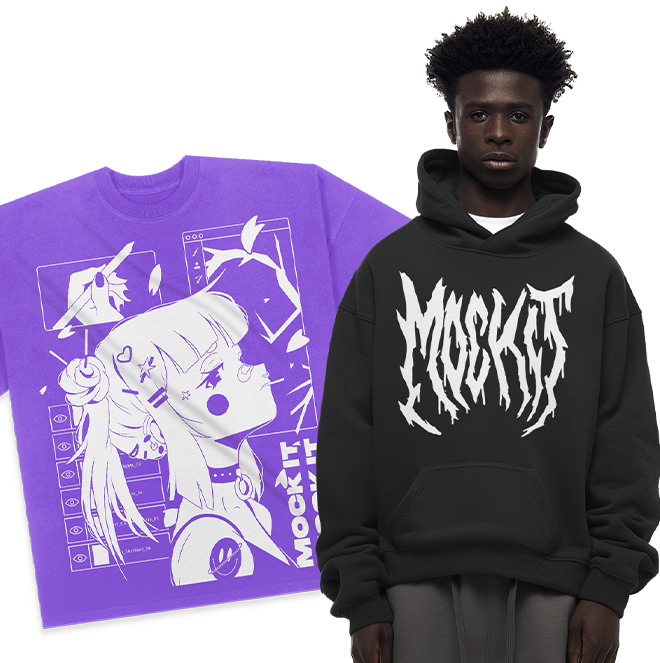
With tools like Mock It, you can streamline the process of creating these visuals. Offering over 5,000 high-quality, customizable templates for items like t-shirts, hoodies, and sweatshirts, it’s designed to make your life easier. Features such as a scene creator and AI-powered tools enable you to craft professional, eye-catching mockups that not only enhance your brand’s image but also give your launch a competitive edge.
What are the best ways to use lifestyle mockups effectively across marketing channels?
To make the most of lifestyle mockups, align your visuals with your brand’s look and feel while tailoring them for each marketing platform. For instance, adjust mockups to fit specific formats like Instagram posts, website banners, or email headers. Incorporating real-life, relatable scenarios into your mockups can make your products more appealing and connect with your audience on an emotional level.
For polished and professional visuals, use high-quality, customizable mockups. Tools like Mock It provide access to over 5,000 clothing templates, along with features like a scene creator and AI-powered tools, enabling you to design realistic and eye-catching images. This strategy can enhance engagement across platforms like social media, online stores, and email campaigns, ensuring your products grab attention wherever they appear.
How does Mock It help apparel brands create lifestyle mockups effortlessly?
Mock It offers a straightforward way for apparel brands to create eye-catching lifestyle mockups. With a library of over 5,000 high-quality templates from more than 45 brands, the platform provides everything you need to bring your designs to life.
Its features include a customizable scene creator, a background remover, and an AI text-to-image generator, all designed to help you produce professional visuals quickly and effortlessly. Plus, Mock It gives you access to complete color libraries and mockup options for t-shirts, hoodies, sweatshirts, and more – perfect for making your designs shine in any product launch.