

Badger Mockups
Production-ready Badger mockups from 1 template Read More












Types of Badger Mockups
Our 1 template covers every variant you need, featuring the short-sleeve crew neck sport tee in moisture-managing performance fabric suited for unisex adults audiences. Select a template that matches your production blank and click any card to filter the grid or jump to the dedicated page.
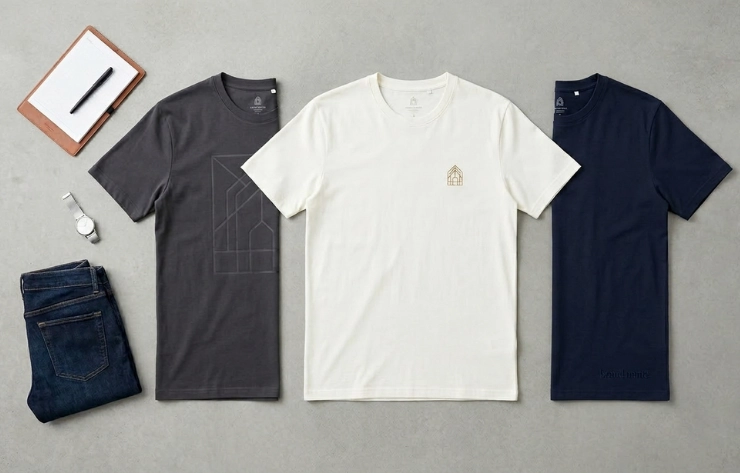
Flat Lay T-Shirt Mockups
Badger's poly-cotton performance fabric renders with distinctive texture consistency in flat lay format, making this sub-collection particularly well-suited for POD storefronts that demand platform-ready imagery across every colorway. Crew neck construction and short-sleeve silhouette are photographed flat with controlled lighting for clean, distortion-free print area visibility.
- 1 template Regular fit, crew neck, short sleeve — unisex adult sizing
- Built for POD sellers on Printful, Printify, and Etsy who need consistent, listing-ready imagery at scale
- Accurately renders front chest print placement and the moisture-managing poly-cotton material texture unique to Badger performance blanks
How To Create Badger Mockups Online?
You can create Badger mockups online by uploading your artwork to Mock It, selecting a T-Shirt template, adjusting placement, and downloading a high-resolution PNG in seconds.
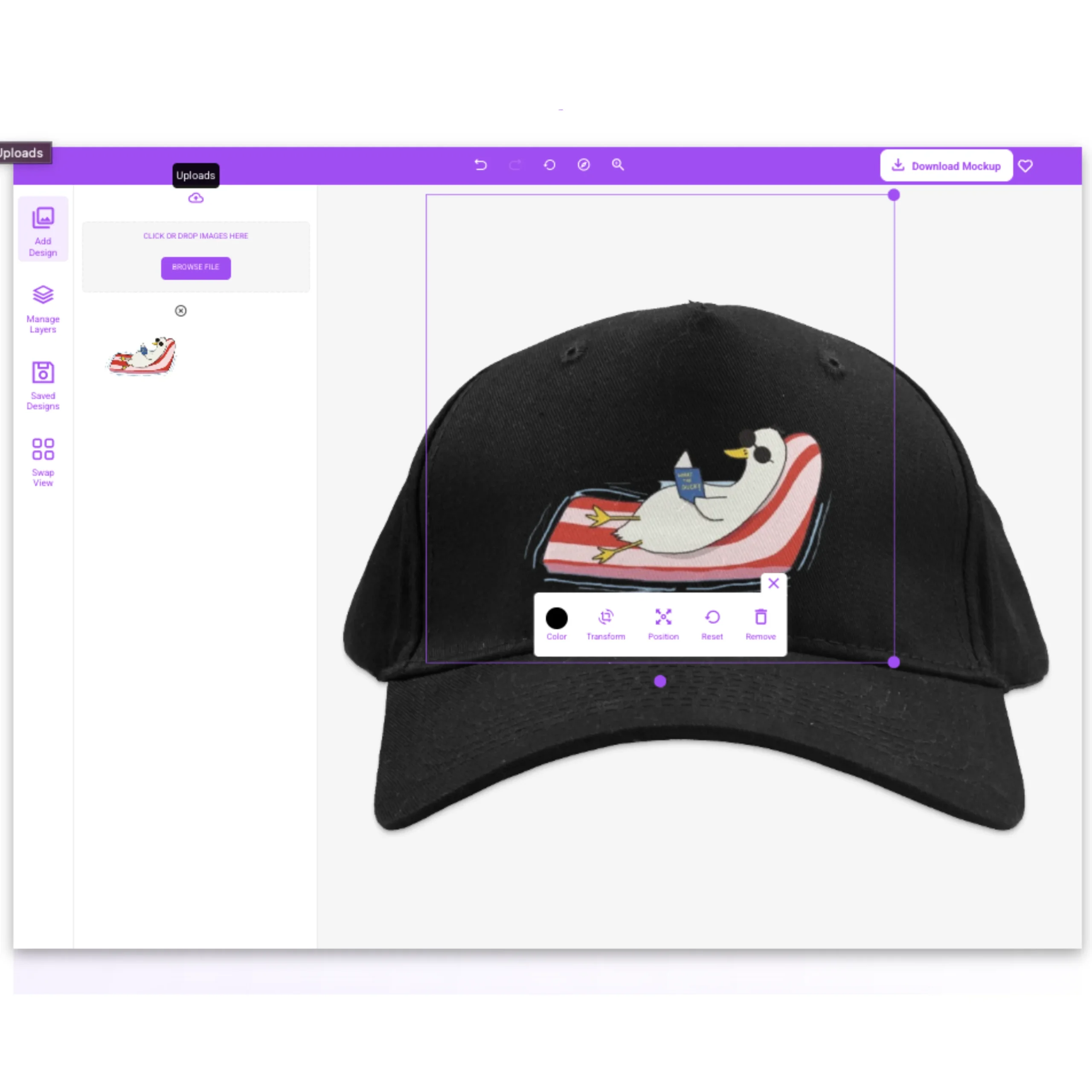
Drop your PNG, SVG, or transparent artwork into the editor; Mock It places it onto the Badger template. Use the resize, scale, and drag handles to position it.
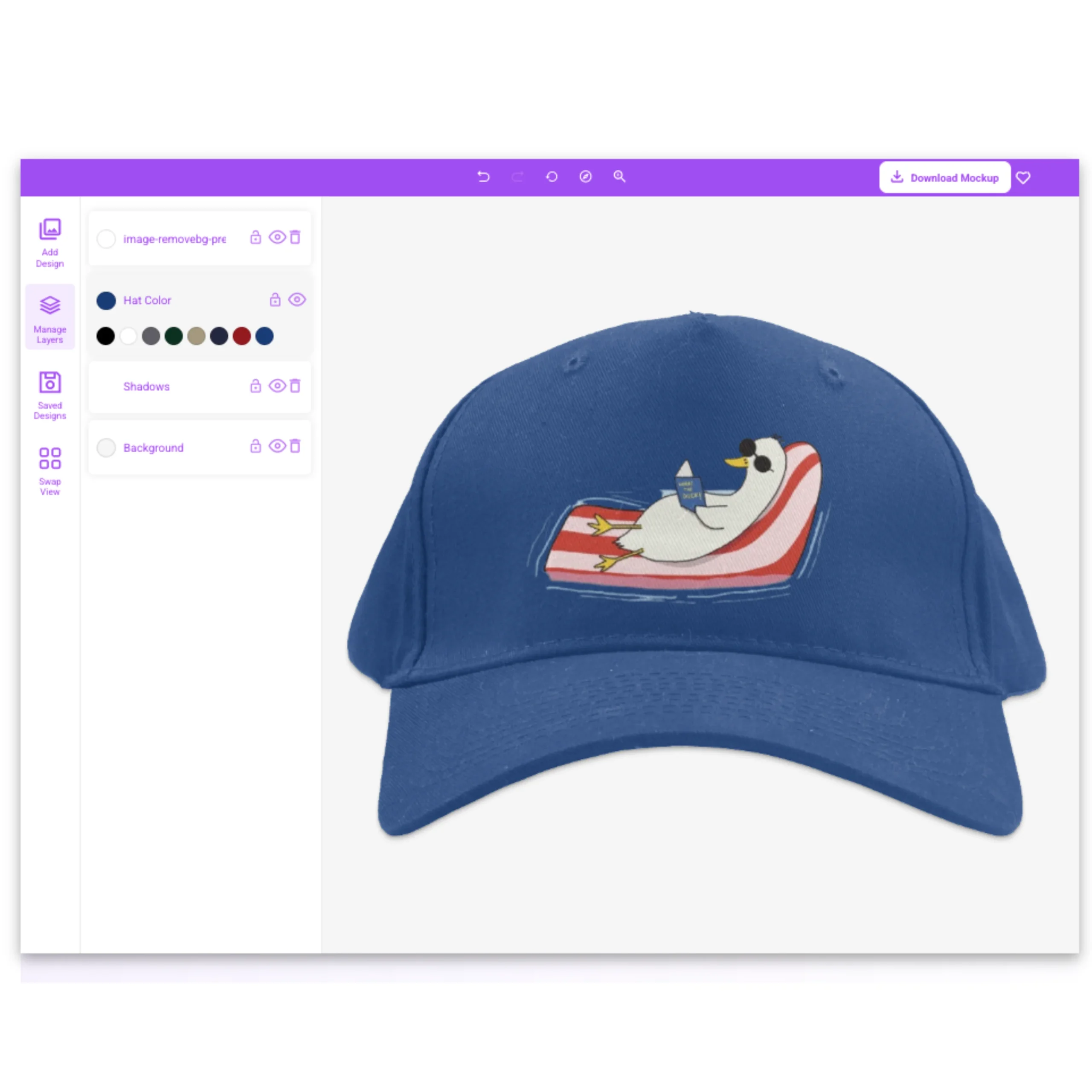
Pick any color from the template's garment color library and the T-Shirt updates instantly. Preview across the full garment color library before settling.
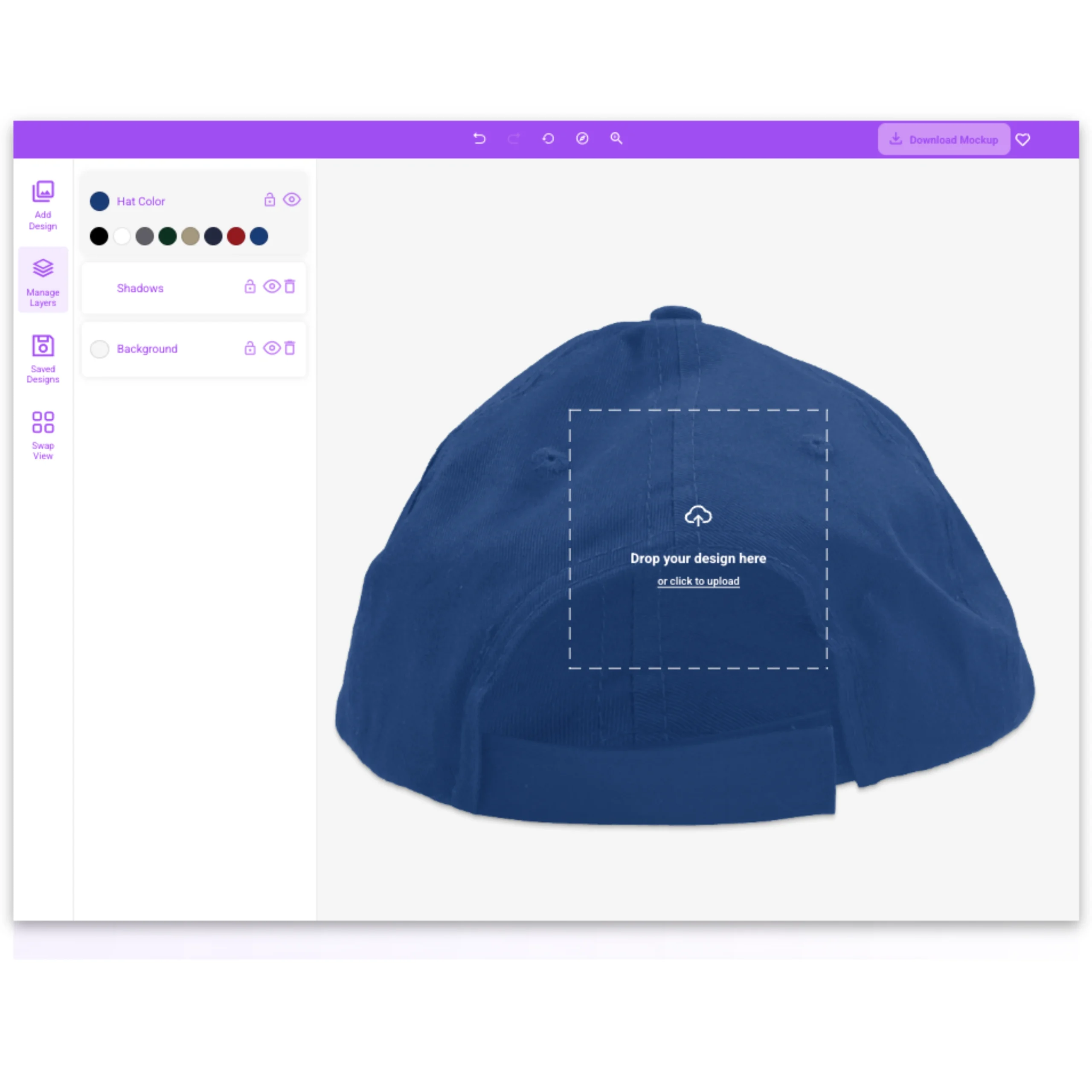
Jump between flat lay views within the same set. Your design carries across every angle automatically — no re-upload, no starting over.
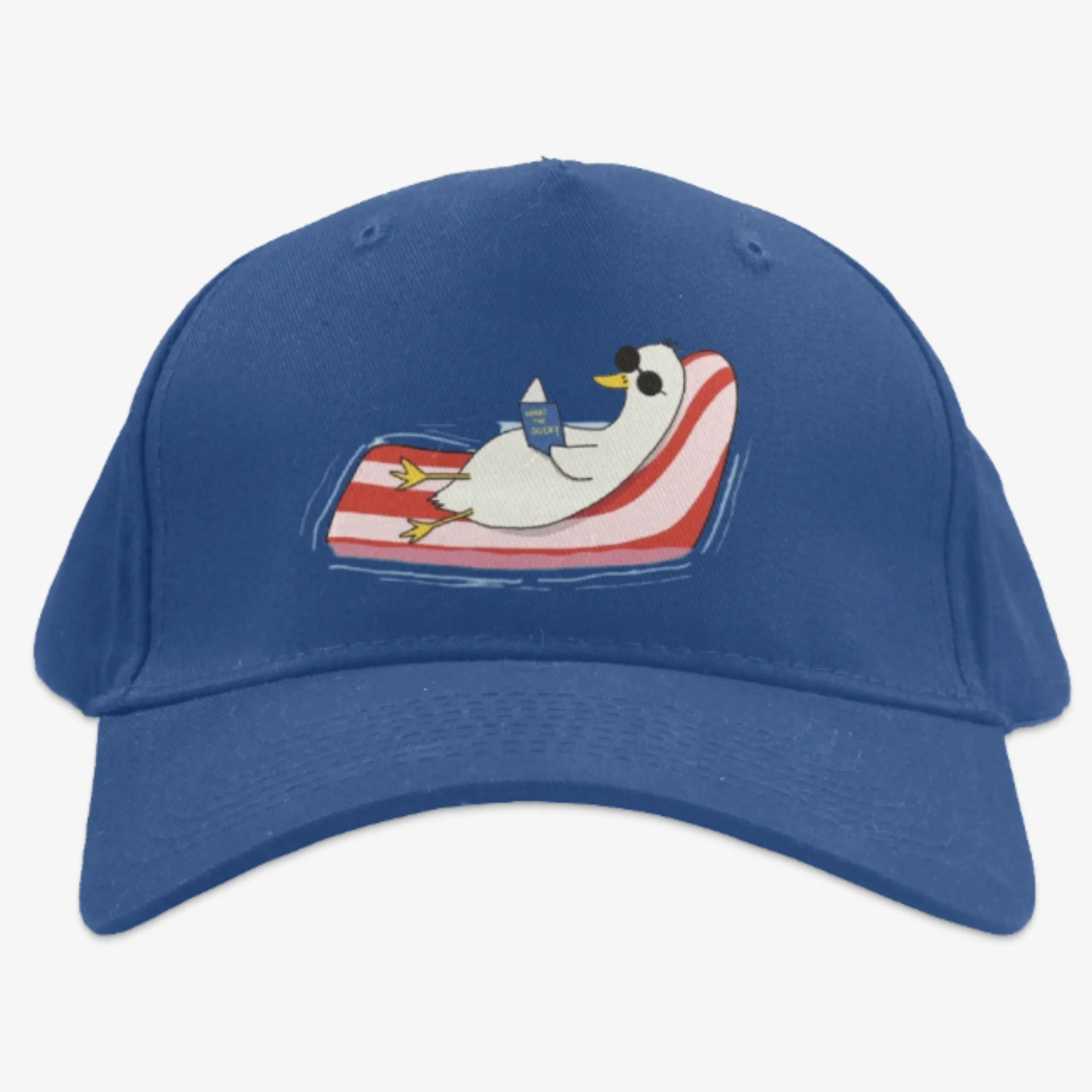
Inspect the high-resolution render for placement, material texture, and shadow detail. Swap color or template until it looks right.
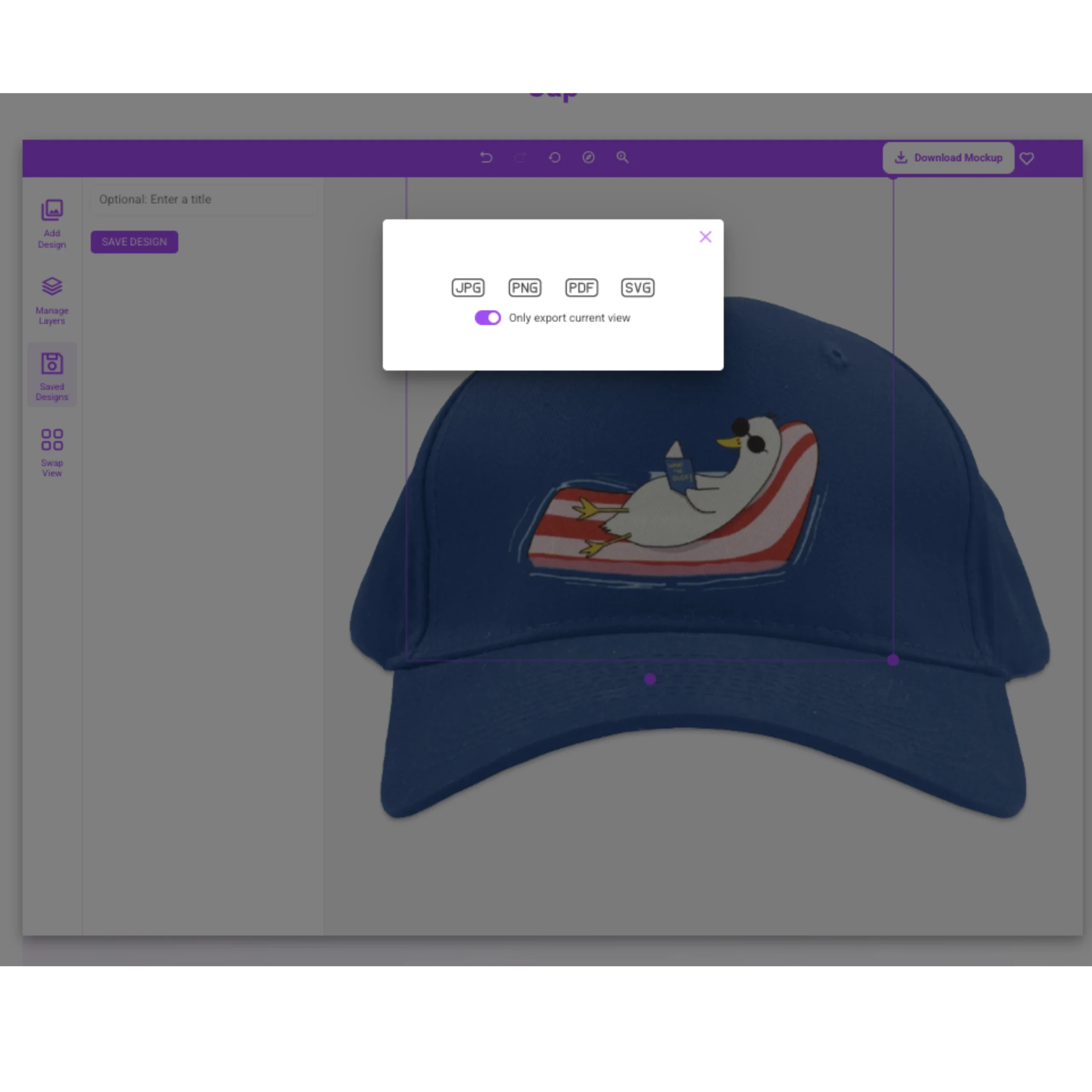
Export as a high-resolution PNG and drop it straight into listings, client decks, or ad creative — no extra editing.
Core Features of Our Badger Mockup Generator
Mock It produces realistic, production-ready Badger visuals with accurate garment structure, material detail, and high-resolution output — built for print-on-demand sellers and graphic tee brands who need consistent product imagery at scale.

5,000+ Mockup Templates
Library spans 5,000+ templates across all categories, including 1 Badger mockup covering every variant and audience in poly-cotton performance fabric.

Badger Accuracy
Every mockup is built from a real production blank from Badger, with accurate fit, structure, weight, and material texture across T-Shirts.

Flat lay Views Per Set
Sets include flat lay perspectives, letting sellers build a complete product gallery from one template family.

Complete Color Libraries
Preview how your artwork interacts with the garment color library across the full library before committing to production.

Scene Creator
Add backgrounds, shadows, and environmental controls to build studio-style visuals that match your brand and listing format.
High-Resolution Output
Download print-ready PNG files with accurate color rendering and visible material texture, ready for listings without additional editing.

Unlimited Downloads
Generate and export across all templates, colors, and design variants with no download caps or restrictions.
Request Missing Mockups
Submit a request for any blank or brand SKU not yet in the library to keep templates aligned with your workflow.
Early Access to New Mockups
Get early access to newly added templates before the public release so your listings stay current.
What Our Users Are Saying About Our Badger Mockup Generator
Real feedback from creators, ecommerce sellers, and designers who use Mock It to ship polished product visuals faster.

Didn't think I'd need it, but now I use it all the time. Mockups are top-notch.

The quality of the mockups from Mock It is exceptional. My product images look professional and polished. The platform is user-friendly, and I've been able to create stunning images in no time.

OMG my products look 100x better. Can't believe I didn't try this sooner.

Mock It has been an incredible tool for my business. The mockups are extremely high quality, and I love how easy it is to customize them to fit my brand.

I'm so happy I found Mock It. The mockups are beautiful, and the customization options make it easy to create images that match my brand perfectly.

Pretty surprised by how good this is. The mockups are super clean, and my product images for my brand look so much better now. For the price and the huge number of mockups, I'm really happy with it.
Choose Your Plan – Unlock Unlimited Mockups
Pick a monthly or annual plan to unlock the full Mockup Generator and 5,000+ template library, with high-resolution exports and no limits. New users get a 7-day free trial.
- 7-Day Free Trial
- Access Over 5,000 Mockups
- High-Resolution Mockups
- Mockups From The Biggest Brands
- Complete Color & Fabric Libraries
- Front & Back Mockups Included
- Create Unlimited Mockups
- Cancel Anytime
- 30-Day Money-Back Guarantee
- License for Commercial Use
- Access Over 5,000 Mockups
- High-Resolution Mockups
- Mockups From The Biggest Brands
- Complete Color & Fabric Libraries
- Six Views Per Mockup Set
- Create Unlimited Mockups
- Request Missing Mockup Sets
- Cancel Anytime
- 30-Day Money-Back Guarantee
- License for Commercial Use
- Everything in the Standard Plan
- High-Resolution Mockups
- 1 Express Mockup Request per quarter
- Priority Mockup Requests
- Image Background Remover
- Early Access To New Mockups
- AI Text-To-Image Generator
- Cancel Anytime
- 30-Day Money-Back Guarantee
- License for Commercial Use
Frequently Asked Questions About Badger Mockups
Common questions about Badger mockups, plus deeper reading from the Mock It blog.
What Is a Badger Mockup?
A Badger mockup is a high-resolution digital template that lets you preview your artwork on a realistic T-Shirt before printing or photographing it. Each template replicates the accurate material texture, garment structure, and controlled lighting of the production blank, so what you see on screen closely reflects the finished product. Mockups eliminate the need to order physical samples or schedule photo shoots just to evaluate a design concept. Print-on-demand sellers, graphic tee brands, and Etsy and Amazon merch sellers all rely on mockups to see exactly how a design looks on a specific blank before committing to inventory or a print run — saving time, money, and guesswork at every stage of product development.
What Is a Badger Mockup Generator?
A Badger mockup generator is an online tool that realistically places 2D artwork onto a digital T-Shirt image, helping sellers visualize and market designs without printing samples or hiring a photographer. Mock It’s browser-based editor handles placement, scaling, and color swapping in real time, then exports a print-ready PNG — no software installation needed.
How Are Badger Mockups Used?
Badger mockups let you preview designs across the full garment color library and the short-sleeve crew neck sport tee in moisture-managing performance fabric before committing to a print run. Sellers use them to build consistent listing imagery across an entire catalog, present concepts to clients without producing physical samples, populate social and advertising creative, and test how visuals read across unisex adults to ensure the design lands before launch.
Can You Use Badger Mockups for Free?
Yes. Mock It offers a 7-day free trial that unlocks full template access, the complete garment color library, and high-resolution PNG export with no watermarks — no credit card friction at signup. Outside the trial, 7 permanently-free templates remain accessible on the free tier so you can continue creating without a subscription. Paid Standard and Pro plans unlock the full 5,000+ template library, unlimited downloads, early access to new mockups, and commercial-use licensing for product listings, paid ads, and client deliverables.
What Is the Difference Between a PNG Mockup and a PSD Mockup?
A PNG mockup is a ready-to-export flat image generated inside a browser-based editor with no software required. A PSD mockup is a layered Photoshop file with smart objects that requires desktop software, file download, and manual export to produce a final image. The PNG workflow removes the Photoshop dependency entirely for sellers who need production-ready mockup visuals at volume.
What Is the Best Badger Mockup Generator?
The best Badger mockup generator delivers realistic material rendering and print-ready export resolution — not just a generic silhouette drop. Mock It offers 1 Badger template built from real production blanks, with accurate material weight and texture matched to each specific SKU, and browser-based print-ready PNG export that requires no desktop software. The key differentiator is performance sport fabric accuracy: Badger’s moisture-managing construction renders differently from standard cotton, and Mock It’s templates reflect that material character — giving sellers brand-specific realism that generic-silhouette generators cannot match.
What Size Should a PNG Be for a Badger Mockup?
For the sharpest results, prepare your main artwork at 4500 × 5400 px with a transparent background before uploading to Mock It. For secondary placements such as sleeve hits or chest patches, 3600 × 3600 px is sufficient. Mock It automatically scales your file to each template’s designated print area, so you do not need to resize manually for different mockups. Larger source files always render sharper final exports, and using a PNG with transparency preserves clean, crisp design edges — especially important on dark colorways or garment-dyed surfaces where fringing is visible.
Can You Use Mock It Badger Mockups for Commercial Purposes?
Yes — mockups generated on paid Standard and Pro plans are licensed for commercial use across product listing pages, paid advertising, social media posts, client deliverables, and printed marketing collateral. Redistribution and reseller use fall outside standard plan coverage and should be verified against the applicable plan license terms before proceeding.
What Are the Benefits of Using Badger Mockups?
Using Badger mockups lets you visualize your design on the exact blank before placing a production order, eliminating costly samples and guesswork. You can generate product images faster than scheduling a photoshoot, maintain consistent branding across your catalog, and easily test the same artwork across every color in the garment color library or across different T-Shirt styles — all without leaving your browser.
Mock It strengthens those advantages with 1 Badger template that accurately renders poly-cotton performance fabric weight and texture per blank. The browser-based editor exports print-ready PNGs in seconds, and the performance sport fabric accuracy sets these templates apart from generic-silhouette tools — giving your listings the brand-specific realism that converts browsers into buyers.
Ready to Try the #1 Badger Mockup Generator?
Every brand needs realistic product visuals to attract customers, test designs, and launch without costly photoshoots. Mock It gives you 1 high-res Badger mockups with the complete garment color library, unlimited downloads, and no watermarks — ready for product listings, paid ads, client approvals, and store launches from day one. Sign up, activate your 7-day free trial, and start creating commercial-ready Badger mockups in minutes.
 Trusted By Thousands Of Designers
  Cancel Your Subscription Anytime
  30 Day Money Back Guarantee