
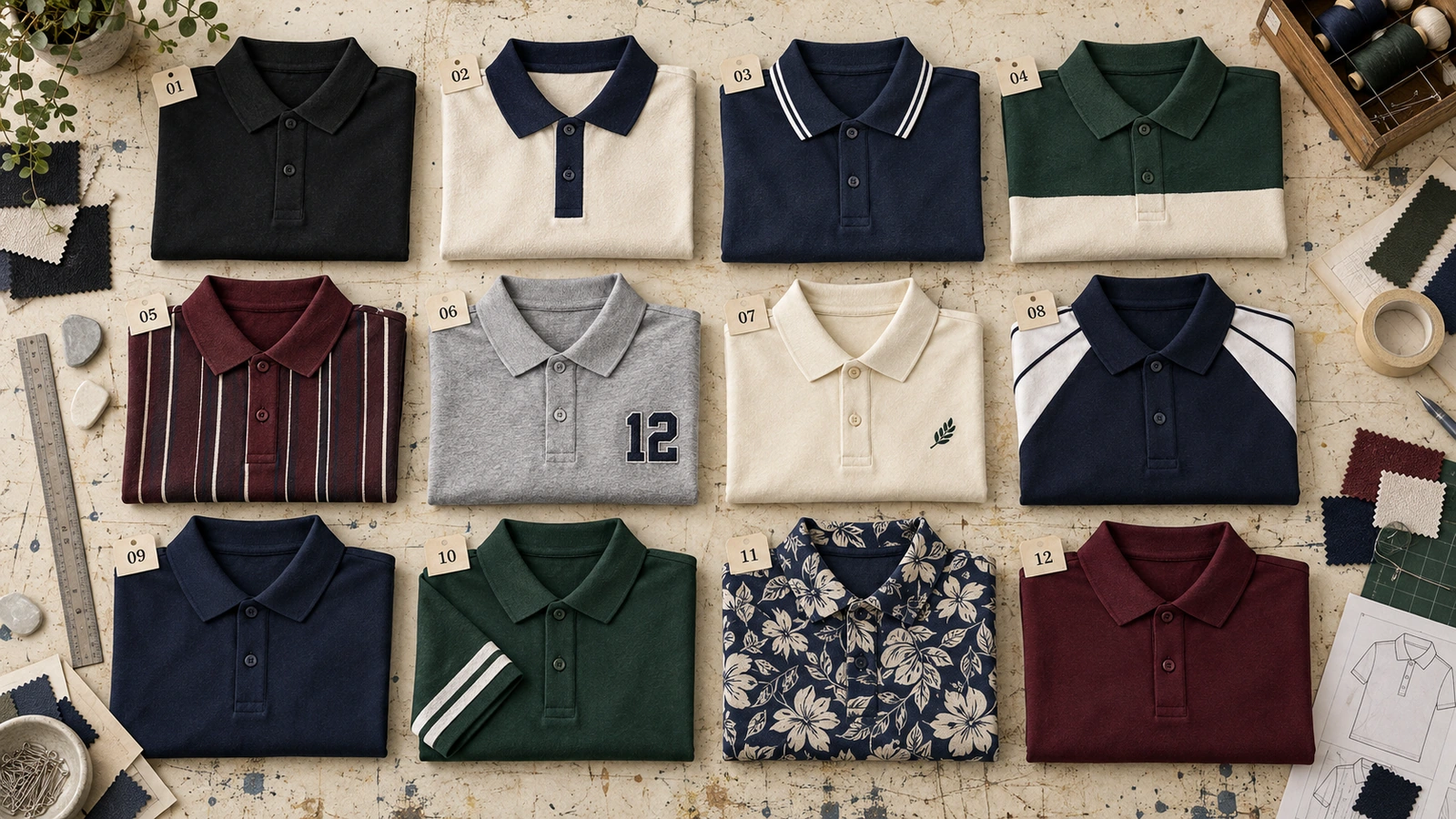
Polo T-shirt design ideas include minimalist logos, two-tone layouts, contrast collars and sleeves, color blocks, patterns, typography, embroidery, sporty graphics, corporate branding, sleeve accents, full-print artwork, and monochrome styles. Each polo shirt design combines colors, logos, artwork, typography, patterns, and placement to create a distinct visual identity. These creative polo designs inspire company uniforms, teams, events, branded apparel, and personalized polo shirts.
Choosing and creating a custom polo shirt design involves purpose, audience, brand style, color combination, artwork, placement, and the choice between printing and embroidery. A professional polo shirt design also depends on a simple layout, clear visual hierarchy, strong color contrast, proportional logo placement, readable graphics, and consistent branding. Avoid overcrowded layouts, oversized logos, conflicting graphics, poor contrast, and artwork that interferes with garment construction. Previewing the front, back, and sleeves on a realistic mockup helps identify problems with scale, alignment, seams, color, and placement before production.
12 Polo T-shirt design ideas are:
1. Minimalist Logo Polo
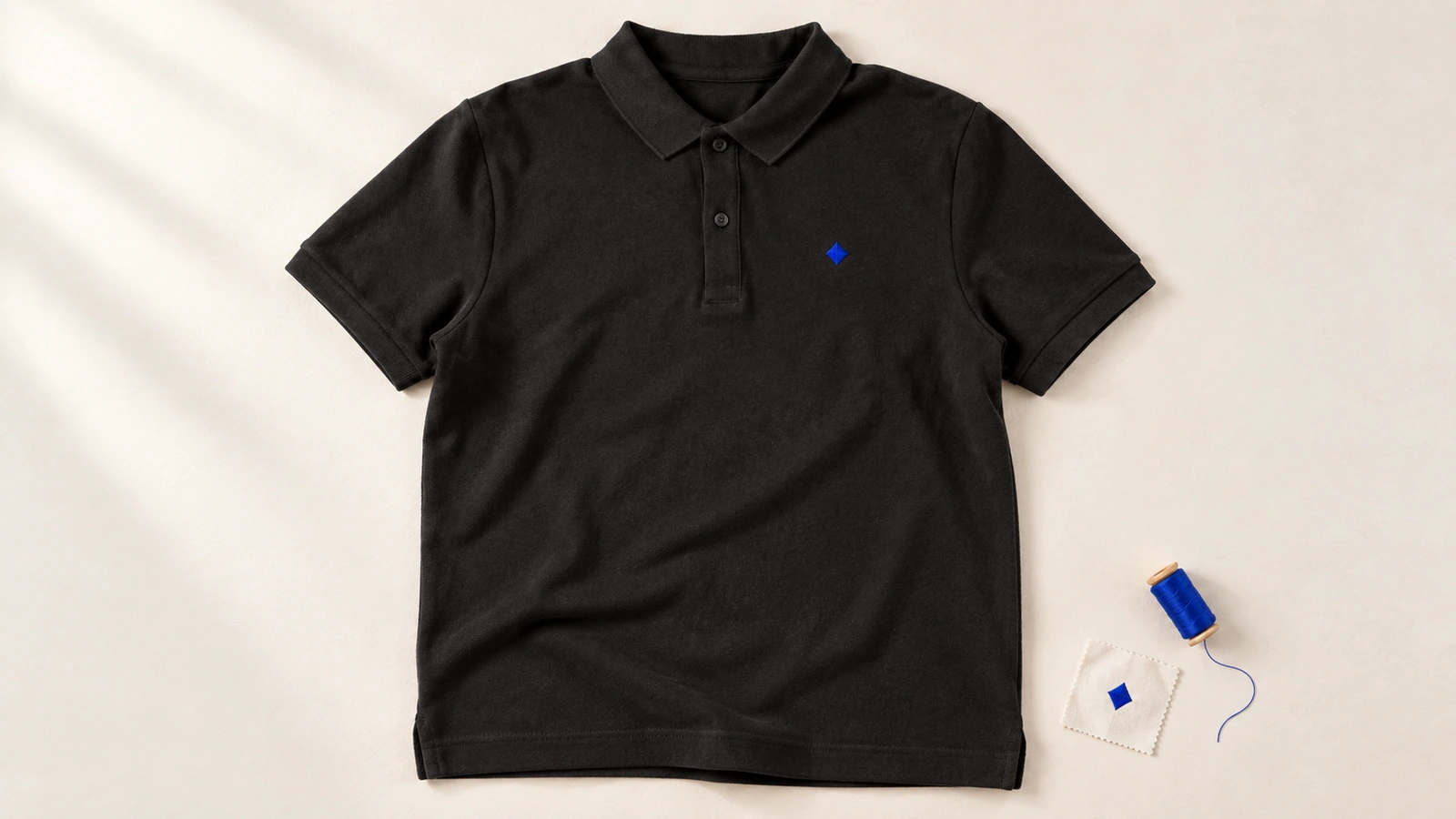
A minimalist logo polo design features a small, restrained logo and limited visual elements for a clean, professional look. Clear chest placement, negative space, and a simple color scheme keep the branding easy to recognize. Compact embroidery or print makes this style suitable for corporate uniforms and professional staff apparel.
Defining elements: small logo, clear chest placement, negative space, restrained color scheme, compact embroidery or print, and consistent branding.
Popular directions:
- Small logos: Keep the logo compact to preserve negative space, such as a small company mark on the chest.
- Monochrome graphics: Use a single-color graphic for an understated look, such as a black logo on a grey polo.
- Simple icons: Use recognizable symbols with minimal detail, such as a geometric brand icon instead of the full logo.
- Left-chest placement: Position a compact logo on the left chest, such as a company emblem or monogram.
- Clean, understated layout: Limit extra graphics so one element stays dominant, such as a chest logo with plain sleeves and back.
- Balanced logo sizing: Match logo detail to its placement, such as using a simplified brand mark for a small chest area.
2. Two-Tone Polo Design
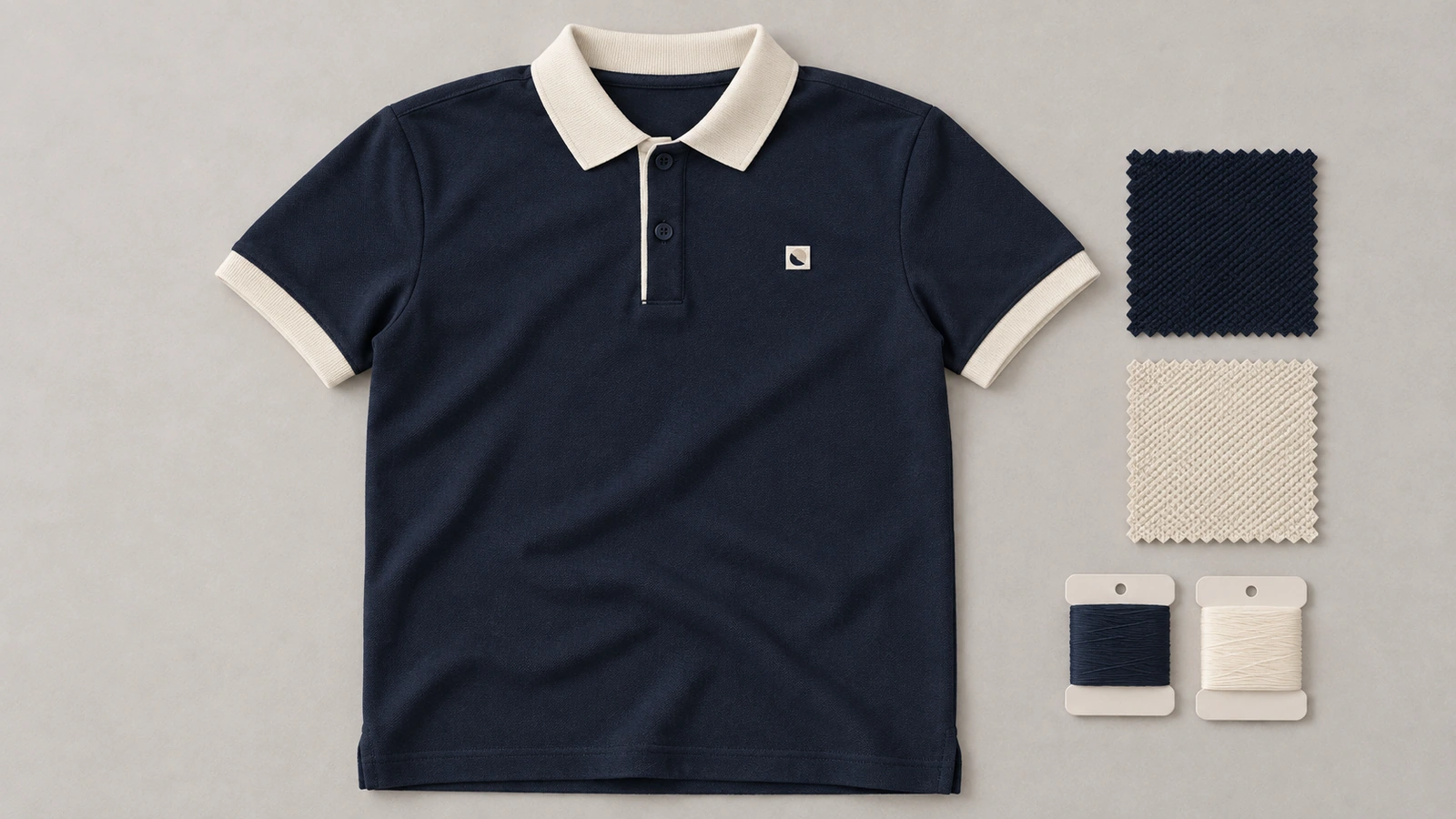
Two-tone polo design uses two main colors across the garment to create clear visual contrast and a coordinated polo shirt design. The main body can use one color while the collar, sleeve, placket, or trim uses a second color. Careful color coordination keeps both shades compatible with the logo and existing branding.
Defining elements: two-color combination, contrasting collar, sleeve accents, coordinated placket, trim, and consistent branding.
Popular directions:
- Contrast collar: Use the secondary color on the collar, such as a navy polo with a white collar.
- Contrast sleeves: Apply the second color to the sleeves, such as a black body paired with grey sleeves.
- Placket accent: Add the secondary color around the placket, such as white trim against a navy body.
- Matching trim: Repeat the second color on small details, such as the collar edge and sleeve cuffs.
- Brand color pairing: Combine two established brand colors, such as blue and white, for consistent company apparel.
- Logo coordination: Match one of the two garment colors with the logo to connect the branding with the overall design.
3. Contrast Collar and Sleeve Design
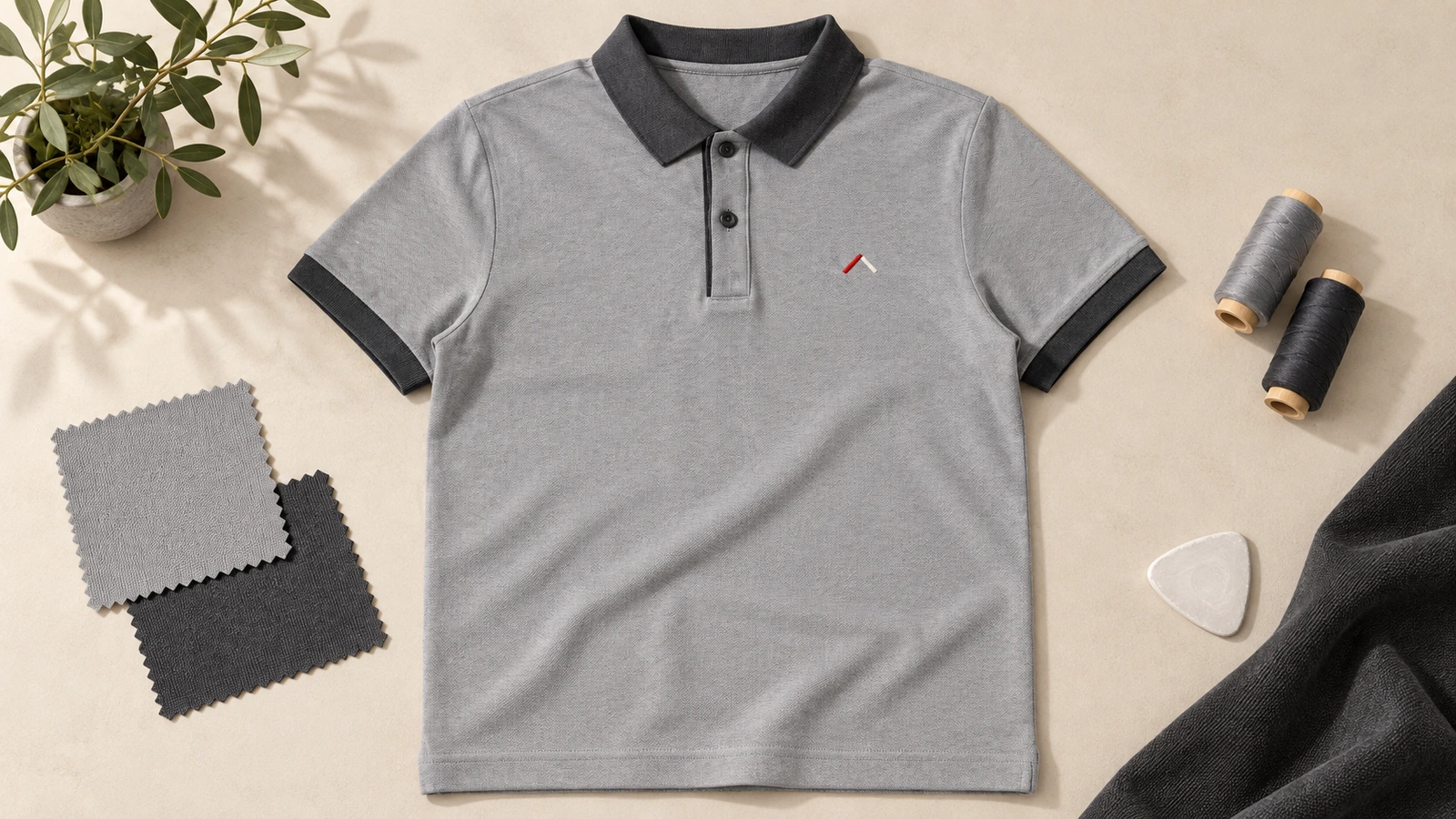
A contrast collar and sleeve design pairs the main polo body with a complementary shade along the collar and sleeve edges. The contrasting sections frame the upper body while keeping the logo or artwork as the main visual element. Coordinating the cuffs, sleeve ends, trim, and placket creates a clean polo shirt design with controlled contrast.
Defining elements: contrasting collar, sleeve edges, coordinated cuffs, placket accents, clean trim, and balanced logo placement.
Popular directions:
- Contrast collar: Use a different collar color to frame the neckline, such as a white collar on a navy polo.
- Matching sleeve edges: Match the sleeve ends with the collar, such as a black collar and cuffs on a grey polo.
- Placket coordination: Connect the placket with the collar or sleeve trim, such as white placket trim with white sleeve edges on a blue polo.
- Branded contrast: Use brand colors for contrasting details, such as red collar and cuffs on a black polo with a red-and-white logo.
- Subtle contrast: Pair closely related shades for a softer look, such as a dark blue collar and cuffs on a medium-blue polo.
- Light-and-dark pairing: Combine light and dark shades for stronger separation, such as a charcoal collar and sleeve edges on a light-grey polo.
4. Color-Block Polo Design
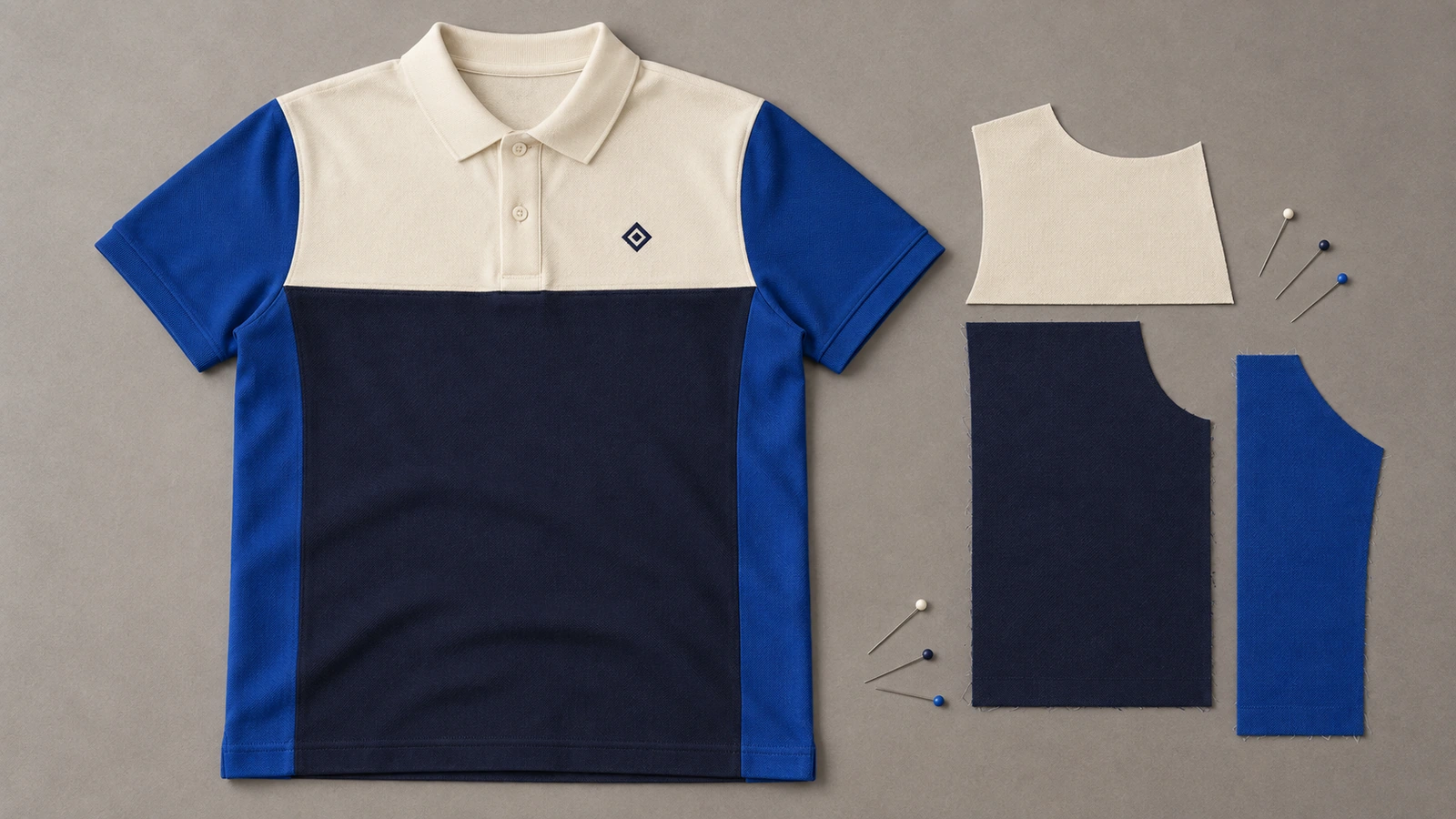
A color-block polo design combines distinct color sections across the garment to create a bold, structured look instead of relying on one base shade. Defined color blocks can separate the front, back, sleeves, or selected panels to create a modern polo shirt design. A controlled color scheme keeps each section clear while balancing the logo, artwork, and garment layout.
Defining elements: distinct color blocks, geometric panels, structured sections, balanced sleeves, controlled colors, and clear layout.
Popular directions:
- Geometric panels: Arrange angular color sections across the polo, such as navy side panels on a white body.
- Contrast sleeves: Separate the sleeves from the body, such as black sleeves on a grey polo.
- Split-color design: Divide larger areas into two colors, such as a white upper section with a navy lower panel.
- Front and back balance: Continue related color blocks across both sides, such as matching black side panels from front to back.
- Branded color blocks: Build panels around brand colors, such as blue and orange sections paired with a matching company logo.
- Minimal color blocking: Use one contrasting panel as an accent, such as a dark-grey shoulder block on a light-grey polo.
5. Patterned Polo Design
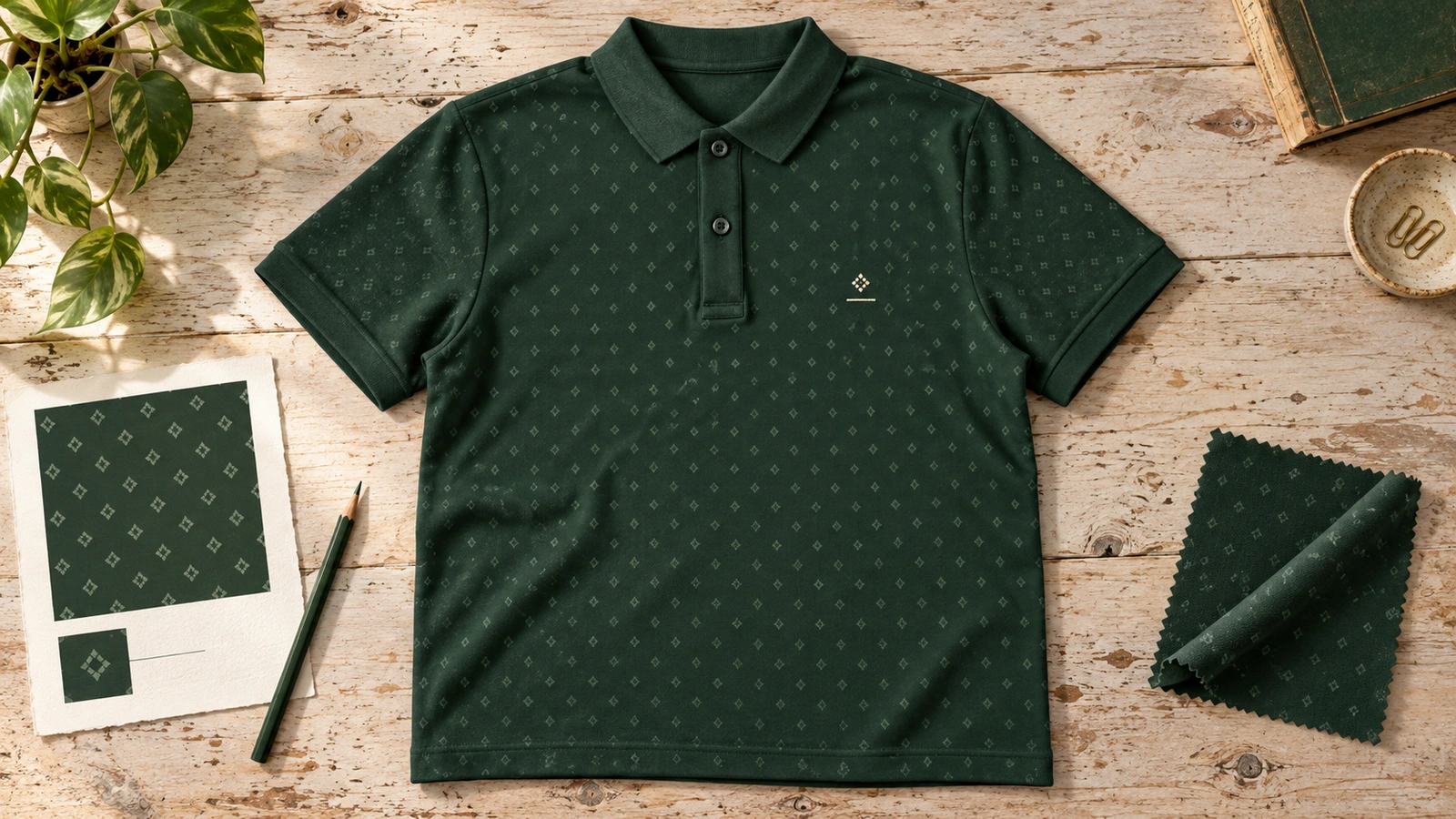
A patterned polo design uses repeated visual motifs across the garment to create a creative, structured appearance. Geometric shapes, stripes, or abstract patterns can cover the full polo or selected fabric areas. Pattern scale and repetition should maintain logo visibility while keeping the overall polo shirt design clean and balanced.
Defining elements: repeated motifs, geometric patterns, stripes, abstract graphics, controlled pattern scale, and visible branding.
Popular directions:
- Geometric pattern: Repeat structured shapes across selected areas, such as small diamond motifs on the front panel.
- Striped layout: Use consistent stripes across the body or sleeves, such as thin navy stripes on a white polo.
- Abstract pattern: Add repeated artistic forms, such as flowing shapes across the lower half of the polo.
- Subtle all-over pattern: Cover the garment with a restrained motif, such as small tonal shapes on a dark-grey polo.
- Repeating motif: Repeat a simple symbol at regular intervals, such as small brand icons across the body.
- Patterned panels: Limit patterns to specific sections, such as geometric artwork on the side panels with a plain front.
6. Typography Polo Design
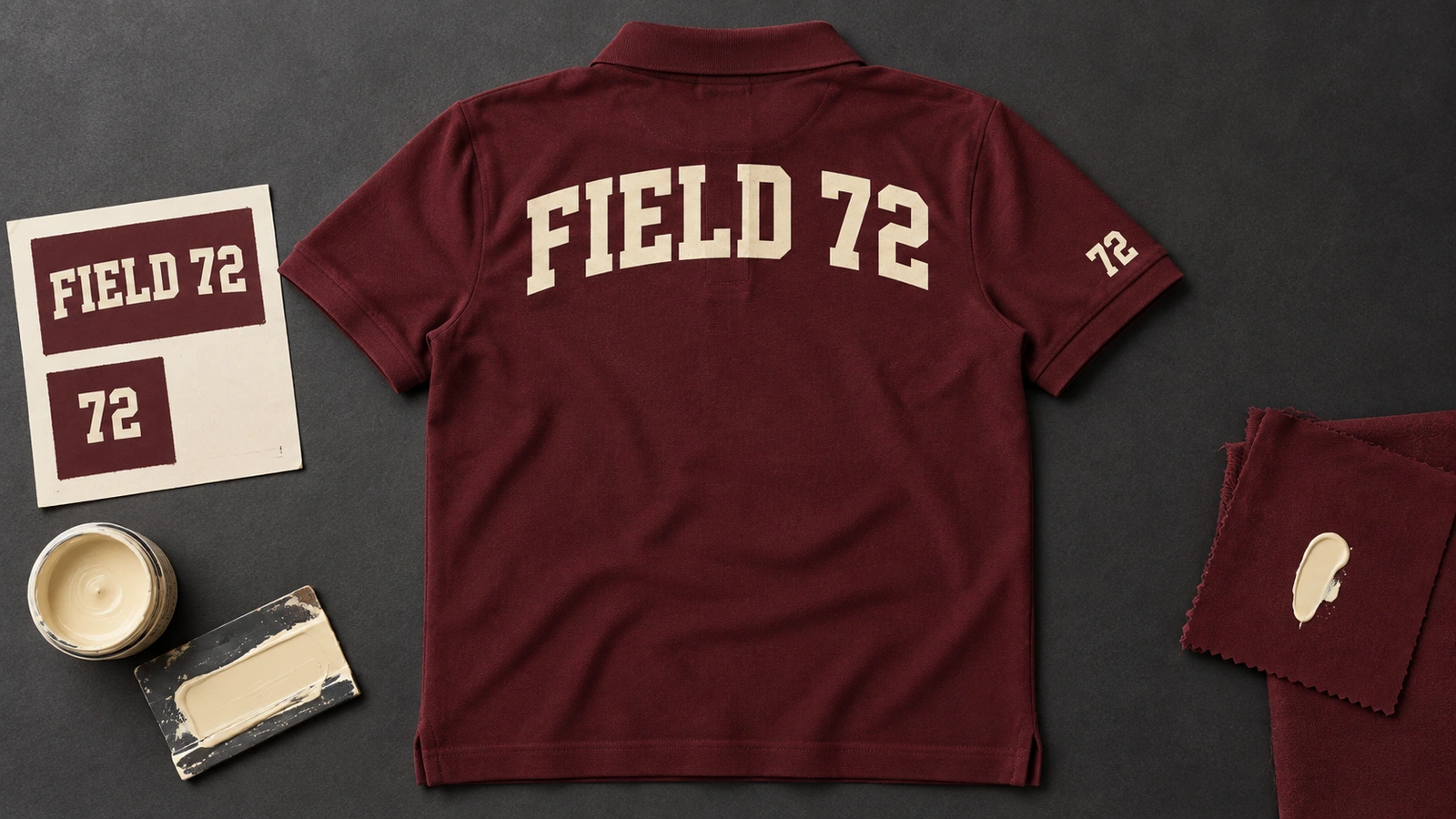
Typography polo design features words, initials, numbers, slogans, or letterforms as a major visual element of the polo shirt design. Font style, text length, scale, and placement create a clear hierarchy while keeping the lettering readable. Typography should coordinate with the logo so both elements support the branding without competing for attention.
Defining elements: clear typography, readable text, controlled font style, lettering hierarchy, balanced placement, and coordinated logo use.
Popular directions:
- Initial-based design: Feature initials as the main element, such as large brand initials with a small chest logo.
- Short slogan: Add concise wording in a readable font, such as a company tagline across the upper back.
- Number typography: Use numbers as a focal point, such as a team number on the sleeve or back.
- Bold typography: Use heavier lettering for emphasis, such as a bold team name paired with smaller supporting text.
- Sleeve typography: Place short text along the sleeve, such as a brand name or team abbreviation.
- Logo and lettering: Pair text with the logo, such as a company name beneath a compact embroidered emblem.
7. Embroidered Polo Design
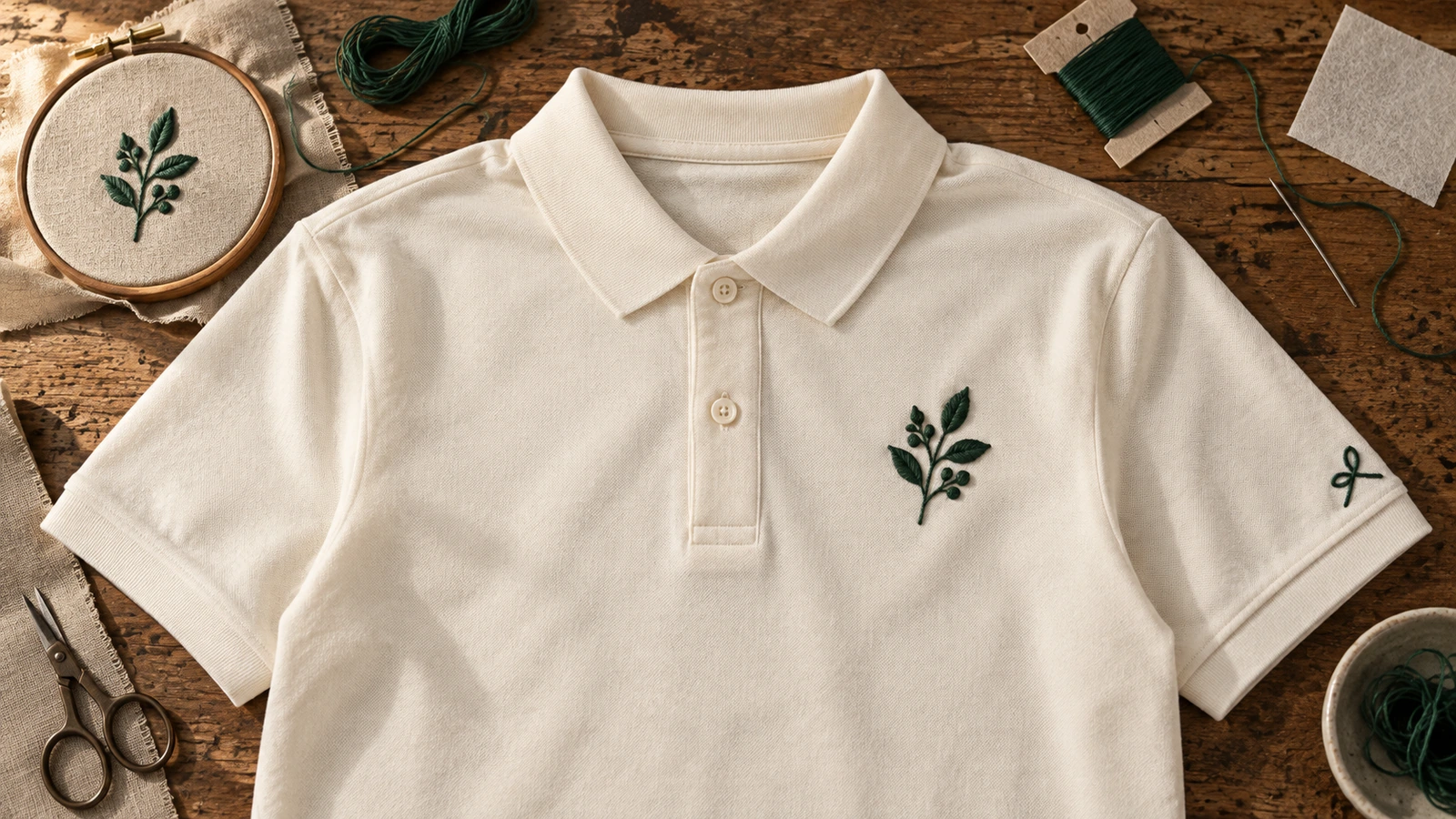
An embroidered polo design applies stitched artwork to logos, names, badges, or small graphics for a professional, branded appearance. Simple artwork with controlled detail helps embroidery remain clear on the fabric. Thread colors should match the branding and garment color, and placement should keep the stitched design balanced across the collar, sleeve, and chest.
Defining elements: stitched artwork, a compact logo, thread colors, controlled detail, appropriate placement, and a branded appearance.
Popular directions:
- Chest embroidery: Add a compact logo to the chest, such as an embroidered company emblem on the left side.
- Name embroidery: Personalize the polo with a name or initials, such as an employee name above the chest.
- Badge design: Use a stitched badge for identity, such as a club or team emblem on the chest or sleeve.
- Monogram embroidery: Combine initials into a simple mark, such as a two-letter monogram on the sleeve.
- Small icon embroidery: Stitch a recognizable symbol, such as a compact brand icon beside the company name.
- Color-matched stitching: Coordinate thread with the garment and branding, such as white-and-blue stitching on a navy polo.
8. Sporty Polo Design
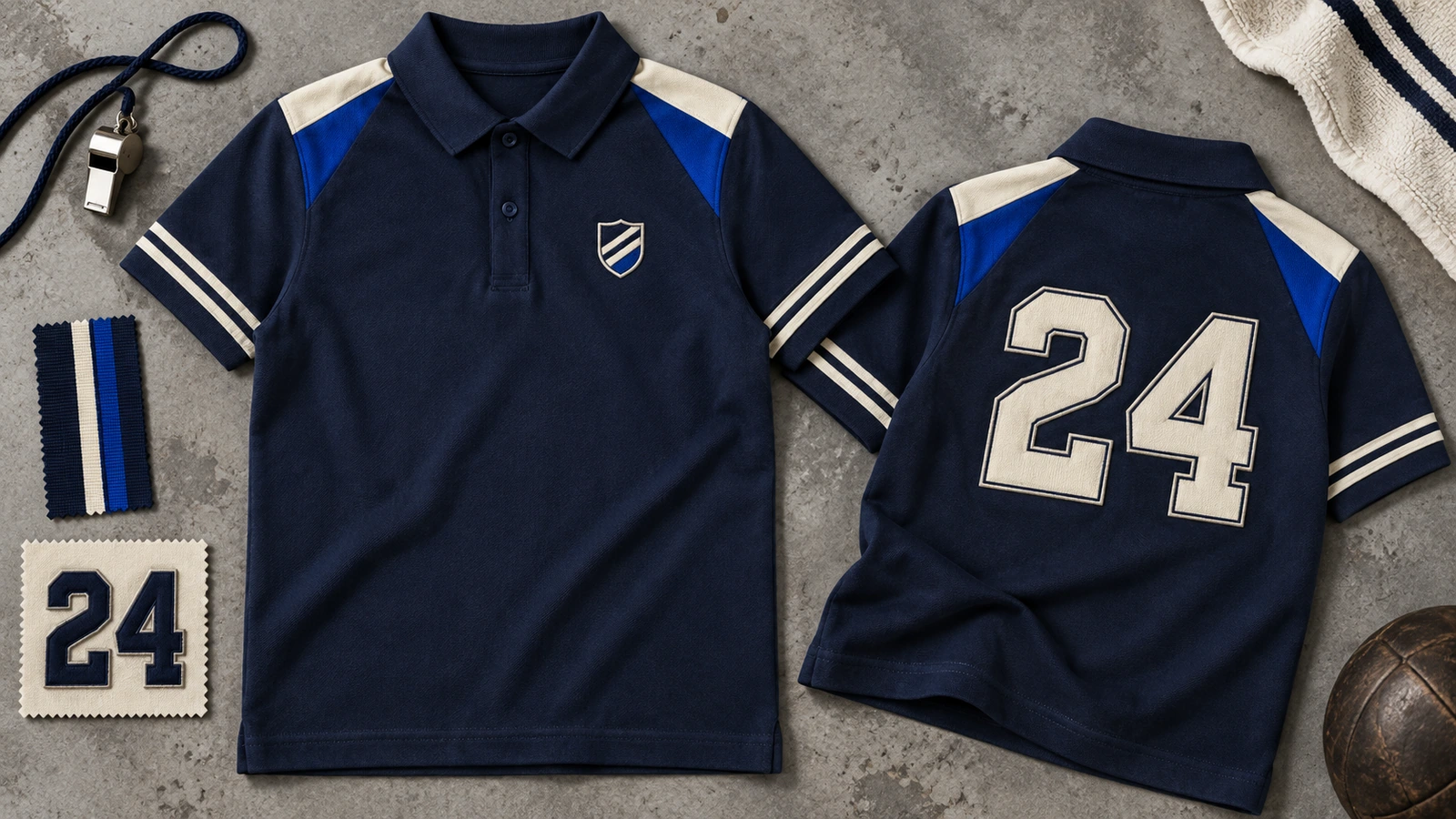
Sporty polo design combines athletic visual cues such as bold panels, stripes, sleeve accents, numbers, and team marks. Coordinated colors and movement-friendly visual placement create a dynamic polo shirt design while keeping the team logo and other graphics clear. Panels and stripes can guide attention across the body without crowding the overall layout.
Defining elements: bold panels, coordinated stripes, team logo, numbers, sleeve accents, dynamic contrast, and balanced placement.
Popular directions:
- Striped panels: Add dynamic stripes or panels, such as diagonal side stripes in contrasting team colors.
- Team logo: Place the team mark on the chest, such as a club crest on the left side.
- Sleeve accents: Add contrasting sleeve details, such as striped cuffs matching the team colors.
- Number design: Feature a player number prominently, such as a large number on the back or sleeve.
- Team name: Add the team name as supporting typography, such as bold lettering across the upper back.
- Sport-specific graphics: Include relevant imagery, such as a small football, cricket, or basketball symbol alongside the team mark.
9. Corporate Polo Design
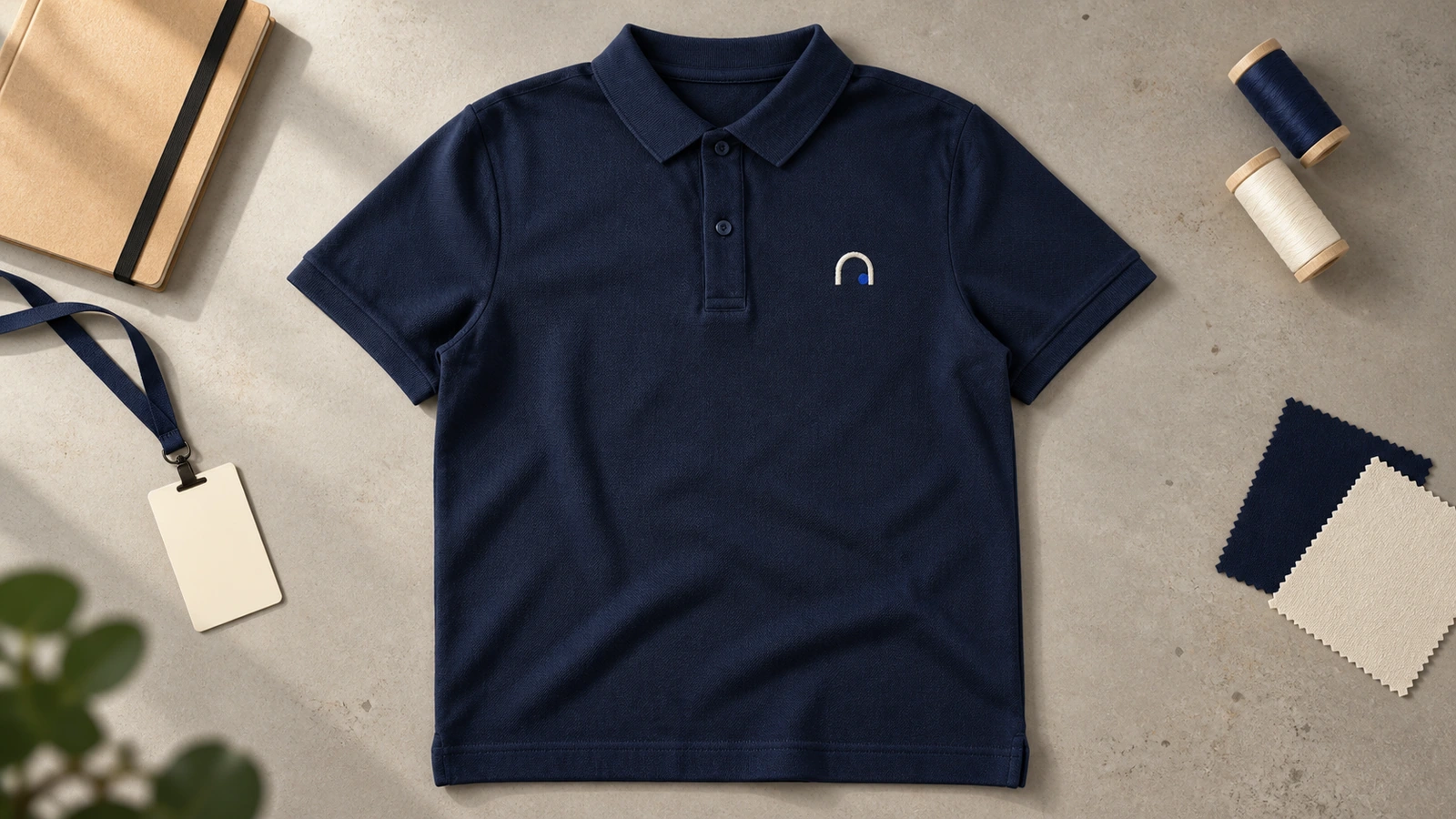
Corporate polo design features restrained branding, company colors, and clear logo placement to create a consistent staff presentation. A company polo shirt design can position the company logo on the left chest and match simple typography with established brand colors. Keeping these elements consistent makes the branded polo shirt suitable for repeatable application across staff uniforms.
Defining elements: company logo, brand colors, left-chest placement, simple typography, restrained branding, and consistent staff presentation.
Popular directions:
- Left-chest branding: Place the company logo on the left chest, such as an embroidered company mark on a plain polo.
- Brand color pairing: Coordinate the polo with company colors, such as a navy shirt with a white-and-blue logo.
- Simple typography: Add clear company text, such as an employee name or department beneath the logo.
- Classic logo design: Keep the company logo as the main element, such as a small logo paired with an otherwise plain front.
- Event-specific branding: Adapt the polo for company events, such as adding an event name or year alongside the logo.
- Uniform consistency: Keep logo size, colors, and placement consistent across polos worn by different staff members.
10. Sleeve Accent Polo Design
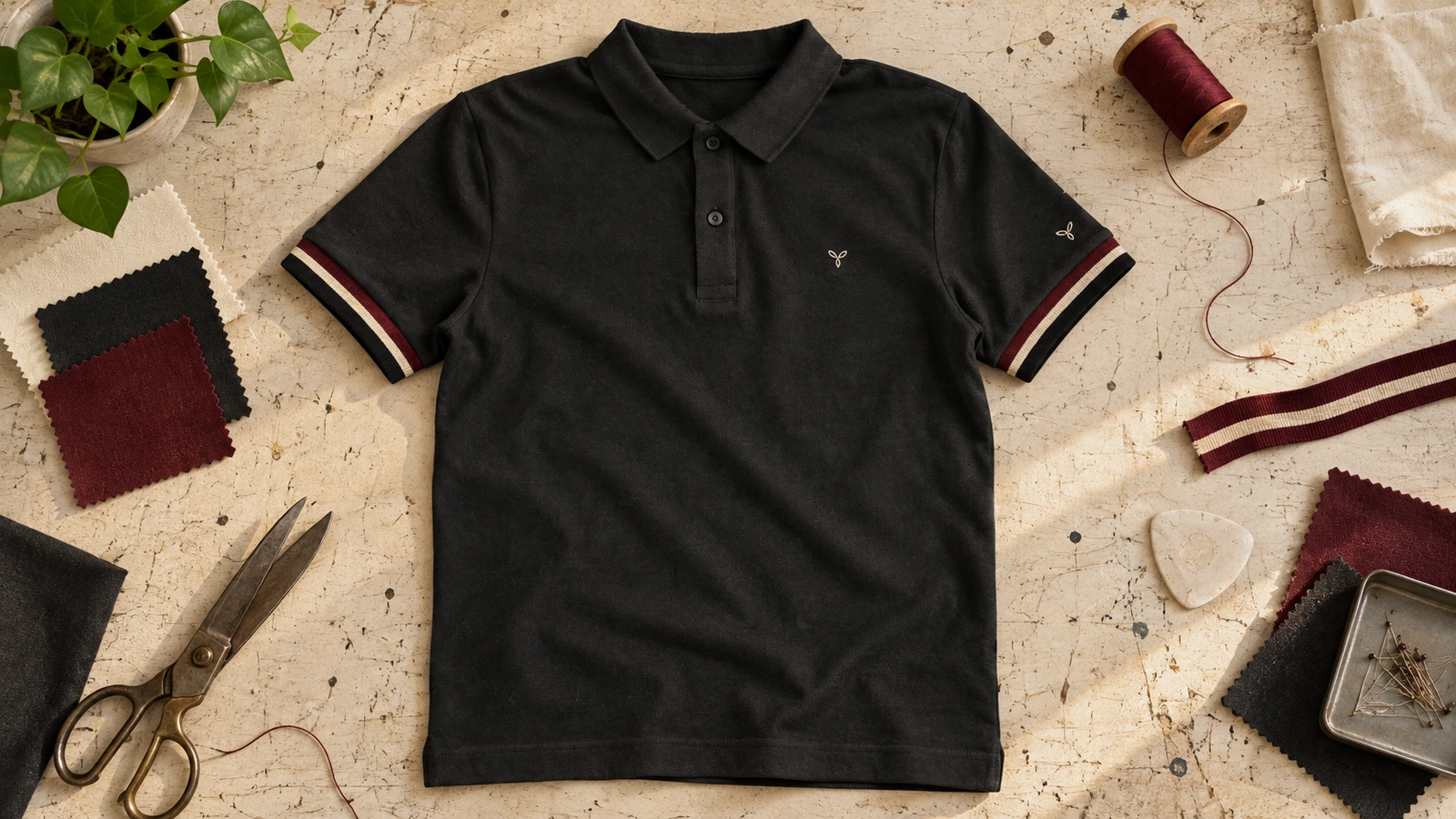
Sleeve accent polo design adds distinction through trim, stripes, logos, numbers, or contrasting cuffs placed around the sleeves. These details can frame the upper garment while keeping chest branding as the primary visual element. Balanced placement keeps sleeve accents coordinated with the logo, color scheme, and overall polo shirt design without crowding both sleeves.
Defining elements: sleeve trim, contrasting cuffs, stripes, compact logos, numbers, coordinated colors, and balanced chest branding.
Popular directions:
- Contrast cuffs: Add contrasting cuffs, such as white sleeve edges on a navy polo.
- Sleeve stripes: Use clean stripes around the sleeve ends, such as red-and-white stripes on a black polo.
- Sleeve logo: Place a compact logo on one sleeve, such as a brand icon supporting the main chest logo.
- Number accent: Add a number to one sleeve, such as a team or player number in a contrasting color.
- Sleeve typography: Add short text to the sleeve, such as a company name, team abbreviation, or initials.
- Repeating pattern: Apply a small repeated motif around the sleeve, such as geometric shapes that complement the main design
11. Full-Print Polo Design
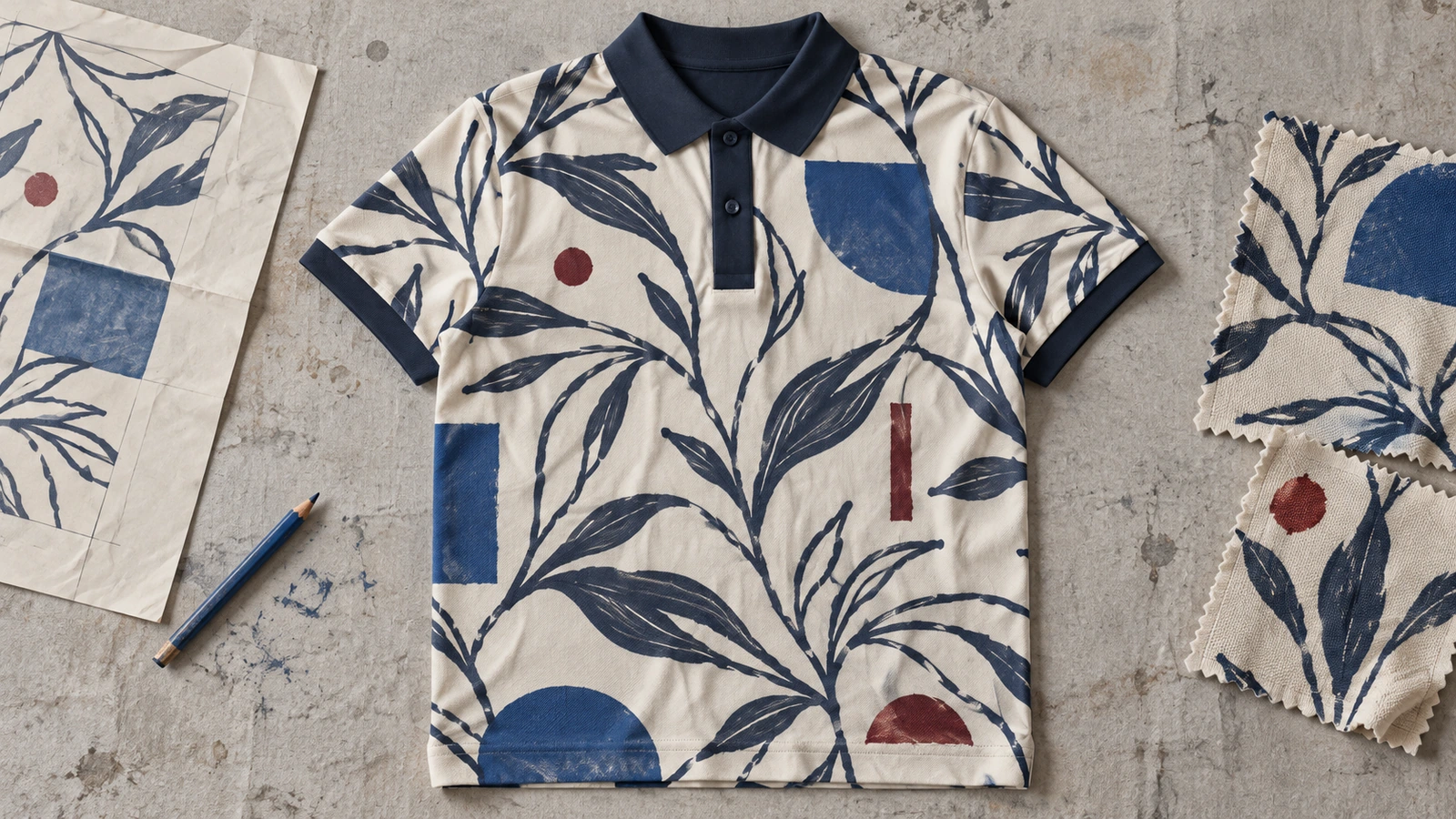
Full-print polo design features artwork or a pattern across most or all printable garment areas for a bold visual layout. Artwork continuity should account for seams, panels, print boundaries, and interruptions around the collar or placket. Controlled pattern scale and a realistic mockup help maintain alignment and visual consistency across the complete polo shirt design.
Defining elements: full print, continuous artwork, pattern scale, panel alignment, seam interaction, print boundaries, and mockup review.
Popular directions:
- All-over pattern: Extend a repeating pattern across the polo, such as geometric or abstract motifs covering the body and sleeves.
- Large-scale graphics: Use oversized artwork across major areas, such as an abstract graphic extending across the front and back.
- Panel artwork: Continue graphics across separate panels, such as connected artwork flowing from the front into the side panels.
- Repeating motifs: Repeat smaller graphics throughout the design, such as brand icons or geometric shapes across the garment.
- Scaled pattern: Adjust pattern size to the polo, such as larger motifs on broad areas and smaller details near transitions.
- Continuous artwork: Coordinate artwork across printable areas, such as a flowing pattern that visually connects the body and sleeves.
12. Monochrome Polo Design
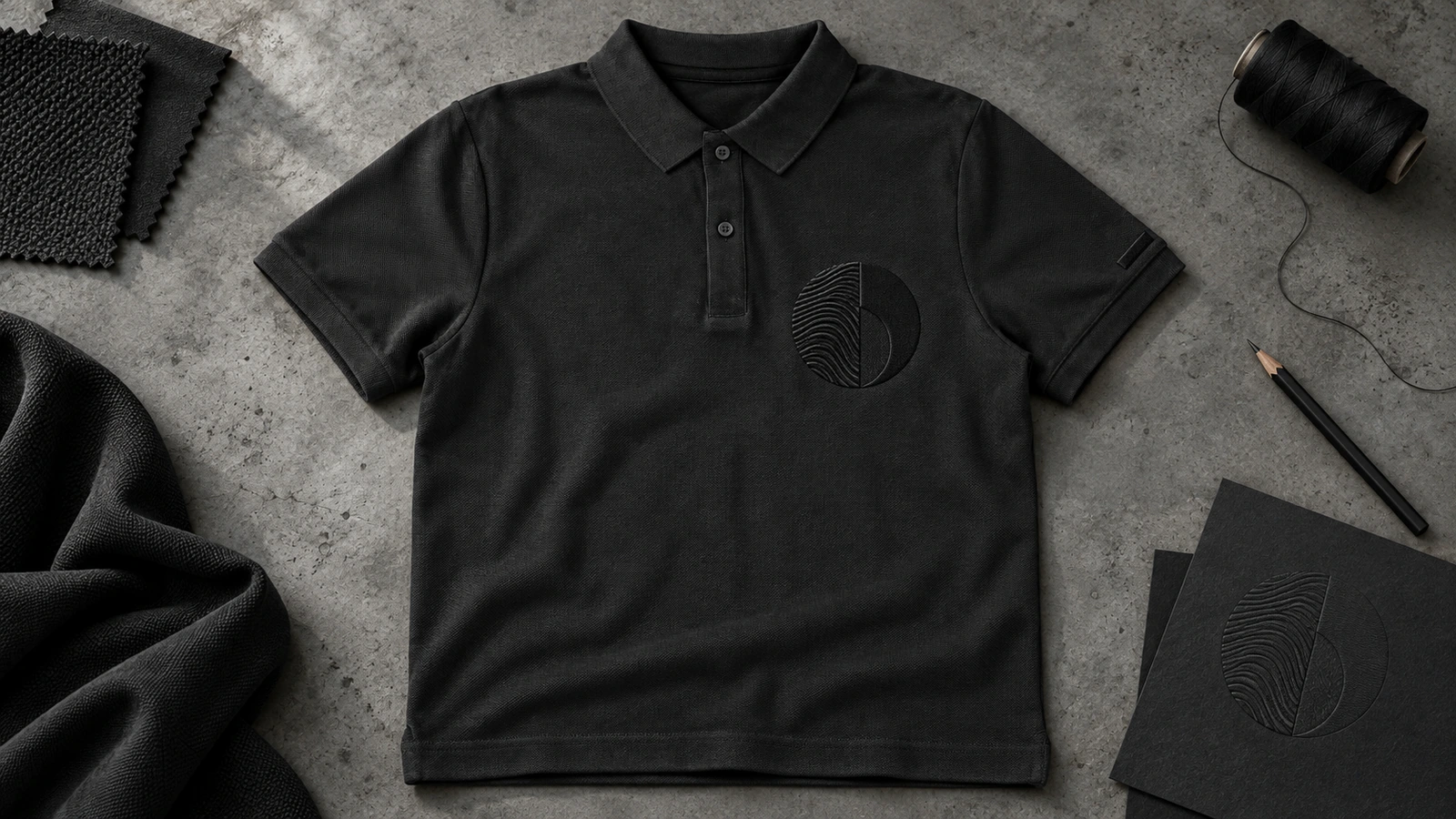
Monochrome polo design combines one color family or closely related shades across the garment and decoration for clean styling. Tonal logos, embroidery, and subtle texture create intentional contrast without introducing separate color groups. A clear tonal hierarchy keeps the logo and artwork recognizable, distinguishing a monochrome polo design from poor color contrast.
Defining elements: one color family, related shades, tonal logo, subtle contrast, embroidery, texture, and clear visual hierarchy.
Popular directions:
- Tonal logo: Use a related shade for the logo, such as a dark-grey logo on a charcoal polo.
- Monochrome embroidery: Keep stitching within one color family, such as navy embroidery on a dark-blue polo.
- Texture contrast: Create distinction through texture, such as glossy embroidery against a matte fabric surface.
- Tonal hierarchy: Layer related shades, such as a medium-blue graphic on a light-blue polo.
- Single-color graphics: Use one-color artwork, such as a black geometric graphic on a dark-grey polo.
- Minimalist geometric design: Add simple tonal shapes, such as subtle geometric lines in a slightly darker shade of the garment.
How Do You Choose the Right Polo T-Shirt Design?
Choose a polo T-shirt design by considering six factors, including purpose and audience, brand style, color combination, logo or artwork, design placement, and printing or embroidery. Base the decision on where the polo will be worn, who will see it, and how the branding should appear. A suitable polo design aligns visual choices with practical requirements instead of relying only on personal preference or a specific style.
6 factors to consider when choosing the right polo T-shirt design are:
- Purpose and Audience
Identify why you are making the polo and who will wear or see it before choosing a design direction. Company uniforms and customer-facing staff apparel usually require a professional or corporate appearance, while teams, events, and casual merchandise can support sporty or bold polo designs. Match the level of formality, branding, and visual intensity with the audience so the finished polo suits its intended setting and communication purpose.
- Brand Style
Match the polo design with the existing brand identity so the garment feels consistent with other branded apparel. Select brand colors, logo styling, typography, and visual tone that reflect the company’s established branding. A corporate polo may require simple typography and restrained logo treatment, while a casual branded polo can support a different visual approach. Keep the logo, colors, and overall design aligned across staff uniforms and related materials.
- Color Combination
Select the garment and decoration colors by considering contrast, brand fit, readability, and visual balance. The base color should support the logo, typography, or artwork without reducing visibility. Two-tone, monochrome, complementary, or restrained color schemes can suit different polo shirt designs. Check how each shade interacts with the collar, sleeves, logo, and trim so the final color combination remains clear, coordinated, and suitable for the intended branding.
- Logo or Artwork
Choose artwork that matches the polo’s purpose, available decoration area, garment style, and required level of detail. A company logo may suit a compact chest position, while an icon, illustration, or text treatment may need a different scale or area. Before selecting, check file clarity, artwork complexity, and the number of visual elements. The final logo or graphic should remain recognizable when adjusted to the intended garment size.
- Design Placement
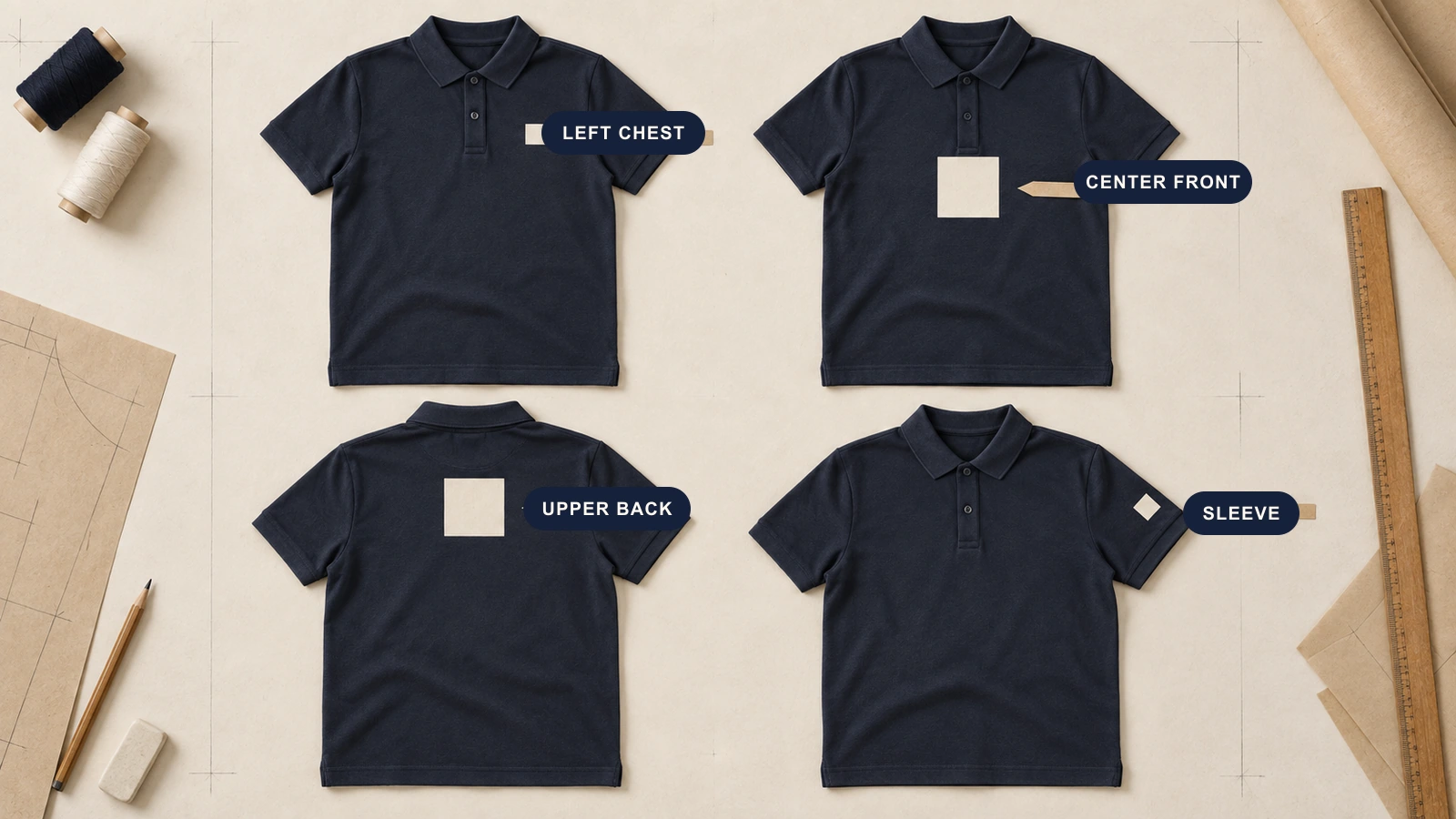
Position design elements where they create clear prominence and balance across the polo shirt. Consider the chest, sleeve, upper back, front, or selected garment panels according to the role of each logo, text element, or graphic. Check how the placement interacts with the collar, placket, seams, pockets, and panel boundaries. A balanced layout keeps important branding visible while preventing artwork from interfering with the garment structure.
- Printing or Embroidery
Select the decoration method according to artwork detail, desired texture, placement, garment material, order requirements, and intended appearance. Embroidery suits compact logos, names, badges, and small graphics that require a stitched finish, while printing can accommodate broader graphic treatment. Check whether the selected method can reproduce the artwork clearly in the chosen area. Follow with a detailed method comparison before confirming the final production approach.
How Do You Create Your Own Polo T-Shirt Design?
Create a polo T-shirt design by choosing colors, adding graphics or typography, selecting between printing and embroidery, and previewing the finished design before production. These steps help you build a cohesive polo layout while checking color contrast, artwork readability, logo placement, decoration suitability, and brand consistency. Review the collar, sleeves, placket, seams, and available design areas throughout the process so each visual element fits the garment structure and stays clearly placed.
Choose Colors for Your Polo T-Shirt Design
Start with a base garment color, then select decoration colors that provide contrast, match the brand identity, and keep logos or typography readable. Coordinate the body with the collar, sleeve, placket, and accent colors rather than treating each area separately. Match logo and text colors with the complete color scheme. A limited palette keeps the polo t-shirt design controlled while giving each visual element a clear role.
Add Graphics or Typography to Your Polo T-Shirt Design
Select the main artwork or text, then determine its scale, hierarchy, and position within the polo layout. Place the logo, graphic, or typography where it remains readable without crowding nearby elements. Match the font and artwork with the intended branding, and maintain clear space around each element. Check alignment between graphics and garment features so the composition creates a clear visual order across the finished polo shirt design.
Choose Between Printing and Embroidery
Match the decoration method with the artwork detail, texture, placement, fabric, and intended visual finish. Embroidery creates compact stitched marks for logos, names, badges, or small graphics, while printing supports artwork that requires broader graphic treatment or different color handling. Consider how each method interacts with the selected placement and garment material. Compare provider specifications before applying precise artwork, color, size, or production requirements to the final polo design.
Preview Your Polo T-Shirt Design Before Production
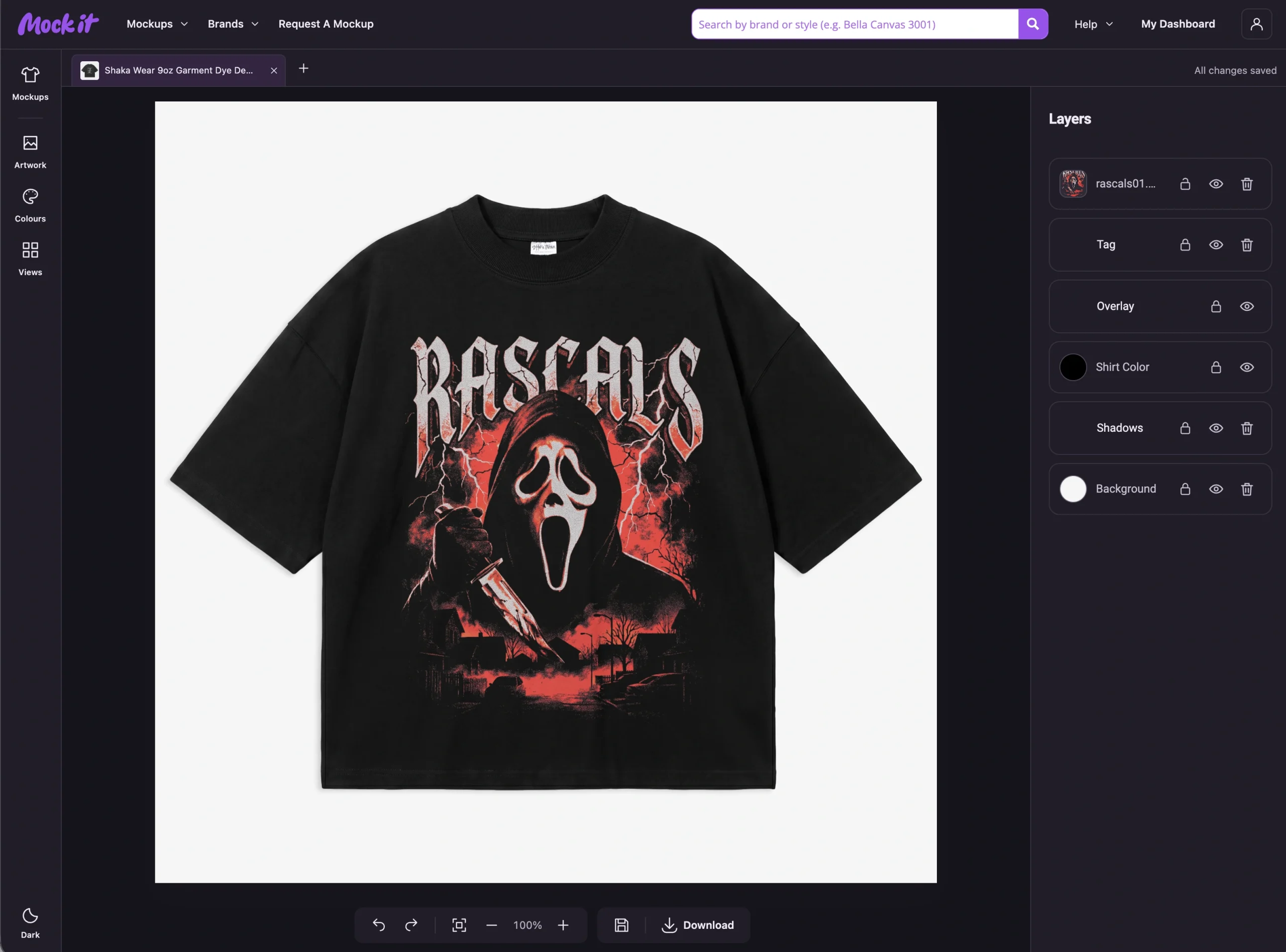
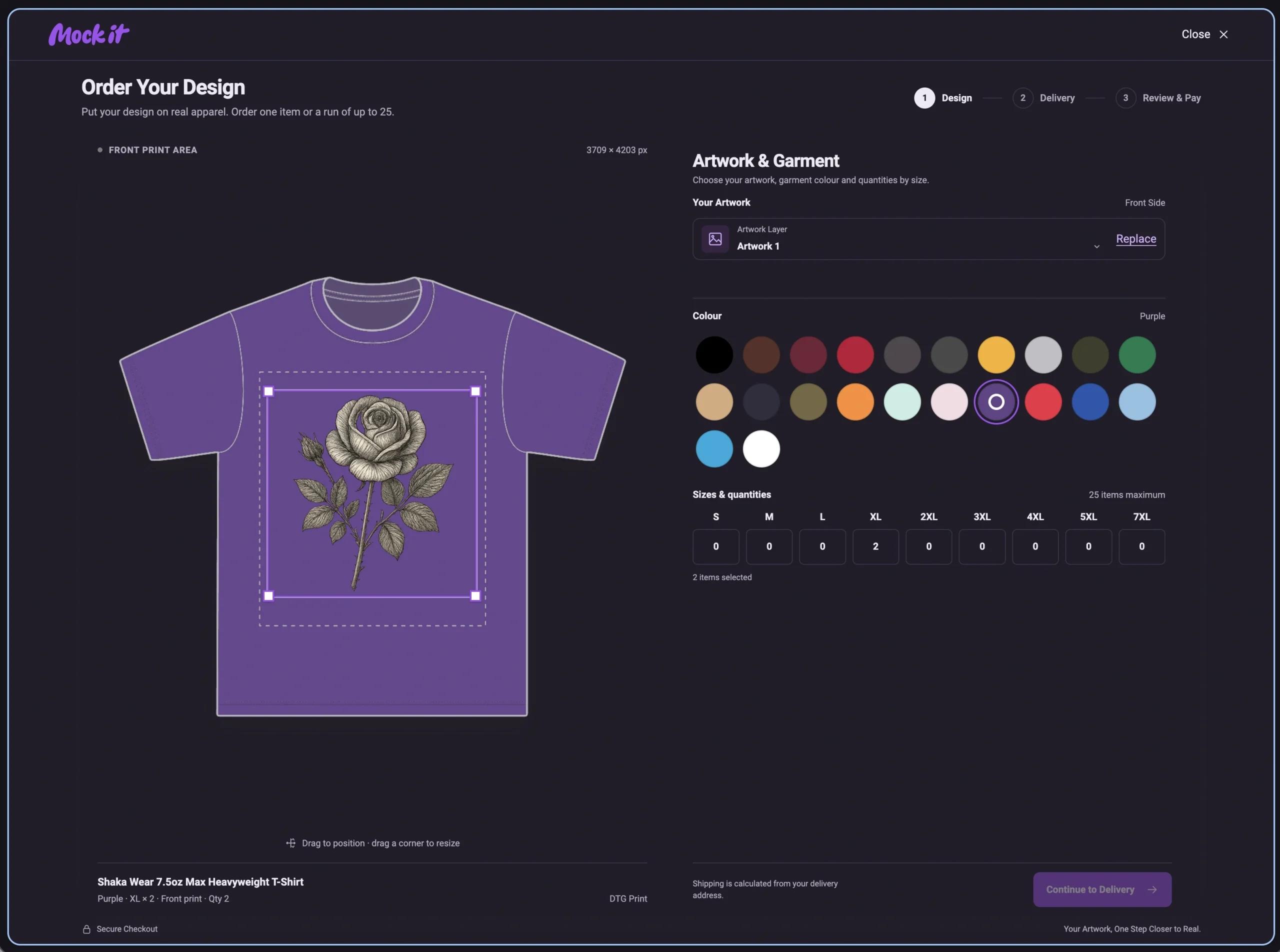
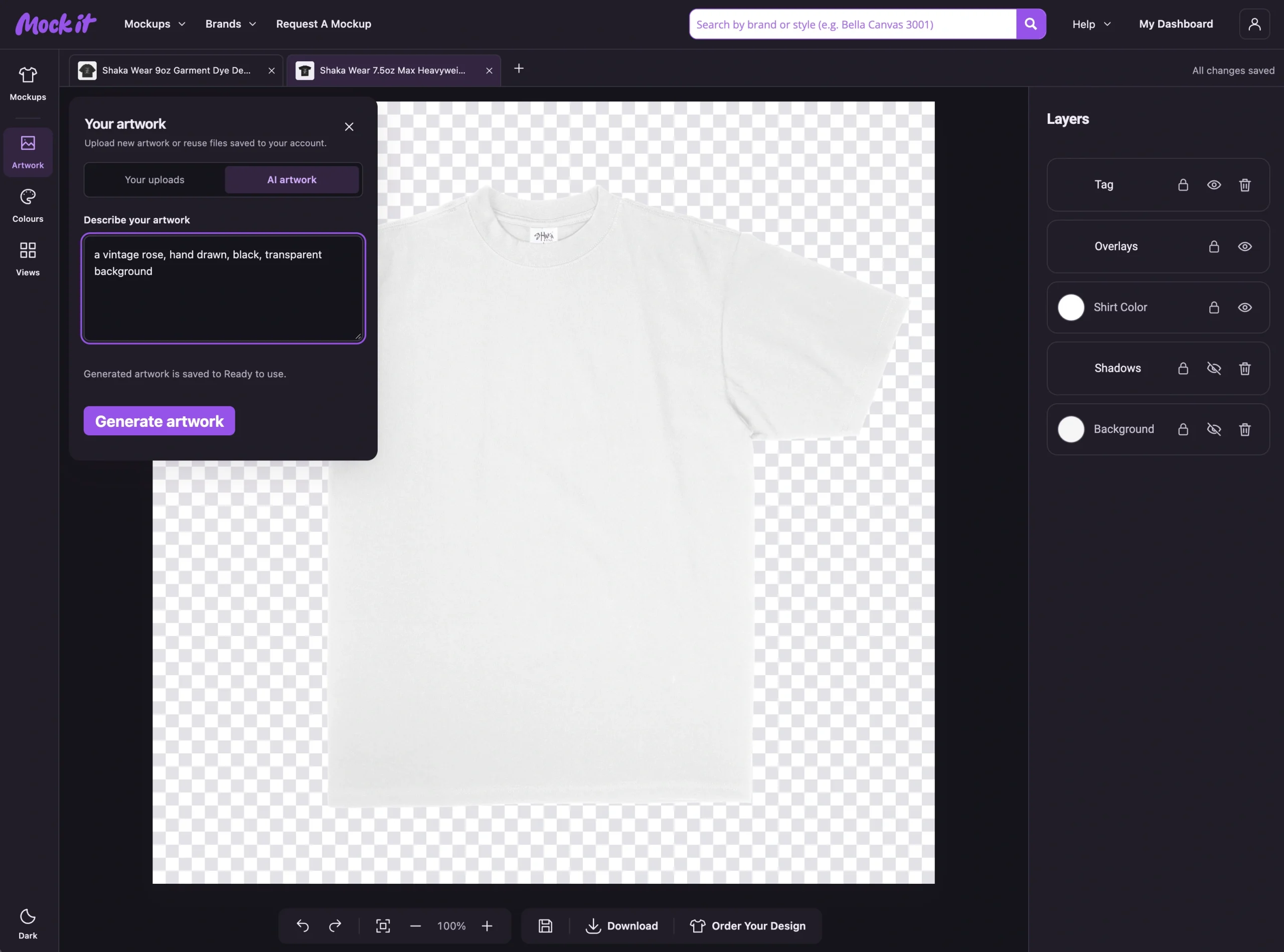
Place the completed design on realistic front, back, and side views before approving production. Review the design across polo T-shirt mockups to assess artwork size, alignment, color appearance, and proportions from every angle. Confirm that the collar, placket, seams, sleeves, and panel boundaries do not interfere with the logo or graphic. A realistic preview reveals placement or proportion issues and verifies that each design element remains consistent across garment views before production.
What Makes a Good Polo T-Shirt Design?
A simple layout, clear visual hierarchy, strong color contrast, balanced logo placement, readable text and graphics, and consistent branding define a good polo T-shirt design. These qualities keep the logo recognizable, separate primary branding from supporting elements, and prevent the garment from appearing visually crowded. A good design also maintains clear spacing, proportional artwork, and readable decoration across the chest, sleeves, and back. Evaluate the finished polo by checking whether every element supports one visual system without competing for attention.
The following 6 qualities define a good polo T-shirt design:
- Simple Layout
Limited visual elements make a polo shirt design easier to recognize and prevent logos, graphics, text, and decoration from competing for attention. Clear spacing gives each element a distinct role, while fewer focal points establish an organized visual order. Negative space around chest branding, sleeve details, or back graphics also separates primary and supporting elements. The result is a clean layout in which decoration supports rather than crowds the polo design.
- Clear Visual Hierarchy
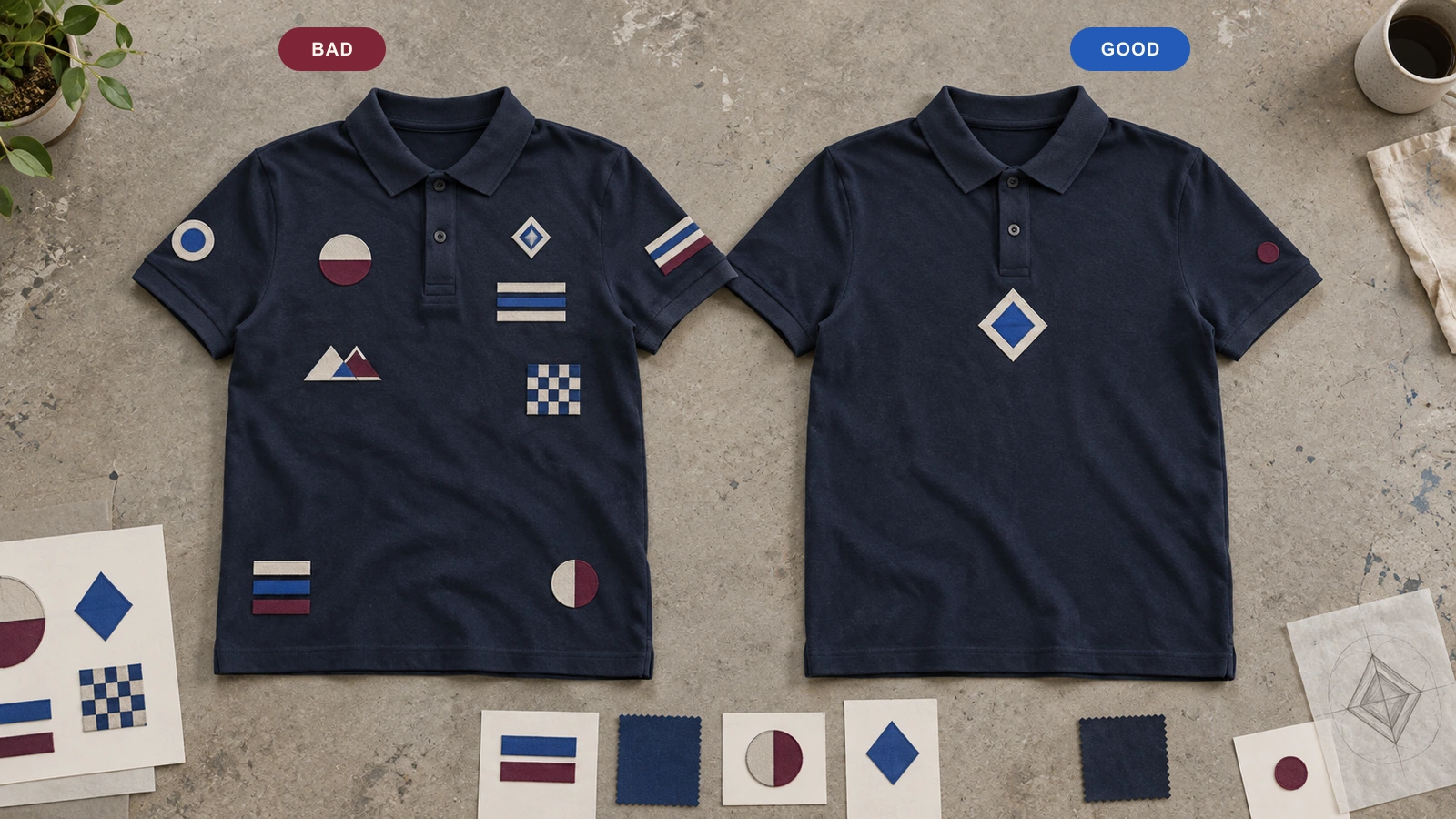
Differences in size, placement, contrast, and spacing determine which design element receives attention first. The main logo, message, or graphic carries the strongest visual weight, while supporting text or sleeve graphics remain secondary. This hierarchy creates a clear reading order across the polo shirt. Primary branding stays immediately recognizable because surrounding elements complement its position and scale rather than competing for visual prominence.
- Strong Color Contrast
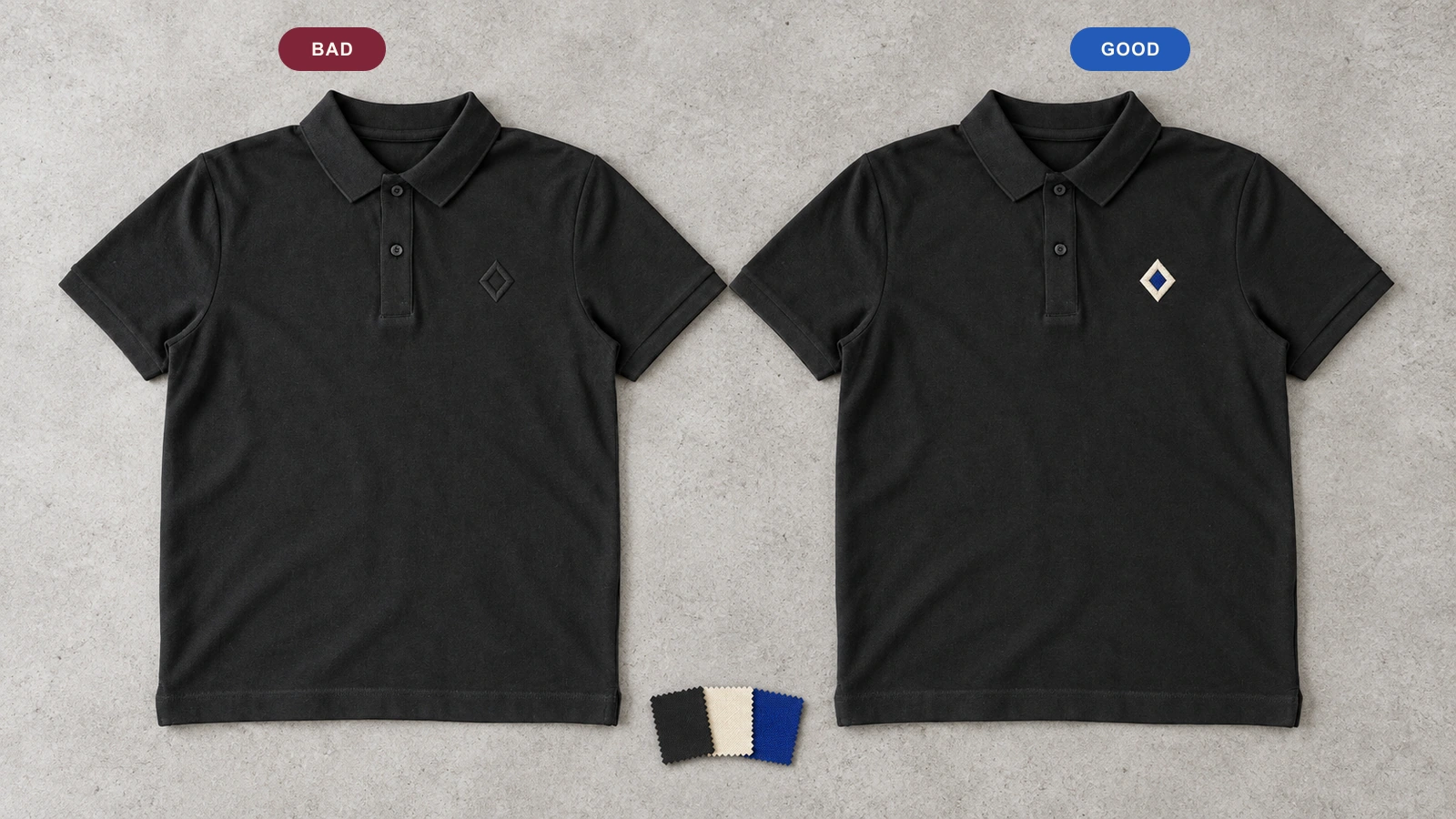
Clear separation between the garment background and its logo, typography, or artwork keeps important elements recognizable. Light-and-dark relationships provide clear distinction, while monochrome designs rely on intentional tonal differences between related shades. Brand colors also work well when they stay clearly separated from the base fabric. Sufficient contrast preserves logo definition, text legibility, and graphic clarity while maintaining the intended color scheme.
- Balanced Logo Placement
Proportional logo size, suitable positioning, and surrounding space create visual balance across the polo shirt. Chest, sleeve, or back branding feels integrated when its visual weight corresponds with nearby typography, graphics, the placket, and garment structure. Both symmetrical and asymmetrical arrangements can remain balanced when no single placement overwhelms the composition. The logo therefore stays prominent while maintaining a clear relationship with the complete polo layout.
- Readable Text and Graphics
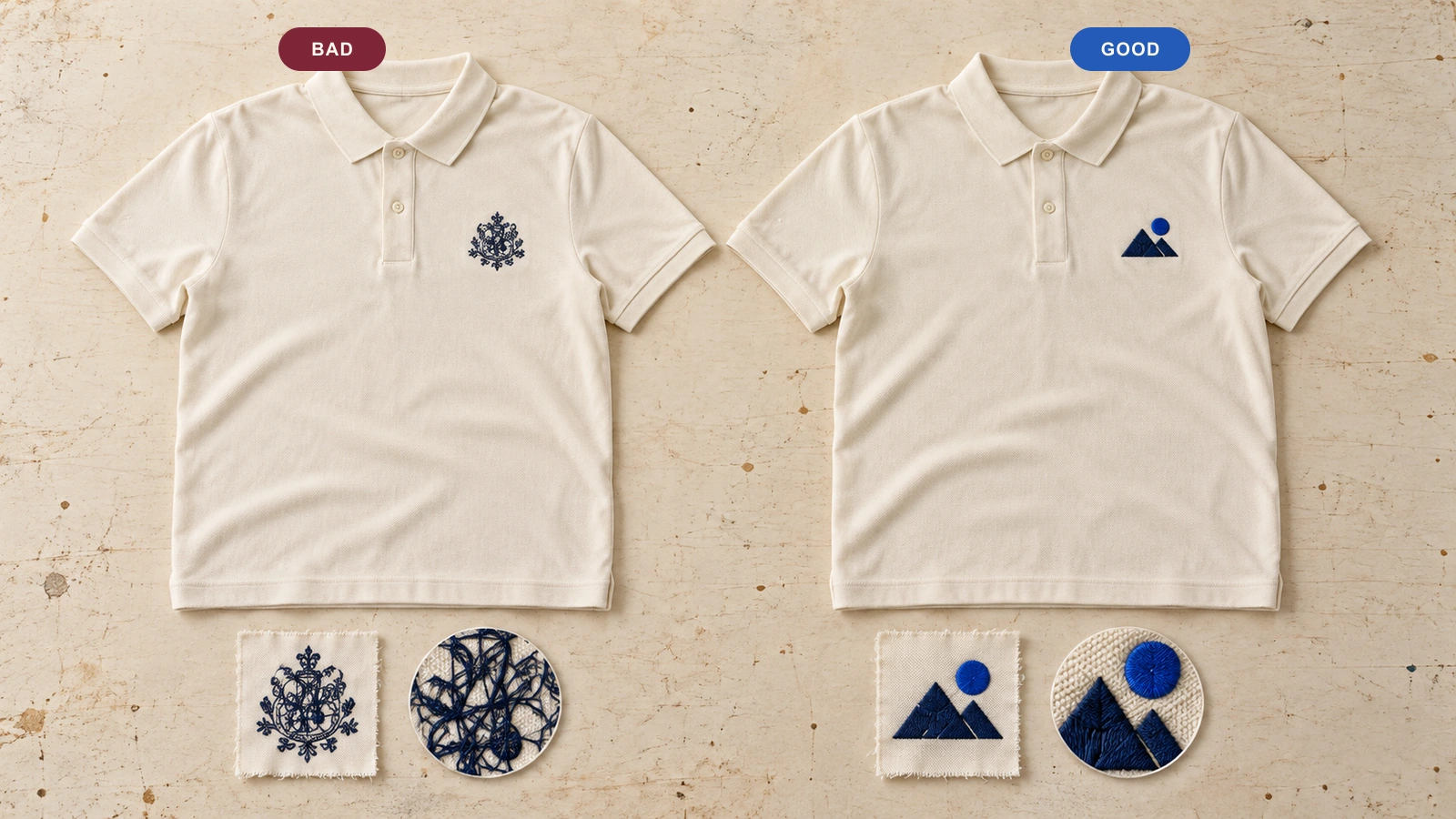
Recognizable lettering and artwork preserve their visual meaning at the final garment size and normal viewing distance. Font complexity, text length, line spacing, graphic detail, and color contrast directly affect how clearly these elements appear. The decoration method also affects how artwork appears on the fabric. Readable elements retain clear letterforms, shapes, and visual separation, rather than losing important details in the finished polo design.
- Consistent Branding
Alignment between the company logo, brand colors, typography, visual tone, and placement makes the polo recognizable as part of an established brand identity. Consistent logo treatment connects staff apparel with other branded materials and prevents conflicting visual signals. Repeated colors, typography, and placement also create a cohesive presentation across branded polo shirts. The finished garment therefore reflects the same recognizable branding system rather than functioning as an isolated design.
What Mistakes Should You Avoid in a Polo T-Shirt Design?
Avoid overcrowding the layout, using poor color contrast, making the logo too large, mixing too many fonts or graphics, ignoring garment construction, choosing the wrong decoration method, and skipping the design preview. These common polo T-shirt design mistakes can weaken visual hierarchy, obscure branding, distort artwork, or interfere with garment details. Preventing these errors helps maintain clear placement, readable decoration, balanced proportions, and a cohesive finished polo design.
Below are the most common mistakes to avoid when designing a polo T-shirt:
- Overcrowding the Design
Too many logos, graphics, text elements, colors, or decoration areas create visual clutter and force several elements to compete for attention. Limited empty space also weakens hierarchy, making primary branding harder to distinguish from supporting details. Removing unnecessary elements or consolidating related graphics restores clearer focal points. A controlled layout gives the main logo or message enough surrounding space to remain recognizable.
- Using Poor Color Contrast
Weak separation between the garment and decoration makes logos, typography, and artwork difficult to distinguish. Similar tonal combinations may cause important details to blend into the fabric, especially when foreground and background shades are closely related. Intentional contrast creates clearer visual separation without requiring brighter colors. A realistic preview also reveals whether brand colors, tonal decoration, and garment colors remain distinct before production.
- Making the Logo Too Large
Oversized branding often dominates the garment and disrupts the visual relationship between the logo and surrounding design elements. Excessive scale may also place artwork too close to the placket, seams, sleeve joins, or placement boundaries. Proportional sizing keeps the company logo prominent without overwhelming the polo. Reviewing its scale and position on a mockup reveals whether the branding fits naturally within the available decoration area.
- Using Too Many Fonts or Graphics
Multiple typefaces, illustrations, icons, and unrelated graphic styles create competing focal points and weaken brand consistency. Without a clear primary-and-secondary relationship, viewers may struggle to identify the intended message or dominant branding. A controlled visual system keeps typography and graphics stylistically connected. Consolidating unnecessary elements also strengthens hierarchy while allowing the logo, main text, and supporting artwork to retain distinct roles.
- Ignoring the Collar, Placket, or Seams
Garment construction frequently interrupts artwork when graphics cross the collar, placket, button line, seams, sleeve joins, or panel boundaries without proper consideration. These structural areas may divide graphics, distort alignment, or produce awkward visual breaks. Checking front, back, and sleeve views exposes potential conflicts before production. Repositioning or adjusting artwork maintains continuity and prevents garment construction from obscuring important design details.
- Choosing the Wrong Decoration Method
A mismatch between artwork and decoration method reduces clarity when the selected process doesn’t suit the graphic detail, fabric, placement area, color treatment, texture, or intended finish. Detailed artwork and compact stitched logos, for example, have different production requirements. Matching the decoration process to the design’s characteristics helps preserve recognizable shapes, lettering, and visual details on the finished polo shirt.
- Skipping the Design Preview
Production without a realistic mockup leaves scale, alignment, placement, seam interaction, color appearance, and artwork boundaries unchecked. A design that looks balanced as flat artwork may look different when placed across actual garment proportions. Reviewing the front, back, and sleeves exposes these problems before approval. A final preview confirms that artwork remains properly positioned and visually consistent across the complete polo T-shirt design.

 Trusted By Thousands Of Designers
  Cancel Your Subscription Anytime
  30 Day Money Back Guarantee