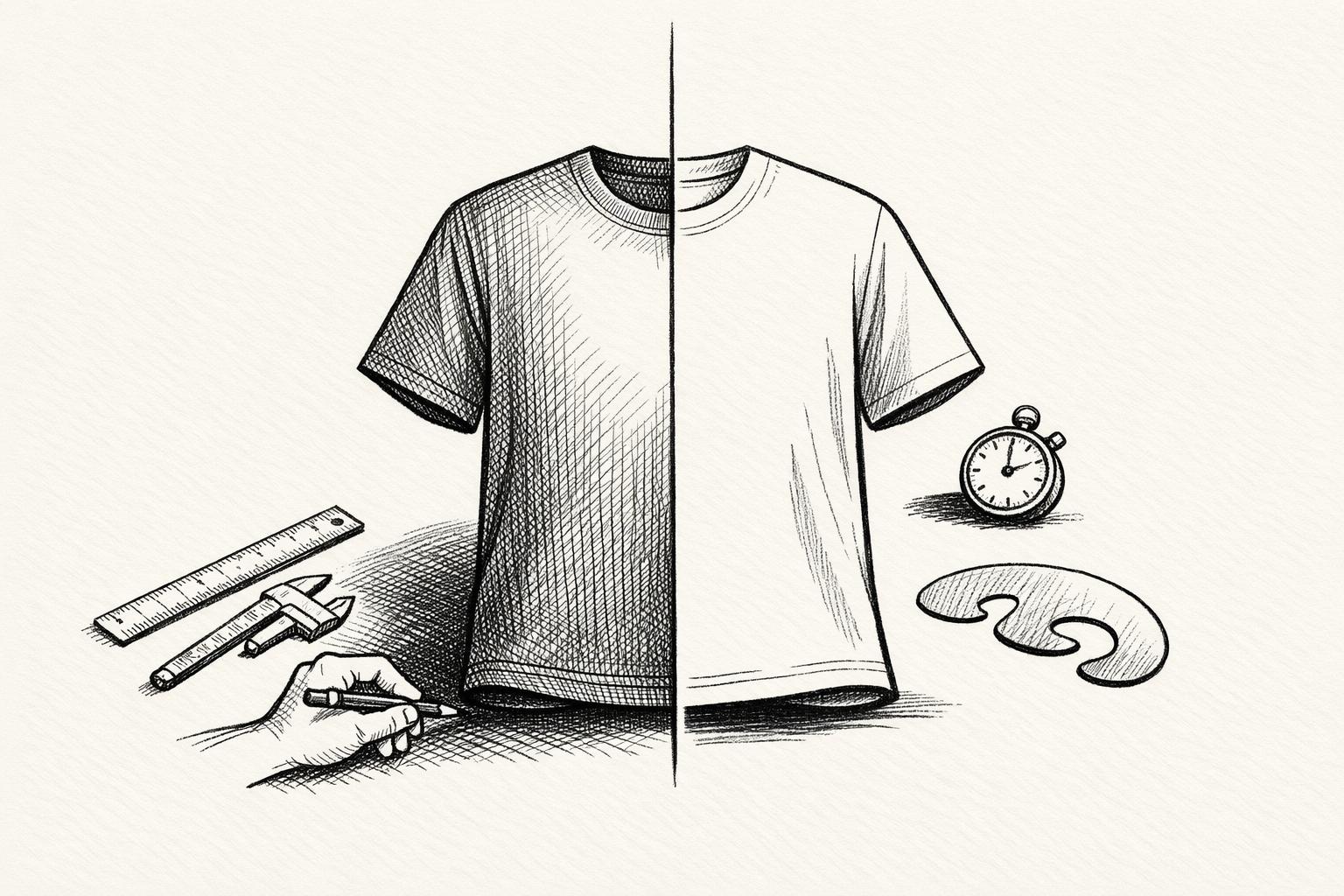
Photoshop and Mock It are two tools that approach shadow creation for apparel mockups differently. Photoshop offers unmatched manual control for precise and detailed designs, while Mock It prioritizes speed and ease of use with automated templates. Your choice depends on whether you need advanced customization or a quick, efficient solution.
Key Takeaways:
- Photoshop: Ideal for designers needing precise control over shadows. It requires expertise and time, but the results are highly detailed and realistic.
- Mock It: Designed for speed and simplicity. It automates shadow creation with pre-built templates, perfect for high-volume projects or beginners.
Quick Comparison:
| Feature | Adobe Photoshop | Mock It |
|---|---|---|
| Control | Full manual adjustments | Automated, template-based |
| Ease of Use | Steep learning curve | Beginner-friendly |
| Speed | Time-intensive | Fast, drag-and-drop workflow |
| Cost | $22.99/month | $9.99/month (Standard Plan) |
| Platform | Desktop application | Browser-based |
| Best For | High-detail, custom mockups | Quick, consistent mockup creation |
Photoshop provides precision for advanced projects, while Mock It simplifies the process for fast, professional results. Choose based on your workflow and priorities.
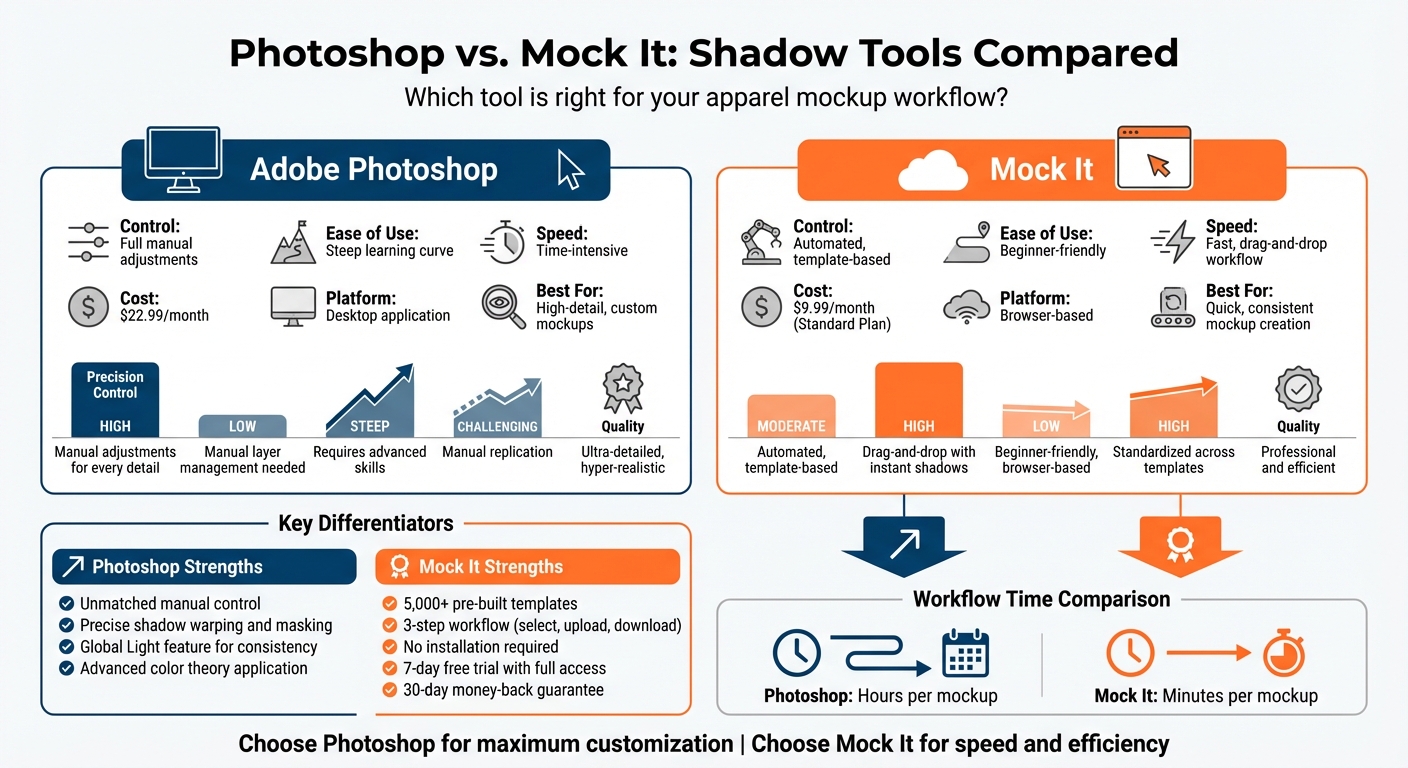
Photoshop vs Mock It Shadow Tools Comparison for Apparel Mockups
Photoshop Shadow Tools
Core Features
Photoshop gives users extensive control over shadow creation, though mastering its tools can be a bit daunting, especially when trying to master clothing mockups. A good starting point is the Drop Shadow layer style. By clicking the "fx" icon on any layer, you can tweak sliders for Opacity, Angle, Distance, Spread, and Size. The default settings – black at 35% opacity, a 90° angle, 3px distance, 0% spread, and 7px size – work well for basic designs. But when it comes to apparel mockups, shadows often need a more refined touch.
For lifelike fabric shadows, designers typically duplicate the garment layer, fill it with a dark color, and use transform tools like Skew, Scale, Distort, or Warp to align the shadow with the light source. Applying the Multiply blend mode helps darken the background while retaining its texture. To soften the edges, Gaussian Blur is used in layers, with blur radii adjusted based on the shadow type – contact shadows may only need about 5px of blur, while broader cast shadows might require 25px or more.
For those looking to add an extra layer of realism, manually painting shadows with a soft brush set to low flow is a common technique. This method involves sampling dark tones from the background or the garment’s folds. As Aaron Nace, Founder of PHLEARN, points out:
"Shadows are rarely ever just black and gray. Since a tiny bit of light is still being reflected off of the surface of the object, a tiny bit of the original color will go with it".
This attention to subtle color shifts can elevate a mockup, making it look polished and professional.
Advantages
Photoshop’s biggest strength lies in its precision. Designers can fine-tune every detail, from warping shadows to match complex fabric shapes to using layer masks with gradients for natural shadow falloff. The Global Light feature ensures consistency across all shadows in a project, so items like shirts, hats, and bags appear to react to the same light source.
For high-stakes campaigns or print materials, this level of control is invaluable. Photoshop even allows designers to extract original shadows from product photos by manipulating RGB channels and Levels, preserving the fabric’s natural texture while adjusting its color. Converting layer styles into pixel layers gives designers the freedom to warp, mask, or soften shadows as needed. While the platform’s flexibility is unmatched, its complexity can make it overwhelming for large-scale apparel projects.
Challenges and Drawbacks
This level of control comes at a cost – time and expertise. Crafting a realistic apparel mockup with accurate cast shadows, form shadows, and fabric textures can take hours. Designers need a solid grasp of layers, masks, blending modes, transformation tools, and color theory to achieve professional results and create captivating clothing mockups. As one comparison puts it:
"Photoshop offers control and customization but can be slow for multiple products or new designs".
The lack of a one-click solution for professional-grade shadows means users must manually handle warping, blurring, masking, and opacity adjustments. Since Photoshop is designed as a general-purpose tool rather than one tailored for clothing mockups, even experienced designers often rely on pre-made actions to speed up shadow creation. While this can save time, it often sacrifices some control. The labor-intensive nature of Photoshop’s shadow tools highlights the appeal of more automated options, which will be explored in the next section on Mock It Shadow Tools.
sbb-itb-1e8f9ab
Mock It Shadow Tools
Key Features
Mock It simplifies shadow creation for apparel designers, making the process faster and more intuitive. Its Scene Creator allows users to add shadows, backgrounds, and accessories directly in their browser – no need for tedious manual adjustments to layers.
The platform boasts a library of over 5,000 high-quality mockup templates from more than 45 major brands, including Bella + Canvas, Gildan, and Champion. Each mockup set includes six templates – three front views and three back views – with expertly crafted shadows already integrated. This eliminates the hassle of figuring out light sources, blur radii, or opacity settings. On top of that, Mock It offers advanced features like an AI text-to-image generator for custom backgrounds and high-resolution outputs up to 2,400 x 2,400 pixels. The Background Remover tool further enhances flexibility by isolating designs for placement on a variety of mockups.
Jeremy P., Founder & CEO of Mock It, sums it up perfectly:
"An online mockup generator is a fast and efficient way to create mockups. Simply select the mockup you want, add your artwork, choose a color/fabric and you’re done."
These features combine to deliver a streamlined, efficient workflow.
Advantages for Apparel Designers
Mock It’s robust tools translate into clear benefits for apparel designers, especially those managing high-volume projects.
The process couldn’t be easier: pick a mockup, drag and drop your design, and download the polished image. Because everything runs in the browser, it works seamlessly on any standard laptop.
One standout feature is the template library, which ensures consistent shadows across all views. Each mockup set includes multiple angles with matching shadows, making it simple to create a cohesive product catalog. Designers can also choose from a full range of color libraries, including options like heathers, acid washes, and mineral washes, ensuring mockups closely resemble the final product. Tasks that might take hours in Photoshop – like setting up layers and tweaking shadows – are handled automatically. This means faster turnaround times and reduced costs. Backed by over 200 glowing reviews, Mock It has earned the trust of thousands of designers as a go-to tool for apparel mockups.
Limitations
While Mock It excels in speed and efficiency, it does have some limitations.
Its automated system doesn’t offer the same level of detailed control over shadow elements as Photoshop. For instance, Photoshop allows users to fine-tune aspects like shadow shape, blur, and color. Mock It, on the other hand, relies on pre-built templates, which may feel restrictive for projects requiring highly specific or unconventional lighting setups.
As Jeremy P. acknowledges, "Photoshop is better for creating detailed, realistic mockups", highlighting that Mock It focuses on speed and consistency rather than granular customization. For most use cases – whether it’s eCommerce listings, social media visuals, or client previews – Mock It delivers professional results quickly. This makes it the perfect tool for designers who value efficiency and uniformity in their workflow.
Create a Mockup in Photoshop – Day 26
Shadow Tool Capabilities Compared
Let’s take a closer look at how Photoshop and Mock It handle shadow creation. Photoshop offers complete manual control, letting you tweak every detail, from light angles (like setting it to 60°) to shadow density, sharpness, and even color. This precision allows for incredibly detailed, lifelike shadows that can adapt to complex perspectives. However, achieving this level of detail takes time and demands a good grasp of Photoshop’s advanced tools like layer masks and blending techniques.
Mock It, by contrast, simplifies the process entirely. Forget layers, warping, or tricky adjustments – the platform automates shadow creation through its Scene Creator and pre-designed templates. With over 5,000 mockups featuring built-in, professionally crafted shadows, all you need to do is upload your design, and the shadows are applied instantly. While it doesn’t offer the same granular control as Photoshop, it delivers professional-quality results perfect for eCommerce and social media needs.
The choice boils down to your priorities. Photoshop is ideal for projects where every shadow must align with a specific background or lighting setup, making it the go-to for high-end campaigns. On the other hand, Mock It shines when speed and consistency are essential – especially for large-scale production where maintaining uniform shadow quality across hundreds of mockups is critical. It’s a clear trade-off between deep customization and efficient automation.
Feature Comparison Table
Here’s a side-by-side breakdown of the shadow capabilities for each platform:
| Feature | Adobe Photoshop | Mock It |
|---|---|---|
| Precision Control | High (Manual adjustments for every detail) | Moderate (Automated, template-based) |
| Automation | Low (Manual layer management needed) | High (Drag-and-drop with instant shadows) |
| Learning Curve | Steep (Requires advanced skills) | Low (Beginner-friendly, browser-based) |
| Batch Consistency | Challenging (Manual replication) | High (Standardized across templates) |
| Quality of Results | Ultra-detailed, hyper-realistic | Professional and efficient |
| Platform | Desktop application | Browser-based (accessible on any device) |
| Tools Used | Warp, Puppet Warp, Layer Masks, Brushes | AI automation, Preset templates, Scene Creator |
For apparel designers juggling multiple mockups, Mock It’s quick and consistent results make it the more practical choice for high-volume production.
Shadow Creation Workflow Comparison
When it comes to creating shadows, the workflow can greatly influence a designer’s choice of platform. It’s not just about the tools available – it’s also about the time and expertise required to achieve the desired results.
Photoshop Workflow
Photoshop’s shadow creation process is highly detailed and demands advanced skills. While the results are incredibly realistic, the method itself is time-consuming. To get started, you create a 50% gray rectangle as a Smart Object and use the Pen Tool to precisely mask the garment.
Next, duplicate the background twice, labeling the layers "Shadow" and "Light." Apply the Multiply blend mode with Curves to the "Shadow" layer and Screen with Curves to the "Light" layer, mimicking natural lighting effects.
The final step involves grouping these layers, adding a canvas mask to the group, and adjusting the opacity – usually around 40% – to create realistic depth. As Jeremy P., Founder & CEO of Mock It, explains:
"If you’re familiar with Photoshop… the end product will be slightly more realistic, but the process is more time consuming".
While Photoshop offers unparalleled control, its manual nature requires significant effort and expertise. In contrast, Mock It takes a much simpler approach.
Mock It Workflow
Mock It simplifies shadow creation into a quick, three-step process. Start by selecting a template from the platform’s library, then upload your artwork using a drag-and-drop interface, and finally, download the completed mockup. The platform’s AI-powered tools automatically handle the heavy lifting, positioning your design and creating shadows without the need for manual adjustments, making it easier to validate your apparel designs.
Customization is also easy, thanks to sliders that let you tweak shadow intensity, lighting angles, and background colors directly within the interface. Unlike Photoshop’s layer-heavy workflow, Mock It eliminates the need for manual masking and blend mode adjustments. According to the platform, this reduces mockup creation time from "hours" to "minutes." Over 200 user reviews back this claim, praising its speed and ease of use.
With features like the Scene Creator and automated shadow tools, Mock It delivers consistent, professional-quality results. This efficiency makes it especially appealing to designers who want high-quality mockups without investing extensive time or advanced technical skills.
Pricing and Accessibility
When it comes to picking the right mockup tool, cost and ease of use play a huge role. Mock It stands out as a budget-friendly alternative to Photoshop, especially for apparel designers looking for realistic shadow tools.
Let’s talk numbers. Photoshop costs $22.99 per month, while Mock It offers more tailored pricing options. You can start with a 7-day free trial that gives full access to over 5,000 mockup templates and unlimited downloads. After the trial, the Standard plan costs $9.99 per month (or $7.99 per month when billed annually). For those needing extra features, the Pro plan is available at $19.99 per month (or $14.99 per month annually). The Pro plan includes perks like an AI text-to-image generator, a background remover, and priority mockup requests. Plus, all paid plans come with a 30-day money-back guarantee and commercial use licenses.
Another major difference is accessibility. Photoshop requires installation on a high-performance computer, which can be limiting. In contrast, Mock It is entirely browser-based – no downloads, no updates, and it works on any device, including tablets and smartphones. This flexibility means you can create mockups from anywhere, whether you’re at your desk or on the go.
Photoshop also comes with hidden costs. To handle large-scale projects, users often need to purchase PSD templates or automation plugins, which can add up to an extra $15 per month. Mock It eliminates these extra expenses with its extensive built-in template library, making it a simpler and more cost-effective option for apparel designers.
Pricing Comparison Table
| Feature | Adobe Photoshop | Mock It Standard | Mock It Pro |
|---|---|---|---|
| Monthly Price | $22.99 | $9.99 | $19.99 |
| Yearly Price (per month) | Varies | $7.99 | $14.99 |
| Free Trial | None | 7 Days (Full Access) | Included in Trial |
| Installation Required | Yes | No (Browser-Based) | No (Browser-Based) |
| Template Library | None (Must Purchase) | 5,000+ Templates | 5,000+ Templates |
| Commercial License | Included | Included | Included |
| AI Tools | No | No | Yes (AI Generator, BG Remover) |
| Money-Back Guarantee | No | 30 Days | 30 Days |
Mock It’s affordable plans and seamless browser-based experience make it an excellent choice for apparel designers looking for efficiency without breaking the bank.
Conclusion: Why Mock It is Better for Apparel Mockup Shadows
Looking at the comparisons above, it’s clear that Mock It stands out as the go-to tool for creating realistic apparel shadows, especially for designers who prioritize speed and ease of use.
Unlike Photoshop, which requires significant training and manual adjustments, Mock It simplifies the process. In just a few steps – upload your design, pick a shadow overlay from the elements tab, tweak garment colors and backgrounds – you can create a lifelike mockup in seconds. No steep learning curve, no hours spent fine-tuning.
Mock It’s shadow tools are crafted specifically for apparel, offering a wide selection of overlays that mimic real-world lighting. Whether it’s soft window light on a hanging t-shirt or layered shadows for extra depth, the results feel natural and professional. Plus, you don’t need to be a design expert to use it. Photoshop, while powerful, can be overwhelming for beginners with its general-purpose tools.
On top of that, Mock It is budget-friendly and works right in your browser, eliminating the need for expensive software or high-performance hardware. Its automated process and extensive template library consistently deliver polished results without the hefty price tag or complexity of Photoshop.
FAQs
How does shadow creation differ between Photoshop and Mock It?
The difference in shadow creation between Photoshop and Mock It boils down to control, complexity, and ease of use.
Photoshop provides advanced tools that let users craft highly detailed, customizable shadows. This makes it ideal for creating realistic effects, such as the subtle folds in fabric. However, achieving this level of detail takes considerable time and requires a good deal of expertise.
Mock It, on the other hand, simplifies the process with pre-designed mockup templates that come with built-in shadows and lighting effects. These templates are easy to tweak, allowing users to produce polished visuals quickly without needing advanced design skills. For those prioritizing speed and simplicity – especially for apparel mockups – Mock It is the more practical option.
How do the cost and ease of use of Mock It compare to Photoshop?
Mock It stands out as a budget-friendly and straightforward alternative to Photoshop. Here’s the breakdown: Photoshop comes with a monthly cost of $22.99 and demands advanced design skills, while Mock It starts at just $9.99 per month and is built for ease of use. Plus, since Mock It is browser-based, you can skip the hassle of installing complex software or dealing with a steep learning curve.
What makes Mock It even better? It offers over 5,000 high-quality clothing mockup templates, making it ideal for creating polished visuals without needing any design background. On the other hand, Photoshop often requires you to manually create mockups or source external templates, which can be time-consuming and intimidating for beginners.
If you’re looking for a quick, affordable, and beginner-friendly solution for apparel mockups, Mock It is the clear winner.
Which is better for beginners: Photoshop or Mock It for apparel mockups?
For those just starting in apparel mockup design, Mock It stands out as an excellent option thanks to its straightforward and user-friendly approach. Its drag-and-drop interface is easy to navigate, even for beginners, and it provides access to a library of over 5,000 high-quality templates from more than 45 brands. This makes it ideal for users who don’t have advanced design skills but still want professional-looking results. Features like customizable mockups, background removal, and an AI-powered text-to-image generator simplify the process, allowing you to create polished visuals quickly.
On the other hand, Photoshop offers unmatched power and customization but comes with a steep learning curve. It’s a better fit for seasoned designers or those ready to dedicate significant time to learning the software. If you’re new to design and want a tool that’s simple and efficient, Mock It has everything you need to dive in with confidence.