Want to create professional clothing mockups without the hassle of photoshoots? High-resolution mockup tools let you design stunning visuals in minutes, saving time and money. These tools are perfect for apparel designers who need sharp, detailed images for eCommerce, social media, or client presentations.
Here’s a quick look at five popular options:
- Mock It: Over 5,000 templates from 45+ brands, AI tools, and multi-view mockups. Pricing starts at $7.99/month (annual billing).
- Placeit: Massive library (43,000+ templates), but less focus on apparel-specific features. Starts at $7.47/month (annual billing).
- Printful Mockup Generator: Free, but limited to Printful’s product catalog.
- Smartmockups: Integrated with Canva; good for general use but lacks brand-specific apparel tools. Starts at $9/month (Pro).
- Renderforest: Broad template variety, but fewer apparel-specific features. Pricing undisclosed.
Quick Comparison:
| Tool | Starting Price (Annual) | Resolution | Templates | Apparel Focus | AI Tools |
|---|---|---|---|---|---|
| Mock It | $7.99/month | 2,400 × 2,400 px | 5,000+ | Yes | Yes |
| Placeit | $7.47/month | 1,500 × 1,500 px | 43,000+ | No | Limited |
| Printful | Free | 1,200 × 1,200 px | 2,550+ | Limited | No |
| Smartmockups | $9/month | 2,000 × 2,000 px | 500+ | No | Yes |
| Renderforest | Not disclosed | Not disclosed | 200+ | No | Limited |
If you’re looking for detailed, brand-specific mockups with advanced customization, Mock It stands out. It offers tools like AI-generated designs, fabric texture options, and multi-angle views for polished visuals. You can also follow these pro tips for realistic mockups to further enhance your presentation. For free or general-purpose mockups, Printful or Placeit may suit your needs better.
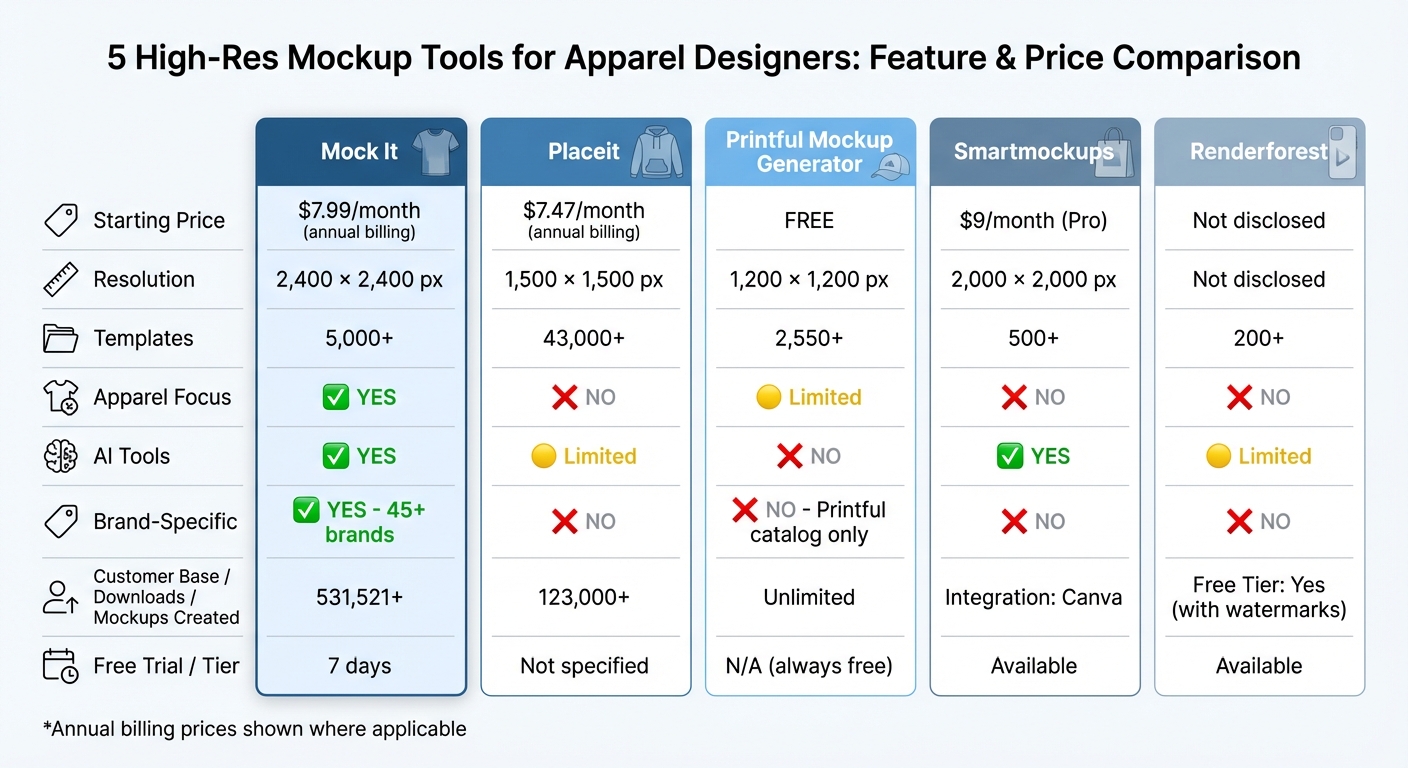
Comparison of 5 High-Res Mockup Tools for Apparel Designers
Quick & Easy Way To Create Realistic Apparel Mockups (BEGINNER FRIENDLY)
1. Mock It
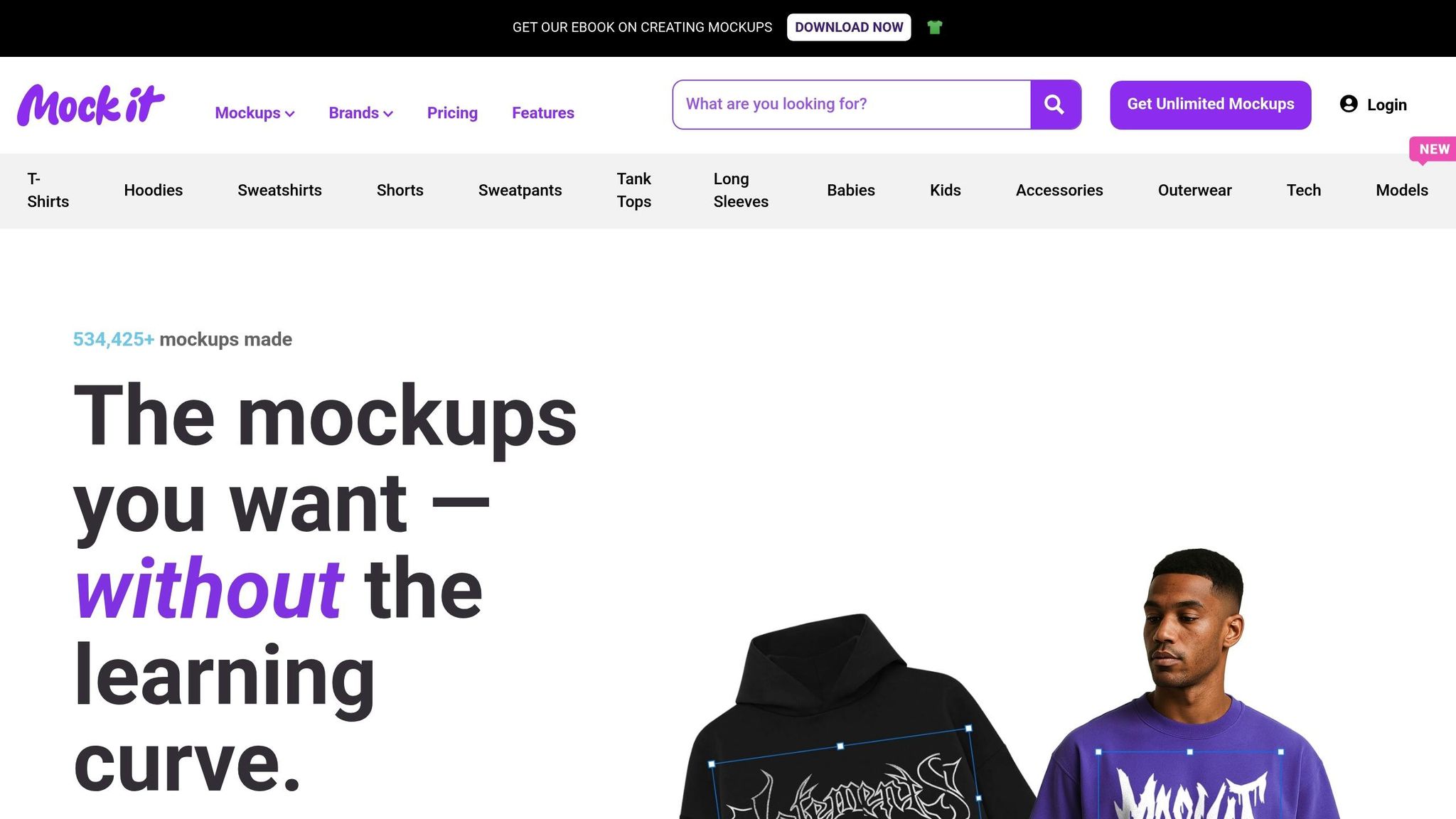
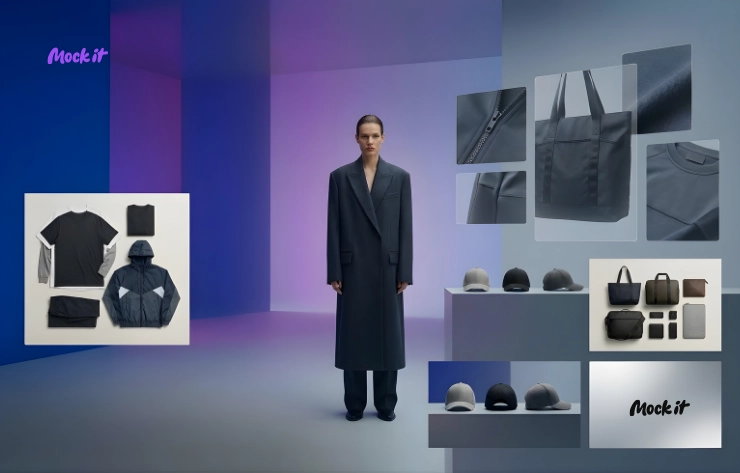
Mock It boasts an extensive library of templates, featuring over 5,000 high-resolution options from 45+ well-known brands such as Bella + Canvas, Gildan, and Champion. Each mockup set includes six views – three front and three back – allowing you to showcase designs from every angle. To date, the platform has been used to create more than 531,521 mockups.
Template Variety
Mock It offers a vast selection of garment templates to suit various needs. From t-shirts (flat lay, model, and tech) to hoodies, sweatshirts, tank tops, v-necks, long sleeves, and outerwear, the options are nearly endless. You’ll also find templates for shorts, sweatpants, hats, caps, and even niche categories like baby and kids’ apparel, hanging garments, and premium basics from brands like House of Blanks and Original Favorites. Missing something specific? The “Request-A-Mockup” feature lets users suggest new additions, with over 200 mockups added every quarter based on demand.
Customization Features
Mock It goes beyond templates with powerful customization tools. Its drag-and-drop editor allows users to upload artwork in formats like PNG, JPG, PDF, or SVG and position designs effortlessly. The platform also provides a complete library of colors and fabrics – including heathers, acid washes, and mineral washes that align with real manufacturers’ catalogs. Designers can further enhance visuals with custom fonts and the Scene Creator, which integrates designs seamlessly into professional backgrounds using artistic shadows for realism. Mockups are exported at a crisp resolution of 2,400 x 2,400 pixels, ensuring every detail stands out.
Advanced Tools
Opting for the Pro plan unlocks additional features like an AI text-to-image generator, which creates unique design elements from text prompts, and a one-click background remover to isolate designs. The platform’s 3D mapping technology accurately wraps designs around fabric in under 30 seconds.
“Mock It AI lets me bang out decent product pics in an hour and keep moving. It’s honestly just made my life easier.”
- Sarah M., verified subscriber
These tools are designed to help designers create polished, professional visuals with minimal effort.
Pricing Plans
Mock It offers a 7-day free trial to get started. The Standard plan is priced at $9.99/month (billed monthly) or $7.99/month when billed annually, granting unlimited downloads from the full 5,000+ template library. For those seeking advanced features, the Pro plan costs $19.99/month (billed monthly) or $14.99/month with yearly billing, adding access to AI tools, a background remover, and priority mockup requests. If your focus is solely on AI-generated mockups, Mock It AI plans start at $12/month for 100 credits and go up to $69/month for 650 credits.
2. Placeit
Placeit boasts an enormous library of over 43,000 mockup graphics, making it one of the most extensive collections online. With over 7 million templates sold and a customer base exceeding 123,000, it’s clear that Placeit has a broad appeal. However, its wide-ranging focus on design assets – from logos to video templates – means it doesn’t cater specifically to apparel design in the way that Mock It does. For designers seeking tools tailored to apparel, Mock It’s specialized features, including support for 45+ apparel brands and standardized 6-view mockup sets, offer a more consistent solution. Let’s take a closer look at how Placeit’s tools compare.
Template Variety
Placeit’s apparel mockups cover a wide range of items, including t-shirts, hoodies, sweatshirts, tank tops, leggings, and hats, all set in diverse lifestyle scenes. Notable options include the Comfort Colors 1717 tee and 1566 crewneck sweatshirt, which allow users to match digital mockups with real-world products. The platform also enables filtering by gender, age, and ethnicity, making it easier to target specific demographics. Additionally, Placeit offers 3D mockups, AI-generated mockups, and even video mockups. However, unlike Mock It, the number of views per garment isn’t standardized, which can impact consistency.
Customization Features
Placeit’s browser-based editor is user-friendly, featuring a drag-and-drop interface that allows you to upload designs, adjust placement, tweak garment colors, and add text – all without needing external software. It also includes a “Blank Canvas” tool for creating designs from scratch. While these tools are flexible, they lack the precision of Mock It’s Scene Creator, which offers advanced customization options like custom shadows and enhanced background editing.
Advanced Tools
The platform includes several AI-powered tools, such as a background remover, image cropper, and video-to-GIF converter. Additional features like a Profit Margin Calculator and Image Resizer are also part of the subscription. While these tools are practical, they don’t match the creative control offered by Mock It’s Pro plan, which includes an AI text-to-image generator for crafting unique design elements from text prompts. Placeit’s AI tools focus on basic tasks, whereas Mock It provides more advanced creative possibilities.
Pricing Plans
Placeit’s Unlimited Subscription is priced at $14.95 per month or $89.69 annually (approximately $7.47 per month). This pricing reflects its broad design capabilities. On the other hand, Mock It’s Standard plan costs $9.99 per month, or $7.99 per month with annual billing, and offers apparel-specific features like full color libraries and standardized 6-view mockup sets. For designers focused on creating accurate, brand-specific apparel mockups, Mock It delivers better value despite the pricing difference.
3. Printful Mockup Generator
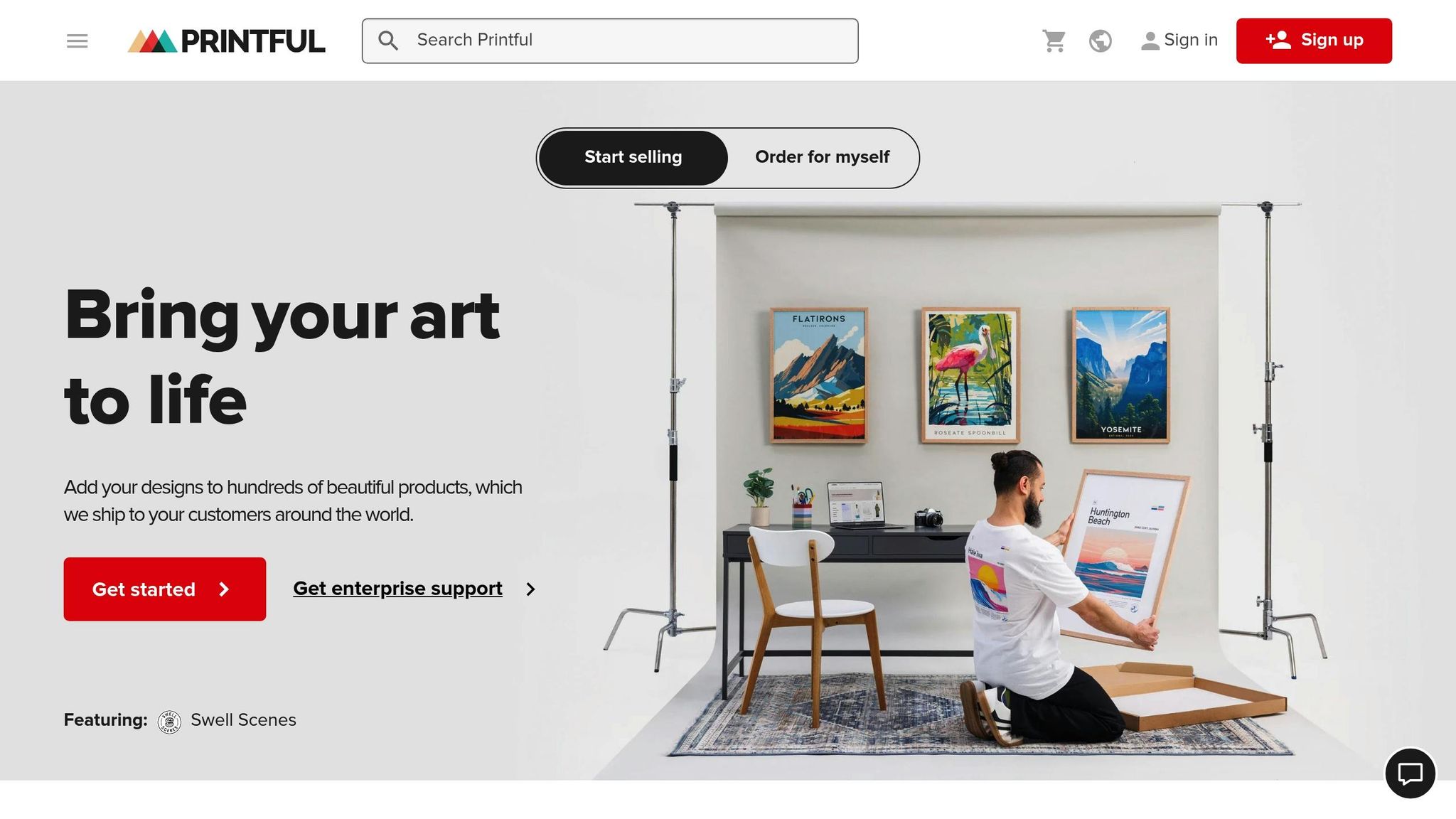
Printful’s Mockup Generator is completely free to use. Unlike subscription-based platforms, it provides access to over 2,550 mockup templates. This makes it a great option for those on a budget or just starting out. However, it primarily supports Printful’s print-on-demand services. If you’re looking for a more specialized solution with advanced tools and brand-specific templates, Mock It might be a better fit.
Template Variety
Printful offers three main mockup styles: lifestyle mockups featuring diverse models in everyday settings, flat lays that showcase products from a top-down view, and product-only mockups with clean white backgrounds. The library includes templates for major apparel brands and covers a wide range of items like t-shirts, hoodies, swimwear, and baby bodysuits. While this is a solid selection, it falls short of Mock It’s offerings, which include templates for over 45 apparel brands and standardized multi-view mockup sets. These features ensure visual consistency across your product line and cater specifically to apparel-focused needs.
Customization Features
When it comes to customization, Printful’s Mockup Generator allows you to upload designs, adjust their placement, and change backgrounds directly in your browser. You can also select from various models and settings to help customers envision products in real-life scenarios. While these tools are functional, they are relatively basic compared to Mock It’s Scene Creator. Mock It offers advanced options like adjusting shadows, lighting, and backgrounds, giving you greater control for creating professional-grade visuals.
Pricing Plans
Printful’s Mockup Generator is entirely free – no setup fees, no monthly subscriptions, and unlimited downloads. This makes it an affordable choice for those already using Printful’s print-on-demand services. However, if you need high-resolution mockups for purposes like client presentations, marketing, or e-commerce listings without being tied to a specific fulfillment service, Mock It offers a flexible alternative. Its Standard plan costs $9.99 per month (or $7.99 per month with annual billing) and includes additional features like complete color libraries and brand-accurate templates tailored for apparel-focused projects.
sbb-itb-1e8f9ab
4. Smartmockups
Smartmockups, now integrated with Canva, provides a wide range of mockup templates across various industries, including apparel. While this broad approach is helpful for designers juggling different types of projects, it doesn’t quite match the laser focus of Mock It, which offers over 5,000 apparel-specific templates sourced from more than 45 well-known brands.
Template Variety
Canva Free users can explore thousands of templates, but these lack the brand-specific detail that Mock It delivers. For instance, if you’re working with apparel brands like Gildan, Bella + Canvas, or Comfort Colors, you might find Smartmockups less precise. Mock It, on the other hand, ensures uniformity with its multi-view sets – three front views and three back views per mockup – making it easier to maintain consistency across your product line. This is a game-changer for apparel-focused businesses aiming for professional-grade designs.
Customization Features
Smartmockups offers a robust set of customization tools. Using AI, it can analyze uploaded photos to pinpoint the best surfaces for placing your designs, essentially turning your branded images into custom templates. Other features include advanced color pickers, realistic lighting effects with layered shadows, and background removal tools. Canva Pro users also get access to Brand Kits, which apply custom colors and logos automatically. While these tools are versatile and cater to general design needs, they don’t quite meet the specialized requirements of apparel designers, such as precise fabric textures and color-matching libraries, which Mock It emphasizes.
Advanced Tools
Smartmockups includes AI-powered tools like Magic Edit, Magic Eraser, Magic Expand (for extending image edges), and Magic Media, all available with Canva Pro. Meanwhile, Mock It’s Pro plan, priced at $14.99 per month (billed annually), offers similar AI-driven capabilities but tailors them specifically for apparel design workflows. This focus on apparel makes Mock It a more practical choice for clothing designers who need tools built with their industry in mind.
Pricing Plans
For designers prioritizing high-quality outputs and brand-specific templates, Mock It stands out. It offers high-resolution exports at 2,400 x 2,400 pixels and starts at just $7.99 per month (billed annually) for its Standard plan. This makes it an affordable and highly tailored option for professionals working exclusively in clothing design. By comparison, Smartmockups is better suited for general design projects, but it might not deliver the same level of precision for apparel-focused needs.
5. Renderforest Mockup Generator
Renderforest provides templates catering to a variety of industries. While this broad approach might appeal to designers juggling different types of projects, it doesn’t quite match the apparel-focused expertise of Mock It. With over 5,000 templates from 45+ recognized brands, Mock It delivers a level of precision tailored specifically to clothing designers. Let’s break down how Renderforest stacks up in terms of template variety, customization options, and pricing.
Template Variety
Renderforest offers mockups for a range of apparel items like t-shirts, hoodies, tank tops, hats, jerseys, polo shirts, socks, backpacks, and even construction uniforms. It also provides branded mockups for clothing labels, hang tags, and wristbands. However, its templates lack the brand-specific detail that Mock It provides. For instance, Mock It includes templates designed specifically for popular brands like Gildan and Bella + Canvas – ensuring consistency across your product line. If you’re looking for mockups tailored to specific manufacturers, Mock It clearly has the edge.
Customization Features
Renderforest’s browser-based editor simplifies the design process by automatically aligning uploaded designs to the correct angles – no need for additional software. You can also adjust apparel colors and backgrounds to align with your branding. That said, it doesn’t offer the advanced customization options that apparel designers often need. Mock It, for example, provides access to complete color libraries and other tools that are crucial for precise apparel design. While Renderforest includes a “packs” feature to maintain visual consistency across scenes, it still falls short of the industry-specific customization tools available with Mock It.
Pricing Plans
Renderforest includes a free tier for creating mockups, but exports on this plan come with watermarks. Paid subscriptions (available monthly or yearly) remove watermarks and unlock access to premium templates, though specific pricing details are not disclosed. In contrast, Mock It offers transparent pricing: its Standard plan starts at $8.99 per month (billed annually) and includes high-resolution exports at 1,500 × 1,500 pixels without watermarks. For even higher resolution (up to 2,400 × 2,400 pixels), the Pro plan is available. Mock It’s clear pricing and brand-specific mockups make it a better choice for apparel-focused designers. While Renderforest is a solid option for general design needs, it doesn’t provide the same level of precision for clothing-specific projects, especially when you need to validate designs with customers before production.
Feature and Price Comparison
Choosing the right mockup tool often comes down to comparing features and pricing. Mock It sets itself apart with its brand-specific templates from over 45 manufacturers, including Bella + Canvas, Gildan, and Champion. This level of precision ensures your mockups reflect the exact look of the actual products. Competitors like Placeit and Smartmockups, on the other hand, offer more general apparel mockups that lack this brand-aligned attention to detail.
When it comes to pricing, Mock It offers a compelling value proposition. The Standard plan costs $8.99/month (billed annually), giving you access to over 5,000 templates at a high resolution of 2,400 × 2,400 pixels. For those needing advanced tools, the Pro plan at $15.99/month includes features like an AI text-to-image generator, automated background removal, and a Request-A-Mockup service with a quick one-week turnaround. By comparison, Placeit provides unlimited downloads but at lower resolutions, while Printful’s free generator is limited to its own product catalog.
Mock It’s customization options are another standout feature. It offers extensive color libraries tailored to each brand, covering unique finishes like heathers, acid washes, and mineral washes. This ensures your digital mockups closely match the physical garments. Additionally, Mock It includes multi-angle views for a comprehensive presentation, whereas competitors like Smartmockups and Renderforest only offer basic color adjustments without fabric-specific accuracy.
With over 531,521 mockups created and 200+ new templates added quarterly, Mock It continues to grow its library. All paid plans come with commercial licensing and a 30-day money-back guarantee, making it a risk-free investment. Plus, the 7-day free trial lets you explore the full library – unlike many competitors, whose free options are often limited by watermarks or restricted template access.
Here’s a side-by-side comparison to help you decide:
| Tool | Starting Price (Annual) | Resolution | Template Count | Brand-Specific | AI Features (Pro) | Commercial License |
|---|---|---|---|---|---|---|
| Mock It | $8.99/month | 2,400 × 2,400 px | 5,000+ | Yes (45+ brands) | Yes | Yes |
| Placeit | $8.25/month | 1,500 × 1,500 px | 1,000+ | No | No | Yes |
| Printful | Free | 1,200 × 1,200 px | 300+ | No (Printful only) | No | Yes |
| Smartmockups | $9.00/month | 2,000 × 2,000 px | 500+ | No | No | Yes |
| Renderforest | Not disclosed | Not disclosed | 200+ | No | No | Yes |
Mock It clearly delivers a strong mix of precision, customization, and value, making it an appealing choice for anyone serious about creating professional-quality apparel mockups.
Conclusion
Mock It sets itself apart by offering brand-specific precision and advanced customization, designed specifically for apparel designers. Unlike other tools, it replicates actual product details with incredible accuracy, giving clients a realistic preview of their designs on the garments they’ll eventually order.
With an extensive library of mockups for popular apparel brands, Mock It ensures your designs align perfectly with the final product. Its comprehensive color and fabric libraries – covering everything from heathers to acid and mineral washes – help you create mockups that mirror real-world materials and finishes. Add to that a range of powerful customization tools, and you’ve got everything you need to bring your vision to life.
The platform’s Request-A-Mockup feature ensures Pro users can get missing templates within a week. With over 5,000 mockups currently available and 200 new templates added every quarter, Mock It is constantly evolving to meet your needs. Plus, AI-powered tools and a free trial make it even easier to get started.
Mock It offers professional-grade tools at competitive prices, along with a risk-free trial and a money-back guarantee. The included commercial licensing means you can use your mockups for client projects immediately. Whether you’re an independent designer, a small business owner, or managing a larger apparel brand, Mock It equips you with the resources to produce polished, professional mockups that stand out.
FAQs
Why is Mock It the best mockup tool for apparel designers?
Mock It stands out as a go-to platform for apparel designers, offering a massive collection of over 5,000 mockup templates from more than 45 well-known brands. Whether you’re working on t-shirts, hoodies, sweatshirts, or other apparel, Mock It provides tools to create visuals that look impressively realistic and detailed.
What makes Mock It shine are its advanced features like the scene creator, background remover, AI text-to-image generator, and color libraries. These tools make customization quick and straightforward. When compared to alternatives like Placeit or Artboard Studio, Mock It delivers sharper, high-resolution outputs, a broader range of mockups, and features specifically designed for apparel projects. With unlimited downloads and an intuitive interface, it’s a game-changer for designers aiming to take their work to the next level.
How does Mock It create accurate mockups for specific apparel brands?
Mock It provides precision and flexibility for creating brand-specific apparel mockups. With a library of over 5,000 high-resolution templates from more than 45 popular brands, it offers designers a wide range of options to work with. The platform’s intuitive drag-and-drop editor makes it easy to upload artwork and fine-tune details like colors, logos, and fabric textures. This approach ensures that every mockup reflects the brand’s exact specifications and maintains a polished, professional appearance.
What customization options make Mock It stand out for creating detailed apparel mockups?
Mock It provides apparel designers with powerful tools to create detailed and lifelike mockups effortlessly. One standout feature is the one-click background remover, which makes it simple to isolate designs and place them on any background or color, offering incredible flexibility. The scene creator takes things further, letting you add shadows, accessories, and custom backgrounds to elevate the visual appeal of your mockups.
Designers can also upload their own images, logos, and text, with access to an extensive selection of fonts and color libraries to ensure designs accurately reflect fabric and color choices. For those looking to push boundaries, Mock It even supports AI-generated images, allowing for the creation of unique elements that make mockups stand out. These features combine to make Mock It a go-to platform for professional and tailored apparel mockup creation.