Using mockups can save you time and money while keeping your marketing visuals professional and engaging. Here’s how they can help after launching your product:
- Update visuals regularly: Use mockups to refresh product images and align them with seasonal trends or customer preferences.
- Boost digital campaigns: Mockups enhance social media posts, email newsletters, and e-commerce pages with polished, versatile visuals.
- Engage your audience: Create interactive content like polls or contests with mockups to involve customers in your design process. This is especially effective when using collaborative mockup tools to gather feedback.
- Pick the right tool: Platforms like Mock It offer thousands of templates and AI tools to simplify the process.
- Track and improve: Monitor performance metrics like click-through and conversion rates to refine your visuals.
Mockups are an affordable way to maintain high-quality visuals, drive sales, and strengthen customer connections.
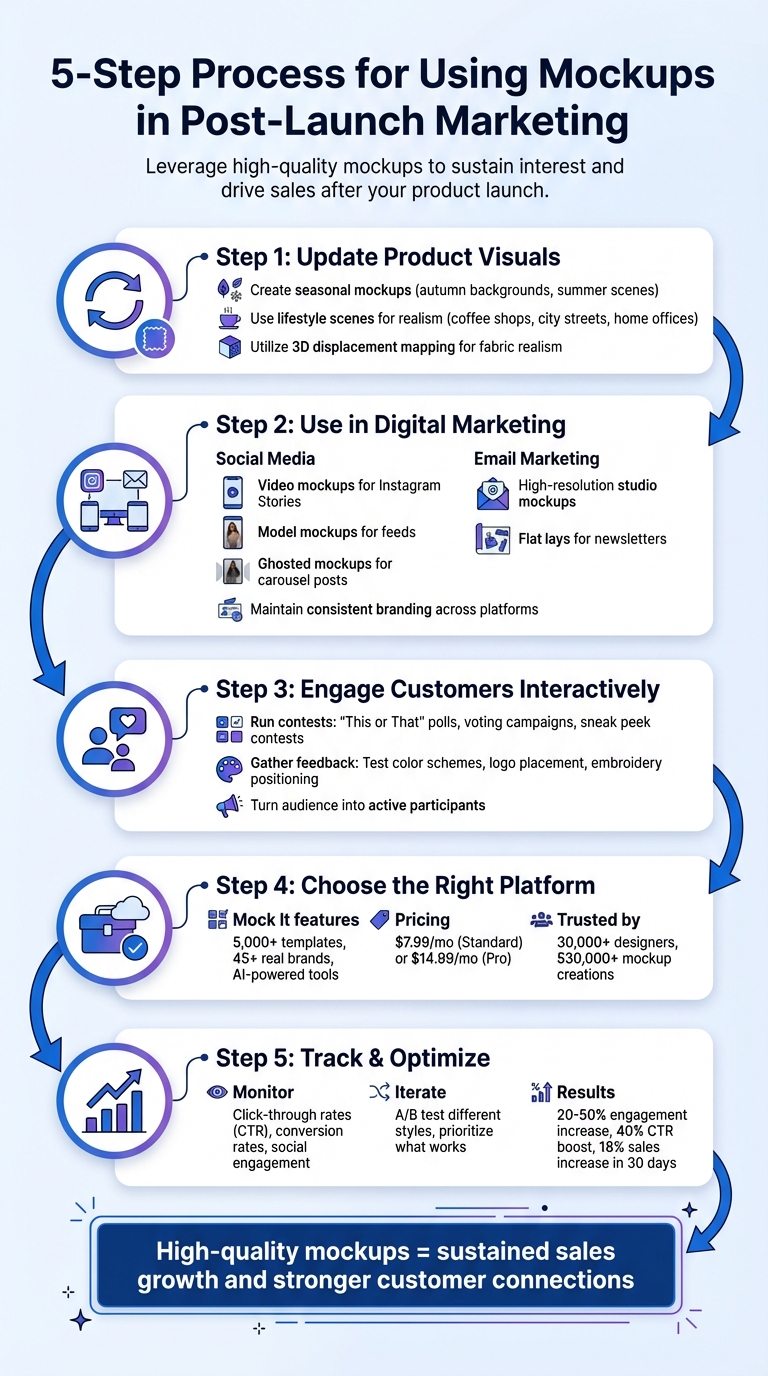
5-Step Process for Using Mockups in Post-Launch Marketing
Step 1: Update Product Visuals with New Mockups
Product visuals can lose their charm over time. Regularly updating your mockups keeps your marketing fresh and helps maintain customer interest. Instead of spending on expensive photoshoots, mockup platforms offer a quick and cost-effective way to create updated visuals. This approach not only keeps your brand in sync with current trends but also ensures you boost engagement with your marketing. Plus, tailoring visuals to match the seasons can grab attention at just the right time.
Create Seasonal Mockups
Seasonal mockups are a great way to showcase your products in settings that resonate with your customers’ lifestyles. For example, you could use autumn-inspired backgrounds for fall collections or bright, sunny scenes for summer launches. Adapting your visuals to reflect the current season helps your brand stay relevant while showing customers how your products fit seamlessly into their daily lives.
Platforms like Mock It make this process easy with a library of over 5,000 templates. Their scene creator allows you to design custom seasonal backgrounds, and the AI text-to-image generator can produce unique settings in no time. This means your visuals can evolve alongside trends, ensuring they never feel outdated.
But seasonal updates are just one part of the equation. Adding lifestyle settings can take your visuals to the next level.
Use Lifestyle Scenes for Realism
Lifestyle mockups bring your products to life by placing them in everyday environments – whether it’s a cozy coffee shop, a bustling city street, or a home office. This approach helps customers picture themselves wearing your apparel, offering a more relatable and realistic view than flat product images ever could. Thanks to modern techniques like 3D displacement mapping, these mockups can replicate the way designs naturally follow fabric folds and textures, creating an unmatched sense of realism.
When choosing mockup scenes, think about your target audience. Selling streetwear? Go for urban backdrops with diverse models. Marketing fitness apparel? Use active settings that highlight movement and flexibility. Mockup platforms let you create niche-specific visuals for over 45 brands, eliminating the need to hire photographers and models for every campaign. This saves time and resources while delivering professional, high-quality results.
sbb-itb-1e8f9ab
Step 2: Use Mockups in Digital Marketing Campaigns
Once you’ve updated your visuals, the next step is to use mockups to enhance your digital marketing efforts. The trick is to match the type of mockup to the specific platform and audience you’re targeting.
Social Media Campaigns
Social media thrives on eye-catching visuals, and mockups can help you deliver just that. For platforms like Instagram, video mockups are perfect for showcasing flash sales, discount codes, or new product launches. Tools such as Placeit even offer Instagram Story Video Makers, making it easy to create content that grabs attention right away.
On Facebook and Instagram feeds, model mockups can show how your apparel looks in real-life settings. Highlighting your products from multiple angles – front, back, and side – gives potential customers a well-rounded view of your designs. This approach ties back to the refreshed product narrative you built in Step 1. For a cleaner look, ghosted mockups work well in carousel posts, offering a minimalist view of your products without distractions.
Modern tools also make customization easier than ever. For example, Canva‘s Magic Edit feature allows you to tweak backgrounds, remove unwanted elements, or adjust image dimensions to fit platform-specific formats – vertical for Stories or horizontal for banners. Mock It stands out with over 5,000 customizable apparel templates and AI-driven tools, enabling you to repurpose designs seamlessly across platforms while maintaining high resolution.
Don’t stop at social media – carry this consistency over to your email marketing.
Email Marketing
Unlike social media, email marketing relies on polished, consistent visuals to make an impact. High-resolution studio mockups and flat lays are ideal for creating a professional, cohesive look in email newsletters. These visuals help subscribers clearly imagine the final product. As Whealth Consulting puts it:
A compelling visual can be much more persuasive than text alone.
Pair these mockups with concise, engaging copy to inspire action. Use them to tell a story, not just display a product. For instance, create imagery that helps readers picture themselves wearing or using your apparel. This approach builds an emotional connection, making your marketing more effective.
Consistency across all platforms is key. By using mockups with uniform branding, you establish trust and maintain a cohesive identity throughout your digital campaigns. Before rolling out your visuals to a larger audience, test them on a smaller group to ensure accuracy and appeal.
Step 3: Engage Customers with Interactive Mockup Content
Once your digital campaigns are live, it’s time to take things up a notch by using mockups to create interactive experiences. Mockups aren’t just visuals – they’re tools that invite customer participation and help shape your designs based on real feedback.
Run Contests with Mockups
Want to spark excitement around your brand? Contests featuring mockups are a great way to do it. For example, create "This or That" polls on platforms like Instagram Stories or Facebook. Show off different mockup variations of a product and let your audience vote on their favorite design. Lifestyle mockups can make these contests even more engaging. As The Suit Tailor puts it:
Apparel mockups are the secret weapon for brands that want to launch fast, test markets, and stay relevant.
You can also use 3D and lifestyle mockups to host sneak peek campaigns or voting contests. These not only build buzz but also give your audience a sense of ownership in the product, especially when teasing limited-edition releases.
After the contests, shift gears toward gathering more detailed input from your audience.
Gather Feedback Using Mockups
Mockups are also a powerful way to get specific, actionable feedback. Use photorealistic clothing mockups to showcase potential designs and ask your audience for their thoughts on details like logo placement, color choices, or even embroidery positioning. Fourthwall highlights the value of this approach:
Mockups can be used to share product ideas or renderings with customers, giving them a clearer idea of what they’re buying before making a purchase.
Quickly test different color schemes or graphics and collect feedback through comments, direct messages, or even forms. This method turns your audience into active participants, helping you refine your designs before they hit production.
Step 4: Choose the Right Mockup Platform
After refining your designs based on customer feedback, the next step is selecting a mockup platform that aligns with your creative and operational needs. The right platform can simplify your visual strategy and help you deliver polished, professional designs that resonate with your audience.
Why Pick Mock It?
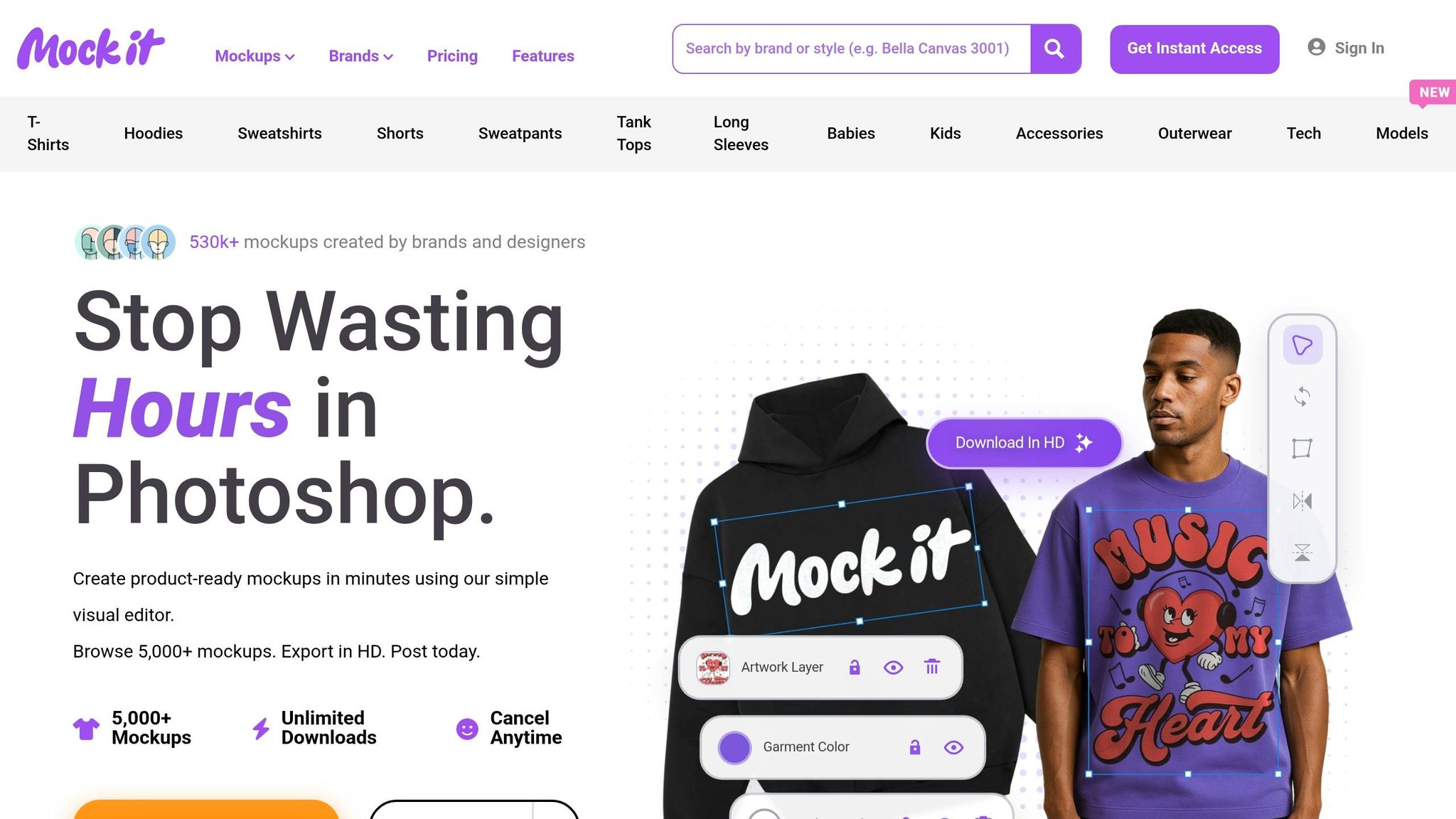
Mock It has carved a niche for itself with an extensive library of over 5,000 high-quality clothing mockup templates from 45+ real brands, including Gildan, Bella + Canvas, and Los Angeles Apparel. This ensures your mockups are an exact match to the production blanks, giving your customers a clear idea of what they’ll receive. Trusted by more than 30,000 designers and responsible for 530,000+ mockup creations, Mock It combines reliability with cutting-edge features.
What sets Mock It apart is its AI-powered tools, such as a text-to-image generator, background remover, and scene creator. These tools allow you to create professional visuals quickly – no need for advanced software like Photoshop. Plans start at $7.99 per month (billed annually) for the Standard plan, or $14.99 per month for the Pro plan.
How Does It Compare to Other Platforms?
Mock It outshines competitors like Dynamic Mockups and MediaModifier in several key areas:
| Feature | Mock It | Dynamic Mockups | MediaModifier |
|---|---|---|---|
| Template Library | 5,000+ (apparel-focused) | ~1,200 (general) | ~1,000 (general) |
| Pricing | $7.99/mo (annual) | $29/mo | $25/mo |
| AI Tools | Yes (text-to-image, background remover) | Limited | No |
| Brand Accuracy | 45+ real clothing brands | Generic templates | Generic templates |
| Usability Rating | 4.9/5 | 4.2/5 | 4.0/5 |
Mock It’s focus on apparel gives it a significant edge, offering five times more clothing templates than MediaModifier. Its AI tools also help reduce the time needed for seasonal updates by 50%, making it a practical option for fast-paced campaigns. Unlike competitors that charge more for fewer templates and lack robust AI features, Mock It’s user-friendly workflow ensures you can move from concept to ready-to-launch visuals in no time.
Step 5: Track Mockup Performance and Optimize
Once your mockups are live and interactive, keeping an eye on their performance is key to making them better and getting the most out of your efforts. Tracking how they perform helps you fine-tune your approach and maximize results.
Monitor Engagement and Conversion Metrics
Start by keeping tabs on metrics that matter. For example, monitor click-through rates (CTR) on social posts and ad banners to see which designs grab attention. On product pages, track conversion rates – how many visitors actually make a purchase after viewing your mockup-based pages. As Pixel Sauce puts it:
High-quality product images = more sales.
Social media engagement, like shares, likes, and comments, can also reveal which mockup styles strike a chord with your audience. For instance, lifestyle mockups might get more shares compared to flat-lay images. Additionally, branded mockups that show garment fit and texture accurately can help reduce returns and complaints.
These insights can guide your next steps, helping you focus on what works best.
Iterate Based on Insights
Take what you learn from your metrics and use it to tweak your approach. For example, if A/B testing reveals that outdoor settings perform better than studio shots, adjust your creative strategy accordingly. Try different mockup styles – flat-lay for showcasing details, 3D for a realistic touch, or on-model shots for context – and prioritize the ones that deliver results. Yellow Images highlights this advantage:
By showcasing mockups… e-commerce platforms provide shoppers with a realistic preview of their potential purchases, driving conversion rates and fostering brand loyalty.
Analytics tools like Google Analytics can help you dig deeper into how visuals impact sales. If a particular mockup style consistently drives better results, create more variations in that style. This ongoing, data-backed approach ensures your mockups remain effective and aligned with your goals.
Conclusion
Effectively using mockups in your post-launch marketing boils down to five simple steps: updating your product visuals with seasonal and lifestyle mockups, incorporating them into digital campaigns across social media and email, engaging customers through contests and feedback, selecting the right platform for creating professional visuals, and consistently tracking performance to refine your approach. These steps work together to transform static product images into engaging marketing tools that keep your apparel products relevant well beyond their initial launch.
Mock It offers a powerful solution with over 5,000 templates from 45+ brands and advanced design features. Whether it’s a cozy winter hoodie campaign or a vibrant summer apparel promotion, the platform’s customizable options and extensive color libraries make it easy to create professional visuals – no design skills required.
Strategic mockup campaigns have been shown to increase engagement by 20–50%, boost click-through rates by 40%, and drive sales up by 18% within just 30 days. By following these steps and using the right tools, you can achieve sustained sales growth with polished, professional mockups.
Ready to make an impact? Use Mock It to refresh your visuals, launch standout campaigns, and track your success – helping your brand maintain momentum and drive results long after launch.
FAQs
How often should I refresh my mockups after launch?
Regularly refreshing your mockups is a smart way to showcase new designs, seasonal collections, or branding updates. While there’s no hard-and-fast rule, keeping your visuals updated helps maintain customer interest and engagement. Tools like Mock It provide a wide range of templates and features to make the process easier. With these resources, you can ensure your mockups stay polished and aligned with your brand’s marketing goals.
Which mockup style works best for ads, email, and product pages?
High-quality mockups that present apparel in a clear and professional way are perfect for ads, emails, and product pages. Mock It provides customizable templates for items like T-shirts, hoodies, and hats, making it simple to create polished visuals for marketing. With tools like a scene creator, background remover, and AI features, Mock It streamlines the process of crafting eye-catching designs, making it a top pick for boosting your marketing visuals.
What metrics prove my mockups are improving sales?
When your mockups are driving sales, you’ll notice a few key indicators: increased sales volume, higher revenue growth, and better conversion rates. These metrics are your proof that the visuals are doing their job.
Platforms like Mock It, which provides access to over 5,000 customizable clothing mockups, can help you create polished and professional visuals that grab attention. But how do you measure their impact? Simple: track your sales data, engagement metrics, and conversion rates both before and after incorporating mockups into your strategy. This comparison will reveal how much of a difference the mockups make in your marketing performance.