Choosing between mockups and product photography impacts your budget, timeline, and campaign effectiveness. Mockups are digital representations of products, offering cost efficiency and speed, while product photos showcase real items with high detail. For apparel brands, this decision depends on factors like collection size, product variety, and marketing goals.
Key Takeaways:
- Mockups: Great for early-stage campaigns, cost-saving, and quick production. Ideal for testing designs or managing large catalogs.
- Product Photos: Best for showcasing real products, textures, and fit. Builds trust but requires more time and budget.
Quick Comparison:
| Factor | Mockups | Product Photos |
|---|---|---|
| Cost per Image | $0.10–$1.20 (subscription) | $25–$500+ (with extras) |
| Turnaround Time | Instant to 1 hour | 10–21 days |
| Flexibility | High (design changes easy) | Low (requires reshoots) |
| Realism | Photorealistic (varies) | Real-life product details |
| Best Use Cases | Pre-launch, large catalogs | Post-launch, hero shots |
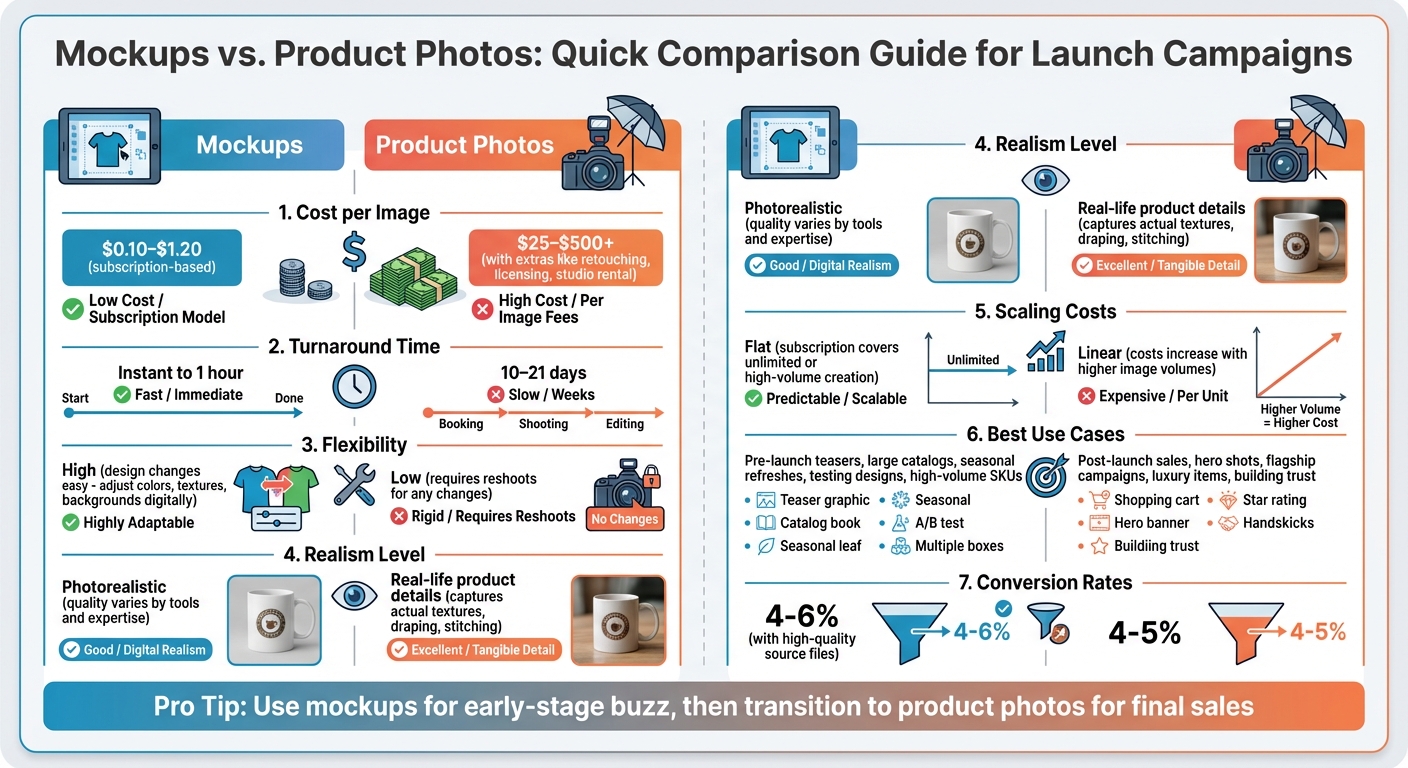
Mockups vs Product Photography Comparison Chart for Launch Campaigns
I Refuse To Pay Photographers For My Brand After THIS..
sbb-itb-1e8f9ab
Mockups vs. Product Photos: What’s the Difference?
Before deciding which visual format suits your campaign best, it’s important to understand what each one entails and how they’re typically used. Let’s break it down.
Mockups: Digital Design Files
Mockups are digital or 3D representations of your apparel before it’s physically produced. These are created using tools like Adobe Photoshop, Illustrator, or Dimension, where designers work with "smart objects" to seamlessly integrate your design onto templates. These templates often include realistic details like shadows, fabric folds, and lighting to give a polished, lifelike look. Mockups are widely used in the early stages of product launches or as a budget-friendly alternative to traditional photography for online catalogs. Even big names like IKEA leverage mockups to create their catalog images without the cost of large-scale photo shoots.
Product Photos: Actual Product Images
Product photos, on the other hand, are real photographs of your finished apparel. This process requires physical samples, a skilled photographer, proper lighting, and sometimes models or mannequins. These images are essential for showcasing the authentic details of your products, such as fabric texture, how the garment drapes, and accurate colors. In fashion, the choice between mockups and product photos often boils down to how extensive your product line is and how much you’re willing to invest in professional photography and models.
Mockups for Launch Campaigns: Pros and Cons
Benefits of Using Mockups
One of the biggest perks of mockups is cost savings. By skipping the need for photographers, models, studios, and expensive equipment, brands can significantly reduce their expenses. As SZCZERZO KŁY, a contributor on Stack Exchange, explains:
Save money (you don’t have to pay for model, photographer, any equipment, and preparing photos).
For brands managing large product catalogs, mockups can be automated to create consistent visuals across thousands of items – all for a fraction of what traditional photoshoots would cost.
Another major advantage is speed to market. Mockups allow brands to generate marketing assets almost instantly, cutting weeks or even months from a launch timeline. Lilian Santini, a Fractional Creative Director, emphasizes the high cost of delays:
One month of paying for inventory that isn’t selling. One month of marketing opportunities you can’t capitalize on… You’re burning time – and in a product launch, time is one of the most expensive things you can waste.
Mockups also offer design flexibility, which is especially valuable for apparel brands. Need to tweak colors, adjust lighting, or change perspectives? Mockups make it easy without requiring new physical samples. For example, a single base image of a t-shirt can be used to digitally swap in different designs and colors, automating thousands of variations. Plus, mockups give you complete visual control, eliminating issues like unwanted reflections or inconsistent shadows. Many brands, particularly in their first year, rely on a mix of 70% renders and 30% photography for their campaigns.
These benefits make mockups a powerful tool for efficiency, but they’re not without their challenges.
Limitations of Using Mockups
The biggest drawback of mockups is their struggle with realism. They often lack the ability to convey physical depth and tactile details, which can be critical for products made of heavily textured materials. Basti from Mockl.io points this out:
If texture is a major selling point (impasto, mixed media, encaustic), real photography captures dimension that mockups can’t.
Low-quality mockups can also run into issues like unrealistic shadows, poor texture representation, or "botched assembly" effects, where fine details are lost.
Another challenge lies in representing fit and movement, particularly for apparel. Mockups often fail to show how fabrics drape or move naturally, which can make them less convincing. Problems with scale can also arise, misleading buyers if the product isn’t accurately sized within the digital scene. These limitations can impact a campaign’s authenticity and, ultimately, its performance.
Still, there’s an interesting twist: high-quality mockups can convert at rates of 4-6%, slightly outperforming professional photography at 4-5%. The secret lies in using top-tier source files and incorporating realistic shadows and warping to make the visuals feel more authentic.
Product Photos for Launch Campaigns: Pros and Cons
Benefits of Using Product Photos
Product photography provides undeniable proof that your product is real. Unlike digital mockups, actual photos showcase the precise details, textures, and finishes of a product, which can instantly boost customer confidence. For industries like fashion, this is especially critical. High-quality photos can highlight the way a fabric drapes, the intricacy of stitching, or the texture of a weave – details that digital renderings often fail to convey. These close-up shots address customer concerns before they even arise, especially for products where tactile qualities are key.
For example, professional product photos typically convert at rates of 4-5%, thanks to the trust they inspire. In the luxury market, where items can exceed $10,000, collectors and galleries still lean heavily on traditional photography to validate the product’s quality. The realism captured in these images not only reassures buyers but also adds an extra layer of credibility that can’t be matched by renderings.
Product photos also excel at capturing dimensions and intricate details that renderings might overlook. However, despite these advantages, they come with their own set of challenges.
Limitations of Using Product Photos
While product photos deliver stunning visuals, they also bring significant financial and logistical challenges. One of the biggest hurdles? Cost. In the United States, hiring a professional photographer costs an average of $3,034 per day, with median rates around $2,500. And that’s just for the photographer. Additional expenses include studio rental ($100–$300), props and staging ($50–$200), and, in some cases, licensing fees, as 27.3% of photographers charge extra for image usage beyond their base fee. A single shoot can range from $450 to $1,500, translating to $23–$150 per completed product image.
Time is another constraint. Still-life shoots can take one to two weeks, while more complex editorial or conceptual shoots may require two to four weeks. Projects involving heavy props or intricate setups might stretch timelines even further, lasting up to six weeks. Sara Anderson, a professional photographer, sums it up perfectly:
Most product shoots don’t fail on set. They break earlier, when decisions about scope, usage, and creative direction aren’t fully defined.
Without proper pre-production planning, delays and unexpected costs can pile up quickly.
Additionally, product photography demands a level of preparation that digital mockups don’t. You need to have the actual product – or at least a high-quality prototype – ready to go. For larger items like furniture or appliances, additional costs for assembly, specialized equipment, and large-scale sets can add up fast. Once the shoot is done, post-production work like color correction, dust removal, and file formatting for different platforms requires even more time and expertise. All of these factors make it essential for brands to carefully weigh their budgets, timelines, and quality goals when opting for professional product photography.
Side-by-Side Comparison: Mockups vs. Product Photos
When deciding between mockups and product photos, it’s important to weigh factors like cost, speed, and flexibility to determine what best suits your campaign goals.
Cost is a major differentiator. Product photography typically runs between $25 and $75 per image on a white background, but that price doesn’t include extras like retouching, studio rental, or shipping. On the other hand, digital mockups operate on subscription models, making the cost per image incredibly low – your tenth image costs just as little as your first.
Speed is another key factor. Traditional photography can take 10 to 21 days to complete, factoring in scheduling, shooting, and editing. In contrast, digital mockups can be created in under an hour, sometimes even instantly. Here’s a quick breakdown of how the two stack up:
| Factor | Product Photography | Digital Mockups |
|---|---|---|
| Cost per Image | $25–$500+ (plus extra fees for retouching, licensing, and studio rental) | Subscription-based ($0.10–$1.20 per image) or one-time template purchase |
| Turnaround Time | 10–21 days (includes logistics and post-production) | Under 1 hour to near-instant |
| Flexibility | Limited – changes require reshoots | High – easily adjust colors, textures, and backgrounds digitally |
| Realism Level | Captures the actual physical product | Photorealistic quality, depending on tools and expertise |
| Scaling Costs | Linear – costs increase with higher image volumes | Flat – subscription covers unlimited or high-volume image creation |
| Best Use Cases | Hero shots, reflective materials, high-end flagship campaigns | High-volume catalogs, seasonal refreshes, pre-launch testing |
Platforms like Mock It stand out by offering over 5,000 customizable templates, allowing you to create professional-looking mockups at minimal cost.
One area where mockups shine is flexibility. With traditional photography, any changes – like tweaking a color or angle – require a reshoot, which can be time-consuming and expensive. Mockups, however, let you experiment with different designs, backgrounds, and textures quickly and easily. This makes them especially useful for launch campaigns, where testing various visuals across hundreds of SKUs can play a big role in boosting conversion rates.
Ultimately, this comparison highlights why many brands are turning to digital mockups for scalable, cost-effective, and versatile content creation.
Why Mock It Outperforms Other Mockup Platforms
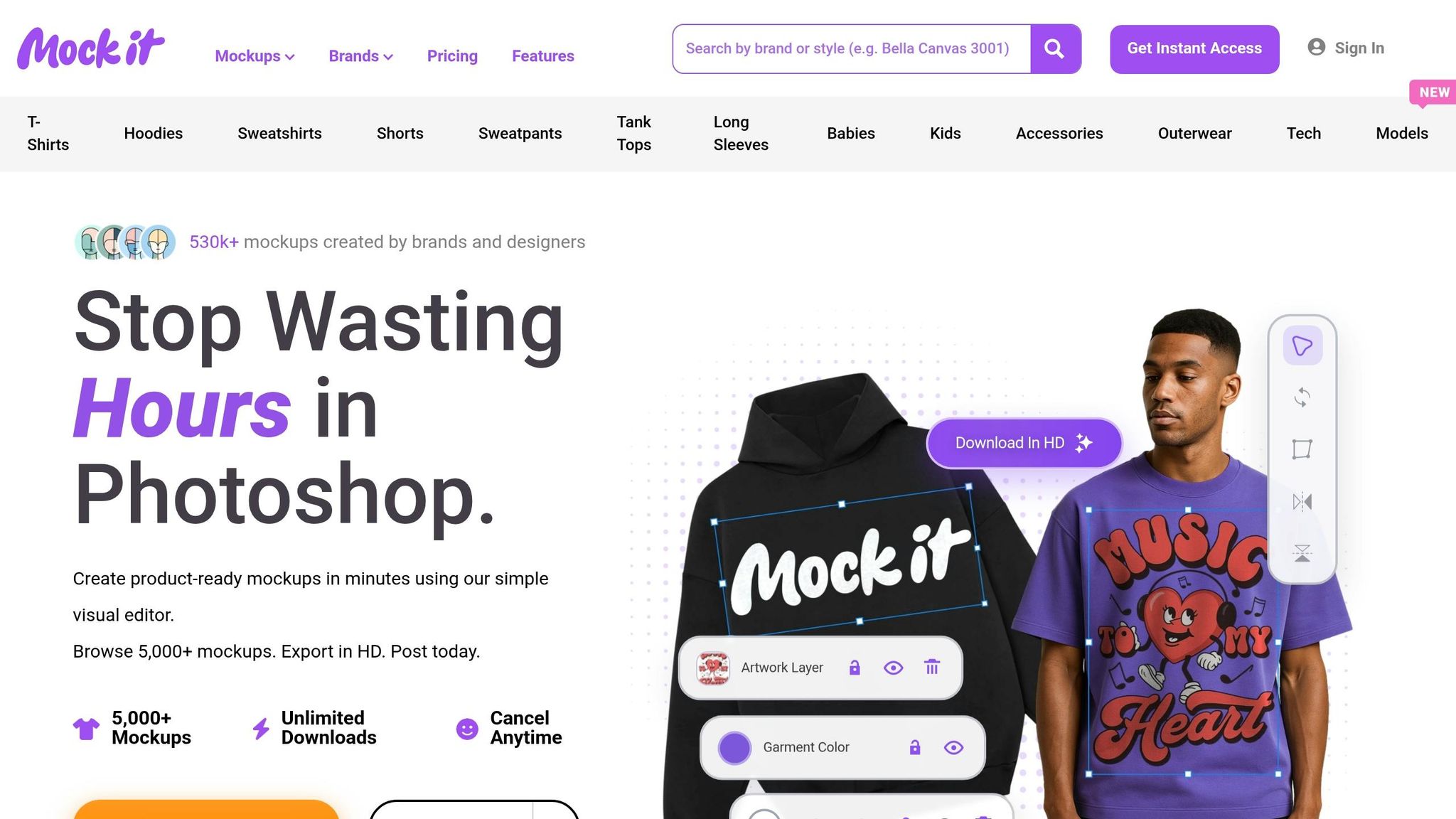
Mock It stands out from competitors like Claid.ai with a massive library of templates, built-in creation tools, and straightforward pricing – all tailored to meet the needs of apparel brands.
Template selection is where Mock It truly shines. With over 5,000 pre-designed templates spanning 45+ apparel brands, it offers a solution for virtually any design requirement. Compare this to Claid.ai, which provides just over 100 templates across various categories. Mock It eliminates the hassle of creating base images from scratch or searching for copyright-free photos. This broad selection forms the backbone of its efficient design process.
On top of that, Mock It offers advanced tools like a dedicated Scene Creator and AI features specifically designed for apparel mockups. Claid.ai, on the other hand, focuses more on general photo editing tasks like background removal, lighting tweaks, and product replacements. Claid.ai’s workflow – requiring multiple steps like uploading a product, editing the background, and adding a scene – can feel unnecessarily complicated.
Pricing is another area where Mock It pulls ahead. Its flat-rate plan ($9.99/month or $7.99/month annually) avoids the limitations of Claid.ai’s $9/month credit-based system, which can quickly become restrictive during high-volume campaigns. For apparel brands producing dozens or even hundreds of visuals for a launch, having predictable costs is a major advantage.
When you combine its extensive template library, specialized tools, and budget-friendly pricing, it’s clear why Mock It is the go-to platform for apparel brands looking to streamline their design process and execute consistent, efficient launch campaigns.
How to Choose the Right Visuals for Your Launch
Selecting the right visuals for your product launch depends on the stage of your campaign. Early on, it’s about building anticipation, while later stages focus on trust and authenticity.
Teasers for early stages are best created using mockups. Before production begins, digital renderings are a quick and effective way to generate excitement without the hassle of scheduling photo shoots. Tools like Mock It offer extensive template libraries, making it easy to test creative ideas and experiment with designs across social media platforms.
As your product transitions from concept to reality, your visual approach should adapt too. For post-launch sales, authentic product photos become essential. Customers making purchase decisions want to see real, detailed images of the product. Investing in professional photography at this stage can significantly enhance buyer confidence.
Budget and product variety are also key factors in choosing visuals. For instance, launching a t-shirt with 15 color options makes photographing every variant expensive. Digital mockups allow you to overlay designs onto a single base image, cutting costs dramatically. Alma Muñoz from Sales Layer explains:
It is only advisable to use mockups in the preliminary stages of launching a product and/or if the costs of the technical team really offset those of a photo shoot with the product range.
Mock It’s pricing – $9.99 per month or $7.99 per month with an annual plan – offers an affordable way to create pre-launch teasers. Once you gauge market interest, you can allocate resources to professional photography for maximum impact. Aligning your visuals with each stage of the launch ensures both cost efficiency and effectiveness.
Conclusion
Mockups and product photos each serve a distinct purpose in your marketing strategy. Mockups, as digital renderings, are ideal for the early stages of a campaign. They let you test designs, generate excitement, and save on costs before physical inventory is ready. On the other hand, product photos highlight the real deal – offering the authenticity and detail that customers rely on when making purchasing decisions.
By combining these two tools, you can create a seamless visual strategy. Start with mockups to build anticipation, then transition to product photos once production is complete. This approach not only keeps costs in check but also ensures your visuals align with the goals of each campaign stage.
For apparel brands, Mock It stands out as a go-to platform. With over 5,000 templates spanning 45+ brands, unlimited downloads, and a flat-rate plan starting at just $7.99/month (billed annually), it offers everything you need to create polished mockups. Features like a scene creator, background remover, and AI text-to-image generator make it easier than ever to bring your designs to life. Whether you’re debuting a single piece or an entire collection, using mockups for early buzz and product photos for final sales ensures maximum impact. Mock It simplifies the mockup process, keeping it affordable and professional every step of the way.
FAQs
When should I switch from mockups to real photos?
When your product is finalized and ready for launch, it’s time to switch to real photos. Mockups work well in the early stages – they help you visualize your designs and promote them without needing the actual product. But once you’re ready to go live, real photos are key. They build trust by showing the true quality and details of your product. Tools like Mock It can simplify the process of creating professional mockups, making it easier to transition seamlessly to real photography when the moment arrives.
Can mockups hurt trust or increase returns?
Mockups play a crucial role in shaping consumer trust and managing return rates. When mockups look unrealistic or fail to represent the actual product accurately, they can lead to disappointment and erode trust. This disconnect often results in higher return rates. On the other hand, well-designed, realistic mockups – such as those offered by platforms like Mock It – help present products in a way that aligns with customer expectations. The secret lies in creating mockups that are both accurate and transparent, ensuring customers feel confident in their purchase while reducing the likelihood of returns.
How do I plan a hybrid launch using both?
Start with mockups to create digital product visuals quickly and on a budget. These are perfect for generating early buzz and running online campaigns. As you get closer to your launch, switch to high-quality product photos to establish trust and credibility with your audience.
Tools like Mock It make this process seamless. Features like background removal and AI image generation allow you to blend the adaptability of mockups with the realism of photos, helping you craft a campaign that grabs attention and builds confidence.