Try Your Design.
Wear it, photograph it, or check the print before ordering more.
 Start Your Free Trial
See your design on more than a screen. Print it on your chosen garment, for yourself or a small run for your brand.
Start Your Free Trial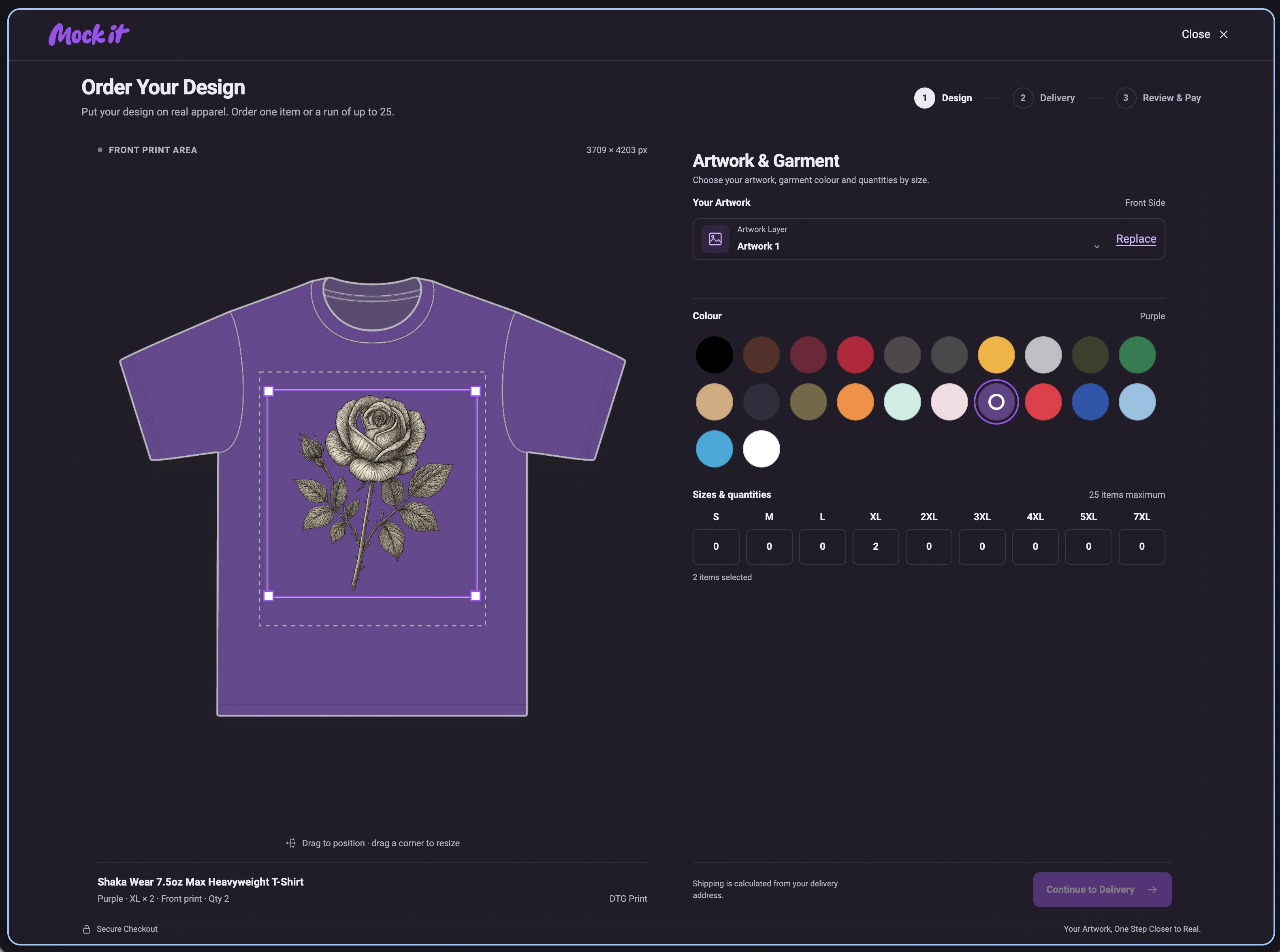
Follow the complete process, from choosing a P.O.D garment and positioning your artwork to entering sizes, reviewing the total and confirming your order.
Open a P.O.D mockup and select Order Your Design. Position and resize your artwork in the print area, choose a garment colour, then enter a quantity for each size.
Check your artwork, garment colour and quantities. Keep the design inside the print area.
Enter your address to see shipping costs for your items and destination.
Review the full order and price, including shipping, before you pay. Printed apparel is charged separately from your membership.
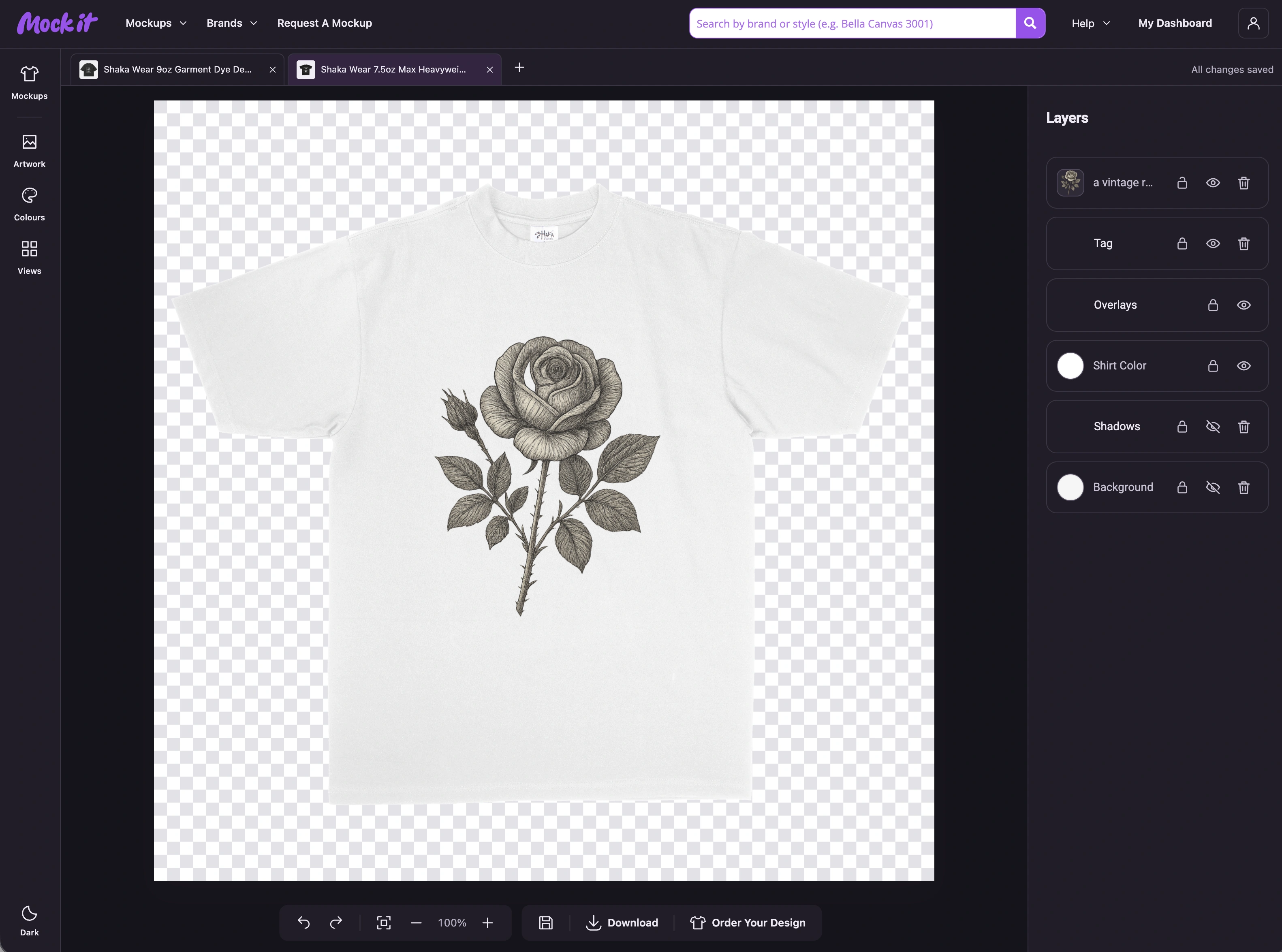
Try your design on one item, or make a small run for your brand, team or friends. Order up to 25 items and mix available sizes.
Wear it, photograph it, or check the print before ordering more.
Mix the sizes you need, with up to 25 items in total.
P.O.D means print on demand. Look for the label on supported mockups, or open the P.O.D library tab to see everything you can order.
Start Your Free Trial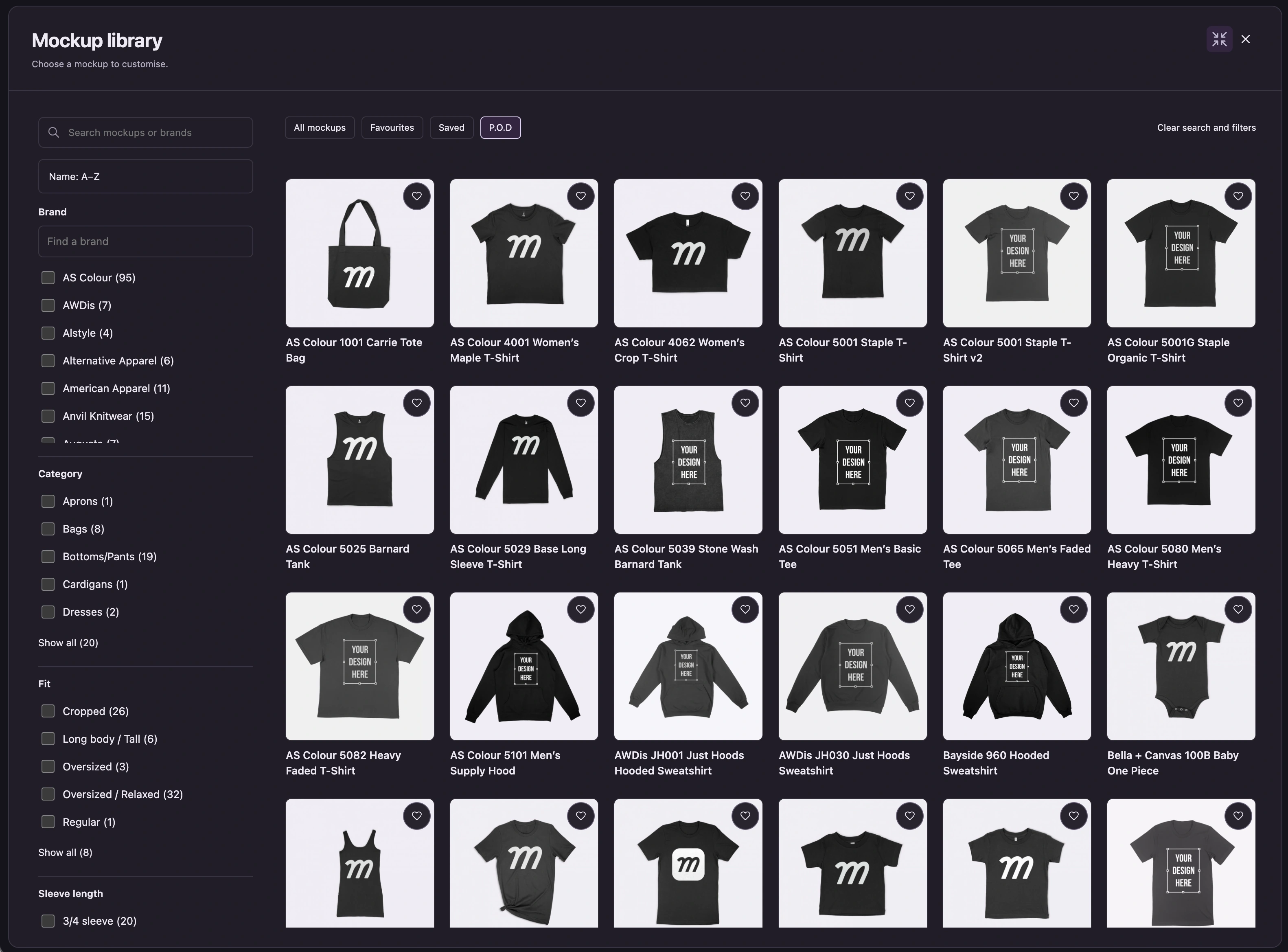
We use DTG (direct-to-garment) printing. Your artwork is printed directly onto the fabric.
Yes. Start with one item to try your design or make something for yourself. You can order up to 25 items in total.
You can mix available sizes within one order. Each order uses the same garment, colour and design, with a maximum of 25 items across all sizes.
Look for the P.O.D label or open the P.O.D tab in the mockup library. Colours and sizes vary by garment; the order form shows your available options.
Your price depends on the garment and quantities you choose. Add your delivery address to see shipping, then review the full total before you pay. Apparel orders are charged separately from your Mock It membership.
You’ll receive an order confirmation email. We review the order before it goes into production, then email you when it’s being made and when it ships, with tracking details as they become available.
A mockup helps you visualise your design. Check the print-area preview and use high-quality artwork when ordering. Printed colours and details can look different from a screen; ordering one item lets you check the physical result before buying more.
Your membership covers the digital mockup tools. Printed apparel and shipping are paid for separately through Order Your Design.
One item or a small batch · Up to 25 items per order